Getting traffic to your Shopify store is only the first part of the job.
If visitors are arriving but very few are buying, the problem may not be traffic volume at all. It could be traffic quality, product-page friction, weak trust signals, pricing, shipping costs, mobile UX, checkout problems, or a mismatch between what visitors expect and what they find after clicking.
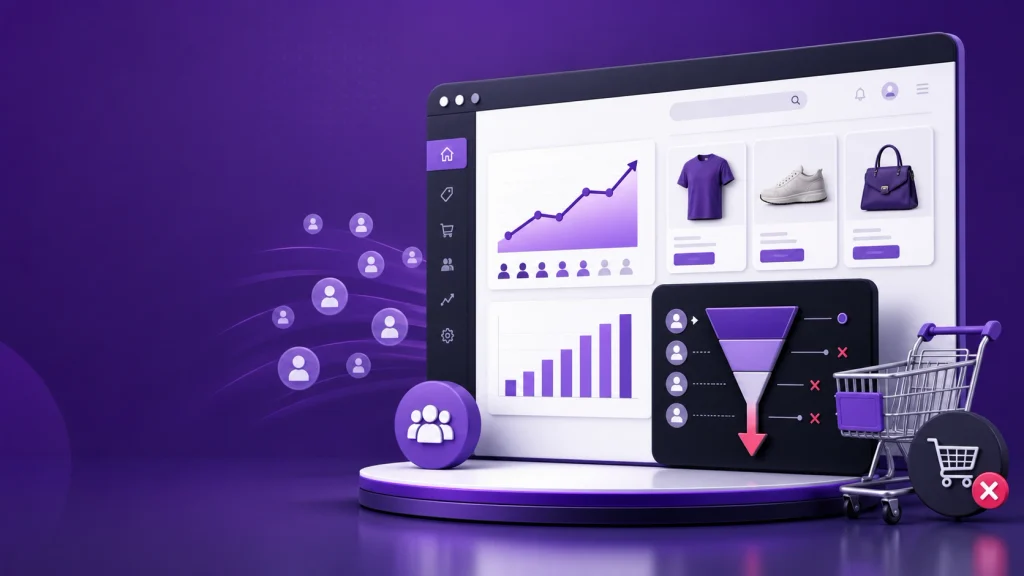
The fastest way to find the problem is to stop looking at traffic as one number and examine the journey from visitor → product view → add to cart → checkout → purchase.
Shopify’s own analytics can show how sessions move through these conversion stages, making it possible to identify where shoppers are dropping out.
First, Find Out Where the Sales Funnel Breaks
Before changing your theme, launching another ad campaign, or offering a bigger discount, answer one question:
Where are potential customers leaving?
Think about your store as a simple funnel:
Traffic → Product View → Add to Cart → Checkout → Purchase
Each stage points toward a different problem.
| What you’re seeing | What it may indicate |
|---|---|
| Lots of visitors but few product views | Traffic or navigation problem |
| Product views but very few add-to-carts | Product page, offer, price, or trust problem |
| Plenty of add-to-carts but few checkouts | Cart, shipping, or buying-friction problem |
| Many checkouts but few purchases | Checkout, payment, technical, or trust problem |
| Good conversion on desktop but poor mobile conversion | Mobile UX or performance problem |
| One traffic source converts while another does not | Traffic-intent or targeting problem |
This is more useful than asking whether your store has “enough traffic.”
A thousand poorly matched visitors can be less valuable than a much smaller audience with strong buying intent.
Shopify also recommends breaking overall conversion performance into milestones such as add-to-cart and reached-checkout rather than looking only at the final conversion number.
10 Reasons Your Shopify Store Gets Traffic but No Sales
1. You’re Getting the Wrong Kind of Traffic
Not every visitor is a potential customer.
Someone searching for information, browsing social media, comparing products, clicking an inexpensive ad, or discovering your brand for the first time may not have the same purchase intent as someone actively searching for the product you sell.
Look at your traffic by:
- Source
- Campaign
- Landing page
- Device
- Geography
- New vs. returning visitors
- Product viewed
- Conversion rate
If one traffic source sends plenty of visitors but almost nobody progresses toward a product view or add-to-cart, investigate that source before spending more money on it.
The question isn’t simply:
“How much traffic am I getting?”
It’s:
“Are the people arriving actually interested in buying what I’m selling?”
2. Your Landing Page Doesn’t Match the Visitor’s Expectation
Imagine someone clicks an advertisement promising a specific product, price, feature, or offer.
They land on your homepage and have to search for the product.
That creates unnecessary friction.
The landing experience should make the connection between the visitor’s original intent and your offer obvious.
For example, if an ad promotes a particular product, the visitor should generally be able to understand:
- What the product is
- Who it’s for
- What it costs
- Why it is useful
- What makes it different
- How to buy it
A strong traffic source cannot compensate for a confusing landing experience.
3. Your Product Pages Aren’t Answering Buying Questions
A product page has to do more than display a product photograph and an “Add to Cart” button.
Before buying, shoppers may want to know:
- What exactly am I getting?
- Is it suitable for me?
- What size or variant should I choose?
- How does it work?
- What does it look like in real use?
- When will it arrive?
- Can I return it?
- What happens if I don’t like it?
- Why should I choose this instead of another option?
If important answers are difficult to find, shoppers may leave without adding the product to their cart.
Pay particular attention to:
- Product photography
- Product benefits
- Clear descriptions
- Specifications
- Reviews
- FAQs
- Size or compatibility information
- Delivery information
- Returns
- Pricing
- Variant selection
- Add-to-cart visibility
For a deeper product-page review, use the existing Shopify product page conversion checklist.
4. Your Offer Isn’t Compelling Enough
Sometimes the website isn’t broken.
The offer simply isn’t strong enough compared with the alternatives available to the shopper.
Consider:
- Price
- Product quality
- Quantity
- Shipping
- Guarantees
- Bundles
- Promotions
- Delivery time
- Unique benefits
- Competitor alternatives
This doesn’t mean every store needs to become the cheapest option.
Instead, the shopper needs a clear reason to believe the product is worth the total cost.
A good value proposition answers a simple question:
Why should I buy this product from you?
If your homepage and product pages don’t communicate that quickly, visitors may continue shopping elsewhere.
5. Visitors Don’t Trust Your Store Yet
Trust becomes especially important when someone is buying from a brand they don’t know.
A visitor may hesitate if the store looks incomplete, the policies are difficult to find, or there is little evidence that other customers have successfully purchased from you.
Useful trust elements can include:
- Genuine customer reviews
- Product-specific ratings
- Clear return and refund policies
- Transparent shipping information
- Contact information
- About/company information
- Secure payment options
- Clear product information
- Consistent branding
- Real product photography
Don’t add trust badges simply because they look reassuring.
The goal is to remove legitimate uncertainty.
For example, “30-day returns” is much more useful when the customer can actually find the details of what that means.
6. Shipping or Other Costs Appear Too Late
A shopper may be happy with your product price until they discover additional costs at checkout.
Unexpected shipping charges, taxes, fees, or delivery limitations can change the economics of the purchase.
Shopify’s recent conversion guidance identifies extra costs such as shipping, taxes, or fees as a major source of checkout friction.
Where practical, communicate important costs and delivery expectations earlier.
Consider showing:
- Shipping costs
- Free-shipping threshold
- Estimated delivery timeframe
- Delivery regions
- Taxes where relevant
- Return conditions
Don’t make the customer reach the final checkout step just to discover what the purchase will actually cost.
7. Your Mobile Experience Is Hurting Conversions
A store can look excellent on a desktop and still be frustrating on a phone.
Check the complete purchasing journey on an actual mobile device:
- Open the homepage.
- Find a product.
- Select a variant.
- Add it to the cart.
- Review the cart.
- Start checkout.
- Test the available payment options.
Look for:
- Slow-loading sections
- Tiny text
- Difficult menus
- Images that push important information too far down
- Hard-to-use variant selectors
- Add-to-cart buttons that are difficult to find
- Pop-ups covering the screen
- Forms that are awkward to complete
- Layout problems
- Unexpected redirects
Don’t assume that a responsive theme automatically means the buying experience is good.
If performance is part of the problem, review the existing Shopify speed and SEO guide as a supporting resource.
8. Your Checkout Has Too Much Friction
If shoppers are adding products to their carts but not completing purchases, move your investigation further down the funnel.
Potential problems include:
- Unexpected costs
- Limited payment methods
- Confusing checkout steps
- Technical errors
- Poor mobile usability
- Unclear delivery information
- Distrust at the payment stage
- Unnecessary form friction
Shopify’s current checkout guidance recommends measuring where checkout drop-off occurs instead of assuming that every abandoned cart has the same cause.
Run the checkout yourself.
Better yet, have someone unfamiliar with your store attempt a purchase while you observe where they hesitate.
You can also use the existing Shopify checkout optimization guide for a more detailed review.
9. A Technical Problem Is Blocking Purchases
Sometimes the problem is much simpler than CRO theory.
Something may simply be broken.
Test:
- Add-to-cart functionality
- Variant selection
- Discount codes
- Cart updates
- Checkout buttons
- Payment methods
- Shipping calculations
- Contact forms
- Product availability
- Mobile checkout
- Browser compatibility
Pay particular attention to situations where one device, browser, product, country, or payment method behaves differently from the rest.
Also verify that your analytics are recording the funnel correctly.
If tracking is broken, you may think your store has a conversion problem when you actually have a measurement problem.
10. You’re Expecting Every Visitor to Buy on the First Visit
Not every visitor is ready to purchase immediately.
This is especially true for:
- Expensive products
- Products requiring comparison
- New brands
- Products with long consideration periods
- Products that need sizing or compatibility research
Someone can visit your product page today, leave, compare alternatives, and return several days later.
That makes follow-up important.
Depending on your business, this could include:
- Email capture
- Abandoned-cart recovery
- Product-view follow-up
- Remarketing
- Educational content
- Product comparisons
- Reviews and social proof
- Helpful FAQs
The objective isn’t to pressure every visitor into buying immediately.
It’s to give interested shoppers a reason and an opportunity to return.


Use Shopify Analytics to Diagnose the Problem
Start with your funnel rather than making random design changes.
Shopify’s Online Store Conversion report tracks sessions through stages including landing on the store, adding products to the cart, reaching checkout, and completing the purchase.
Use that information to ask:
Are visitors reaching product pages?
If not, investigate:
- Traffic quality
- Navigation
- Homepage messaging
- Collection pages
- Internal search
- Landing-page relevance
Are visitors viewing products but not adding to cart?
Investigate:
- Product presentation
- Pricing
- Product information
- Reviews
- Trust
- Variants
- Availability
- Add-to-cart visibility
- Offer positioning
Are visitors adding products but not reaching checkout?
Investigate:
- Cart experience
- Shipping information
- Unexpected costs
- Discounts
- Cart functionality
- Product availability
Are shoppers reaching checkout but not completing it?
Investigate:
- Payment options
- Checkout errors
- Shipping costs
- Delivery information
- Trust
- Mobile usability
- Technical problems
This approach turns “my Shopify store isn’t selling” into a much more specific problem.
Don’t Use One Conversion-Rate Benchmark as Your Diagnosis
You may see ecommerce conversion-rate benchmarks published online, but don’t automatically compare your store with one universal number.
Shopify’s 2026 guidance notes that conversion rates vary considerably by factors such as product category, traffic source, device, price point, and buying behavior.
Your own funnel is usually more useful.
For example:
Store A
10,000 sessions → 20 purchases
Store B
2,000 sessions → 30 purchases
Looking only at traffic makes Store A appear stronger.
Looking at completed purchases and conversion rate tells a different story.
The important question is not:
“How do I get more visitors?”
It may instead be:
“How do I help the visitors I already have move one step further through the funnel?”
What Should You Fix First?
Avoid changing ten things at once.
A better process is:
Step 1: Verify the data
Make sure your Shopify analytics and conversion tracking are working correctly.
Step 2: Segment the traffic
Compare:
- Organic
- Paid
- Social
- Direct
- Referral
Also compare devices and important landing pages.
Step 3: Find the largest funnel drop
Identify whether the biggest problem is:
Traffic → Product
Product → Cart
Cart → Checkout
or
Checkout → Purchase
Step 4: Investigate that stage
Don’t redesign the entire store before you understand where the problem is.
Step 5: Make a focused change
Examples:
- Improve product information
- Clarify shipping
- Strengthen trust
- Improve mobile UX
- Simplify checkout
- Fix a technical problem
- Improve traffic targeting
Step 6: Measure again
Give the change enough time and traffic to produce useful data, then compare the relevant funnel stage.
This is much more informative than making several unrelated changes and hoping sales increase.
Shopify Traffic but No Sales: Quick Audit Checklist
Use this checklist before spending more money on traffic:
Traffic
- Is the traffic relevant to the products?
- Are some sources producing visitors but almost no buying behavior?
- Do ads and search listings accurately describe the landing page?
- Are visitors arriving on the right page?
Product pages
- Is the product immediately understandable?
- Are benefits clear?
- Are product photos useful?
- Are reviews visible?
- Is pricing clear?
- Are variants easy to select?
- Is delivery information easy to find?
- Are returns explained?
- Is the Add to Cart action obvious?
Store trust
- Are contact details easy to find?
- Are policies accessible?
- Are reviews genuine and relevant?
- Does the store look complete and consistent?
- Can a first-time visitor understand who is behind the business?
Checkout
- Have you tested the complete checkout?
- Does it work on mobile?
- Are payment options appropriate for your customers?
- Are shipping costs clear?
- Are there unexpected fees?
- Are there technical errors?
Measurement
- Can you see add-to-cart activity?
- Can you see checkout activity?
- Can you compare traffic sources?
- Can you compare mobile and desktop?
- Can you identify which pages receive traffic but produce little buying activity?
When You Need More Than a Traffic Strategy
If your store is already receiving relevant visitors but consistently loses shoppers somewhere in the funnel, increasing traffic may simply increase the number of people encountering the same problem.
That is where a structured conversion and store audit becomes useful.
For the SEO side of the problem, you can also review the existing Shopify SEO audit guide to make sure search visibility and technical issues aren’t creating poor-quality entry points.
If the broader issue involves SEO, ecommerce visibility, or website performance, SEO services can be a relevant next step.
FAQ
Why is my Shopify store getting visitors but no orders?
The most common possibilities are poor traffic quality, weak product pages, insufficient trust, an uncompetitive offer, unexpected costs, poor mobile UX, checkout friction, or technical problems. The best starting point is to identify where visitors drop out of your conversion funnel.
Is getting traffic but no sales an SEO problem?
Not necessarily.
SEO can bring visitors to your store, but traffic does not automatically create purchases. If visitors are relevant but aren’t converting, the problem may be on the product page, with the offer, trust, checkout, or overall buying experience.
Should I run more ads if my Shopify store isn’t converting?
Not automatically.
First determine whether the existing traffic is relevant and where visitors are dropping out. More traffic can make an existing conversion problem more expensive rather than solving it.
Why do people add products to their cart but not buy?
Common causes include unexpected shipping costs, taxes or fees, payment friction, checkout problems, trust concerns, or shoppers who simply aren’t ready to purchase. Shopify recommends examining the conversion funnel to determine where the drop occurs.
How can I improve Shopify conversion rates?
Start by identifying the weakest stage of the funnel. Then improve the specific problem rather than changing everything at once. Product-page clarity, trust, pricing transparency, mobile usability, checkout experience, and relevant traffic can all influence conversion.
Final Takeaway
If your Shopify store is getting traffic but no sales, don’t treat “more traffic” as the automatic answer.
First find the leak.
Traffic without product engagement may indicate a traffic, landing-page, or navigation problem.
Product views without add-to-carts may point toward product presentation, pricing, trust, or offer problems.
Add-to-carts without purchases puts more attention on shipping, cart, payment, trust, and checkout.
Once you know where visitors are dropping out, you can make a targeted change and measure what happens next.
That is a much more reliable way to improve a Shopify store than repeatedly changing the design or buying more traffic without knowing what is stopping people from purchasing.