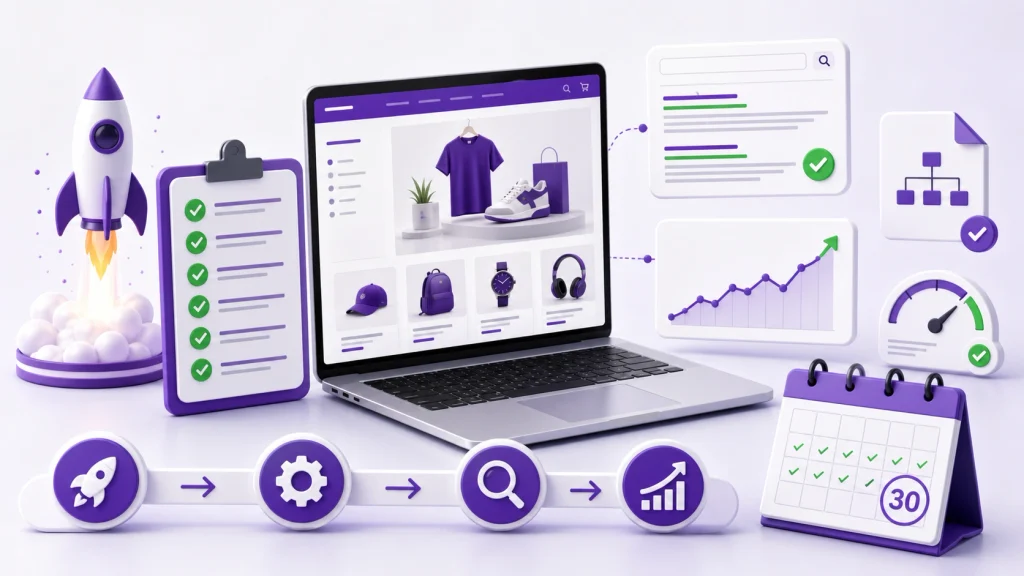
Launching a Shopify store is only the beginning. Before you worry about building hundreds of backlinks or publishing dozens of blog posts, you need to make sure search engines can find your store, understand what you sell, and reach the pages that matter.
This Shopify SEO checklist for new stores focuses on the work that should happen before launch, on launch day, and during the first 30 days.
The priority is simple:
Make the store crawlable → build a clear structure → optimize important pages → connect them with useful internal links → measure what happens → improve from the data.
Shopify already handles several technical SEO basics automatically, including sitemap generation, robots.txt, canonical tags and SSL. The work you need to do is mostly about your content, site structure, page targeting, internal linking and ongoing monitoring.
Shopify SEO Checklist at a Glance
Before going into the details, use this quick checklist:
- Connect your custom domain
- Make sure the store is accessible to search engines
- Set up Google Search Console
- Submit your Shopify sitemap
- Decide which pages should target which search intent
- Build logical collections and navigation
- Optimize your homepage
- Write unique collection descriptions
- Write useful product descriptions
- Optimize product and collection titles
- Write unique meta titles and descriptions
- Keep URLs simple and descriptive
- Add descriptive image alt text
- Create useful internal links
- Check mobile usability
- Test page performance
- Review canonical and indexing signals
- Check structured data on important pages
- Create essential trust and policy pages
- Set up analytics and conversion tracking
- Check important URLs after launch
- Monitor Search Console during the first 30 days
You do not need to complete every advanced SEO task before your store can launch. The goal is to establish a clean foundation first.
1. Set Up Your Domain and HTTPS
Use your own branded domain rather than relying on a temporary Shopify domain for your public store.
Before launch, confirm:
- Your preferred domain is connected.
- HTTPS is working.
- The correct domain is used consistently.
- Any alternative domain versions redirect appropriately.
- Your store does not expose unnecessary duplicate versions.
Shopify provides SSL certificates for stores, but you should still check that the live storefront loads correctly over HTTPS.
Do this before spending significant time on SEO because changing the primary domain later can introduce unnecessary migration work.

2. Set Up Google Search Console
Google Search Console should be one of the first SEO tools you configure.
It gives you information about:
- Search queries
- Impressions
- Clicks
- Search visibility
- Indexing
- Sitemap processing
- Page indexing issues
- Search-related technical problems
Google recommends Search Console as a way for site owners to understand how their websites perform in Google Search and troubleshoot indexing and crawling issues.
For a new Shopify store, verify the property before launch if possible so you can start collecting data as soon as the store becomes publicly accessible.
3. Submit Your Shopify Sitemap
Shopify automatically generates a sitemap at:
yourstore.com/sitemap.xml
The sitemap includes links to important store content such as products, collections, pages and blog posts. Shopify automatically updates the sitemap when relevant content is added or changed.
After verifying your site in Google Search Console:
- Open Search Console.
- Select your property.
- Open the Sitemaps report.
- Submit
sitemap.xml. - Check that Google can process it successfully.
A sitemap helps Google discover URLs, but it does not guarantee that every URL will be crawled or indexed. Google explicitly notes that sitemap submission does not guarantee crawling or indexing.
That distinction is important for new stores.
4. Make Sure Your Store Can Be Crawled
A beautiful Shopify store is useless from an organic-search perspective if important pages cannot be reached or indexed.
Before launch, check:
- The store is not unintentionally password protected.
- Important products are published to the Online Store channel.
- Important collections are accessible.
- Navigation links work.
- There are no accidental noindex directives.
- Important pages are not blocked unnecessarily.
- The live storefront can be accessed by search engines.
Shopify provides a default robots.txt configuration designed for most stores. Shopify warns that custom robots.txt changes can cause serious SEO problems if configured incorrectly, so do not edit it simply because an SEO checklist tells you to.
5. Build a Logical Store Structure
Your store architecture should make sense to both shoppers and search engines.
A basic ecommerce structure might look like:
Homepage → Collection → Product
Supporting content can then connect to relevant collections and products:
Blog/Guide → Collection → Product
For example, a clothing store might organize products like:
- Women’s Clothing
- Dresses
- Summer Dresses
- Maxi Dresses
- Individual products
The exact structure depends on what customers actually search for.
Do not create collections simply because you can. Each important collection should represent a meaningful category, product group or search demand.
Shopify already follows several structural SEO principles automatically, including a logical hierarchy and readable URL structure. You should focus your effort on navigation, menus and useful internal links rather than trying to redesign Shopify’s URL system unnecessarily.
6. Do Keyword Research Before Optimizing Pages
Do not begin by putting the same keyword into every product page.
Instead, map search intent to page type.
For example:
| Search intent | Suitable page |
|---|---|
| Brand search | Homepage |
| Broad product category | Collection |
| Specific product | Product page |
| Informational question | Blog/guide |
| Product comparison | Guide/comparison page |
Suppose you sell running shoes.
A useful structure could be:
- “running shoes” → main collection
- “trail running shoes” → relevant collection
- “men’s trail running shoes” → specific collection if commercially justified
- “Brand Model X review/specifications” → product page
- “how to choose trail running shoes” → informational guide
This prevents multiple pages from competing for exactly the same search intent.
7. Optimize Your Homepage
Your homepage should make three things clear:
- What your business sells
- Who the products are for
- Which important categories customers can explore
Check:
- Homepage title
- Meta description
- H1
- Main copy
- Category links
- Featured products
- Brand information
- Navigation
- Internal links
Do not turn the homepage into a giant block of SEO copy.
Its primary purpose is still to help customers understand the store and move toward the products or categories they need.
For more detailed optimization, see the existing Shopify homepage SEO guide.
8. Optimize Collection Pages
Collection pages can be valuable organic landing pages because they group related products around a broader search intent.
For each important collection:
- Use a descriptive collection name.
- Write a useful title tag.
- Write a unique meta description.
- Add relevant introductory content where appropriate.
- Explain what the collection contains.
- Help shoppers understand how products differ.
- Link to related collections when useful.
- Link to important products naturally.
Avoid writing 300 words of generic text just because an SEO tool recommends a word count.
The content should help the shopper make a decision.
For deeper guidance, see the Shopify collection page SEO guide.
9. Write Unique Product Descriptions
Do not copy manufacturer descriptions across your catalog when you can provide something more useful.
A good product description should explain:
- What the product is
- Who it is for
- Important features
- Practical benefits
- Materials or specifications
- Size or compatibility information
- Important limitations
- Questions a buyer may have
Use natural language.
You do not need to repeat the target keyword in every paragraph.
A product page should help a shopper decide whether the product is right for them, not simply provide search engines with repeated phrases.
For additional guidance, use the Shopify product page SEO guide.
10. Optimize Product and Collection Titles
Your page title should accurately describe the page.
A useful product title might follow a structure such as:
Product Name + Important Attribute + Brand
But don’t force this formula onto every product.
For example:
Waterproof Hiking Backpack 30L | Brand Name
is clearer than:
Buy Best Waterproof Hiking Backpack 30L Hiking Backpack Online
Write for the customer first.
11. Write Unique Meta Titles and Descriptions
Each important page should have metadata that accurately describes its content.
Prioritize:
- Homepage
- Main collections
- Important products
- Key pages
- High-value blog content
A useful title should communicate what the page is about.
A useful meta description can explain:
- What the page offers
- Who it is for
- What makes the page useful
Google may choose a different search-result snippet depending on the query and page content, so don’t treat the meta description as a guaranteed piece of text that will always appear.
If you need a deeper walkthrough, see the Shopify meta title and description guide.
12. Keep URLs Simple
Shopify provides standard URL structures for products, collections and pages.
Keep the editable portion of URLs:
- Short
- Descriptive
- Stable
- Easy to understand
Avoid changing URLs repeatedly just to add more keywords.
For a new store, it is better to establish sensible URLs before launch than to keep rewriting them afterward.
If you need a detailed reference, see the Shopify URL structure SEO guide.
13. Optimize Product Images
Images matter for both ecommerce UX and image search.
Before publishing:
- Use descriptive filenames.
- Resize unnecessarily large images.
- Compress images appropriately.
- Use useful alt text.
- Make sure images are sharp enough for customers to inspect the product.
- Avoid adding keyword-heavy alt text that does not describe the image.
For example:
Better:black-leather-crossbody-bag.jpg
Poor:best-black-leather-crossbody-bag-buy-online-cheap.jpg
Alt text should describe the image rather than function as a keyword field.
See the Shopify image SEO guide for additional optimization ideas.
14. Create Internal Links That Help Customers
Internal links are particularly important for ecommerce stores because they connect categories, products and supporting content.
Useful relationships include:
Homepage → Important collections
Collection → Related collections
Collection → Products
Product → Relevant collection
Blog article → Relevant collection
Blog article → Relevant product
Use descriptive anchor text.
For example:
Explore our lightweight hiking backpacks
is more useful than:
Click here
Do not force an internal link into every paragraph.
The link should give the reader a useful next step.
For a more detailed strategy, see the Shopify internal linking guide.
15. Check for Duplicate Content Problems
New Shopify stores should understand that duplicate URLs and similar content can occur for legitimate ecommerce reasons.
Potential sources include:
- Product URL variations
- Collection-related paths
- Filters
- Product variants
- Repeated descriptions
- Similar collections
- Parameterized URLs
Shopify automatically uses canonical tags on pages, but you should still understand which URLs you actually want search engines to treat as primary versions.
Do not start changing canonical tags or robots.txt rules without understanding the underlying problem.
For a deeper explanation, see the Shopify duplicate content guide and Shopify canonical URL guide.
16. Check Your Store’s Technical SEO
Before launch, test the basics:
- Important URLs return the correct status.
- Navigation links work.
- There are no obvious broken links.
- Important pages can be reached from the site.
- Images load correctly.
- Mobile layouts work.
- The checkout journey works.
- The theme does not create obvious rendering problems.
- Important pages have appropriate canonical signals.
- The store is accessible to crawlers.
Shopify’s built-in technical SEO handles several foundational elements, but themes, apps and customizations can still introduce problems.
For a deeper technical review, use the Shopify technical SEO checklist.
17. Test Mobile Usability
Your customers may discover your store from phones, social platforms, Google Search and other channels.
Test at least:
- Homepage
- Collection page
- Product page
- Cart
- Checkout
- Search
- Menus
- Filters
- Product images
- Forms
Look for:
- Horizontal scrolling
- Tiny text
- Overlapping elements
- Difficult navigation
- Slow-loading sections
- Buttons that are difficult to tap
Do not judge mobile UX from the homepage alone.
18. Review Page Speed
A new store can become unnecessarily heavy because of:
- Large images
- Video backgrounds
- Too many apps
- Excessive tracking scripts
- Heavy themes
- Unnecessary animations
- Third-party widgets
Start with the basics.
Remove functionality that doesn’t provide enough value to justify its performance cost.
Use Google’s performance tools and real-user data where available rather than obsessing over a single synthetic score.
For Shopify-specific performance work, see the Shopify speed SEO guide.
19. Add Structured Data Where It Makes Sense
Structured data can help search engines understand eligible content and can make certain pages eligible for enhanced search features.
For ecommerce, Product structured data can communicate information such as product details, offers and availability when implemented correctly.
Do not add schema simply because an SEO checklist says every page needs it.
The markup should accurately represent visible page content and follow Google’s guidelines.
For Shopify stores, product and breadcrumb-related structured data are particularly relevant areas to review.
20. Create Essential Trust Pages
Before launch, make sure customers can find important business information.
Depending on your business and market, this can include:
- About page
- Contact page
- Shipping information
- Returns/refund policy
- Privacy policy
- Terms and conditions
- FAQ
These pages aren’t simply SEO targets.
They help customers understand who operates the store, what to expect after ordering, and how problems are handled.
Shopify’s own launch checklist also emphasizes having policies, contact information and shipping details finalized before making a store publicly accessible.
21. Set Up Analytics and Conversion Tracking
SEO traffic is only useful if you can understand what happens after people arrive.
Set up appropriate analytics and conversion tracking so you can eventually answer questions such as:
- Which landing pages attract organic traffic?
- Which queries generate impressions?
- Which products receive organic visits?
- Which collections attract visitors?
- Which pages generate sales?
- Where do users abandon the purchase journey?
Search Console helps you understand Google Search performance, while analytics helps you understand what visitors do after arriving.
22. Check Indexing After Launch
Do not assume that every product is indexed simply because it appears in your sitemap.
After launch, inspect important URLs.
Start with:
- Homepage
- Main collections
- Best-selling products
- Important informational pages
Google explains that crawling and indexing are separate processes, and sitemap submission does not guarantee that every URL will be indexed.
If an important page isn’t indexed, investigate the reason instead of immediately requesting indexing repeatedly.
23. Monitor Search Console During the First 30 Days
The first month is about collecting information.
Monitor:
- Indexed pages
- Search impressions
- Clicks
- Queries
- Average position
- Page indexing issues
- Sitemap status
- Core technical problems
Do not panic if a brand-new store doesn’t immediately rank for competitive commercial queries.
Google notes that changes can take anywhere from hours to months to show an effect, and recommends allowing time to evaluate SEO changes.
The first 30 days should therefore be treated as a baseline-building period, not a ranking deadline.
24. Improve Pages Based on Actual Data
Once Search Console begins collecting enough information, look for opportunities.
For example:
High impressions + low clicks
Review:
- Search intent alignment
- Title
- Meta description
- Page positioning
- SERP competition
Impressions but poor average position
Review:
- Content depth
- Search intent
- Page quality
- Internal links
- Collection/product targeting
- External authority
Indexed page + almost no impressions
Ask whether the page:
- Targets a useful search demand
- Has enough unique value
- Is competing with another page
- Should exist as a standalone indexable page
SEO becomes more useful when decisions are based on actual data rather than a generic checklist.
25. Build Supporting Content After the Commercial Foundation
Do not start a blog with 50 random articles.
Look at questions customers ask before buying.
Examples:
- How to choose the right product
- Product comparisons
- Sizing guides
- Care instructions
- Compatibility questions
- Buying guides
- Troubleshooting
- Product use cases
Then connect those articles to relevant collections and products.
This creates a useful path:
Informational search → helpful article → relevant collection → product
The content should serve the customer journey rather than exist simply to increase the number of indexed URLs.
Shopify SEO Tasks You Don’t Need to Overcomplicate
New store owners often spend too much time on advanced technical SEO before the basics are complete.
You usually don’t need to:
- Rewrite Shopify’s default robots.txt without a specific reason.
- Create hundreds of low-value pages.
- Stuff keywords into product descriptions.
- Change URLs repeatedly.
- Install multiple SEO apps that perform overlapping functions.
- Publish dozens of generic blog posts.
- Add schema that doesn’t match visible content.
- Obsess over an arbitrary keyword density.
- Expect immediate rankings after submitting a sitemap.
Shopify already provides several SEO foundations automatically, while Google emphasizes useful, unique, well-organized, people-first content rather than tricks designed to manipulate rankings.
Shopify SEO Checklist for Launch Day
Use this as your final pre-launch pass:
Technical
- Custom domain connected
- HTTPS working
- Store publicly accessible
- Important pages reachable
- No accidental indexing restrictions
- Navigation working
- Sitemap accessible
Search setup
- Google Search Console verified
- Sitemap submitted
- Important URLs inspected
- Analytics configured
On-page
- Homepage title reviewed
- Collection titles reviewed
- Product titles reviewed
- Meta descriptions written where useful
- Product descriptions are unique
- Collection descriptions are useful
- Images have descriptive alt text
- URLs are clean
UX
- Mobile navigation tested
- Product pages tested
- Collection filters tested
- Cart tested
- Checkout tested
- Contact information visible
- Shipping and returns information available
Common Shopify SEO Mistakes New Stores Make
1. Optimizing everything equally
Not every page deserves the same amount of effort.
Prioritize the pages that matter to customers and have meaningful search demand.
2. Copying supplier descriptions
Duplicate manufacturer content makes it harder to differentiate your product pages.
Add information that helps your customers make a decision.
3. Creating too many collections
A large collection list does not automatically make a store more authoritative.
Create categories that make sense for shoppers.
4. Installing too many SEO apps
An app should solve a genuine problem.
Adding several apps that modify the same SEO elements can create unnecessary complexity.
5. Changing URLs after launch without a reason
Choose sensible URLs early and keep them stable.
If URLs must change, handle redirects properly.
6. Ignoring internal links
Important products and collections should not become isolated pages.
Use navigation and contextual links to connect related content.
7. Treating sitemap submission as an indexing guarantee
A sitemap helps Google discover URLs, but it does not guarantee that every URL will be indexed.
8. Publishing generic blog posts
Ten useful buying guides are more valuable to your customers than dozens of articles written only to target slightly different keywords.
A Practical 30-Day Shopify SEO Plan
Before launch
Focus on:
- Domain and HTTPS
- Store structure
- Collections
- Product pages
- Titles and descriptions
- Internal links
- Images
- Mobile UX
- Search Console
- Sitemap
Launch week
Check:
- Store accessibility
- Important URL indexing
- Navigation
- Broken links
- Mobile experience
- Performance
- Search Console
- Analytics
Weeks 2–4
Start analyzing:
- Search queries
- Impressions
- Landing pages
- Indexing issues
- Pages with weak visibility
- Products and collections that need stronger content
Then begin publishing supporting content based on genuine customer questions and search demand.
Final Shopify SEO Checklist
If you only have time for the essentials, complete these first:
- Connect your domain
- Confirm HTTPS
- Make the store crawlable
- Set up Google Search Console
- Submit the Shopify sitemap
- Build clear collections
- Map search intent to page types
- Optimize important product pages
- Optimize important collection pages
- Write useful titles and meta descriptions
- Use clean URLs
- Optimize images
- Build useful internal links
- Test mobile UX
- Review performance
- Check important pages for indexing
- Set up analytics
- Monitor Search Console
- Improve pages using actual search data
- Build helpful supporting content
A new Shopify store does not need an enormous SEO operation on day one. It needs a clean technical foundation, clear page targeting, useful product and collection content, sensible internal linking, and a process for learning from search data.
Once those pieces are in place, you can move into more advanced technical SEO, content development and authority building without spending your launch period optimizing things that do not need fixing.