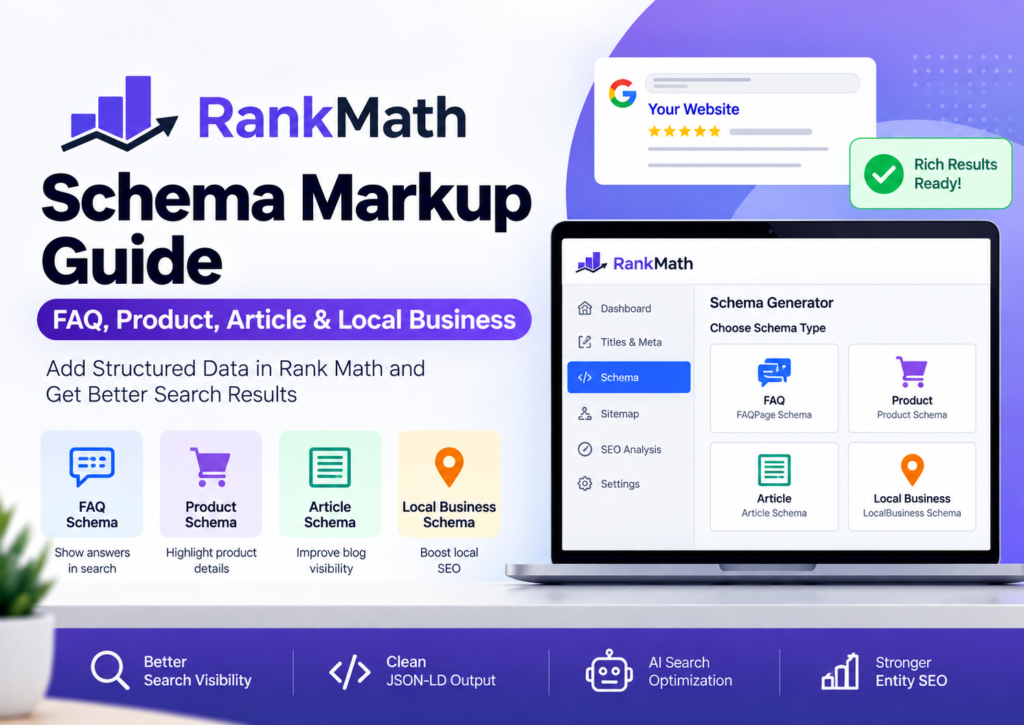
Schema markup often sounds technical, but it solves a simple problem. It helps search engines understand your content better. Instead of guessing whether a page is a product, blog post, FAQ, or local business, search engines receive structured information in a standardized format.
If you use WordPress, Rank Math makes this process much easier. You can add structured data without writing complex JSON-LD code, while still following Google’s recommended implementation methods.
In this Rank Math Schema Markup Guide, you’ll learn how to use the most important Rank Math schema types, including FAQ, Product, Article, and Local Business Schema. You’ll also learn when to use each schema type, how to validate your implementation, and how to avoid common mistakes that prevent rich results.
Whether you’re running a personal blog, an online store, or a local business website, understanding Rank Math Schema Markup can improve your site’s search appearance and make your content easier for both Google and AI-powered search engines to understand.
Rank Math Schema Markup
Rank Math Schema Markup is a feature within the Rank Math SEO plugin that helps WordPress users add structured data to their pages and posts. Instead of manually creating Schema.org markup, Rank Math generates JSON-LD structured data based on the schema type you choose.
Structured data follows the Schema.org vocabulary, an industry-standard framework supported by Google, Microsoft, Yahoo, and Yandex. Google recommends JSON-LD as the preferred format for implementing structured data because it is easier to maintain and less likely to break page layouts.
Think of schema markup as a translator.
Humans can easily recognize that a page is a product review or a business listing. Search engines, however, need additional context. Schema provides that context.
For example, a product page can tell Google:
- Product name
- Brand
- Price
- Availability
- SKU
- Ratings
- Reviews
Similarly, a blog article can identify:
- Author
- Publication date
- Headline
- Featured image
- Publisher
This extra information helps Google better understand your content and determine whether it qualifies for eligible rich results.
Important: Adding schema markup does not guarantee rich snippets. Google decides whether to display enhanced search results based on content quality, structured data validity, and search intent.
Why Schema Markup Matters for SEO
Many website owners spend hours improving titles, meta descriptions, and page speed. Those efforts matter, but structured data is another important part of Technical SEO.
Schema markup helps search engines understand entities instead of relying only on keywords.
For example, if your page discusses a diamond engagement ring, schema tells Google that the page represents a product rather than a generic article. That distinction improves content understanding and can support richer search features.
Key Benefits of Schema Markup
Better Search Understanding
Structured data gives search engines precise information about your content.
Instead of guessing, Google receives clearly defined attributes using Schema.org vocabulary.
Eligibility for Rich Results
Correct schema implementation may qualify your pages for enhanced search features such as:
- Product information
- FAQ sections
- Breadcrumbs
- Review snippets
- Article enhancements
Remember, eligibility does not guarantee display. Google evaluates many ranking and quality signals before showing rich results.
Improved AI Search Optimization
Modern AI-powered search systems rely heavily on structured information.
Schema helps AI systems identify relationships between people, products, organizations, locations, and content. This supports stronger Entity SEO and improves machine understanding of your website.
Better Knowledge Graph Signals
Organization Schema, Person Schema, and Local Business Schema help search engines connect your website with real-world entities.
This contributes to a stronger digital presence across Google’s ecosystem.
Easier Website Maintenance
Without Rank Math, adding JSON-LD often requires custom coding.
With Rank Math Schema Generator, you can create structured data through an intuitive interface while maintaining Google’s recommended JSON-LD format.
A little less coding means fewer late-night debugging sessions. Your coffee might finally get a break.

Rank Math Schema Types Explained
One of Rank Math’s biggest strengths is its wide selection of schema templates. Instead of creating every markup manually, you can choose a schema type that matches your content.
Selecting the correct schema matters more than adding as many schema types as possible.
Here are the most commonly used Rank Math Schema Types.
Article Schema
Use Rank Math Article Schema for:
- Blog posts
- Tutorials
- Guides
- Educational content
- News articles
Article Schema helps search engines identify important publishing details such as:
- Headline
- Author
- Date Published
- Date Modified
- Publisher
- Featured Image
This schema is ideal for content marketing and informational websites.
FAQ Schema
Rank Math FAQ Schema works best for pages containing genuine questions and answers.
Google recommends adding FAQ structured data only when the questions and answers are visible on the page.
Examples include:
- Buying guides
- Service pages
- Documentation
- Help center articles
Avoid creating FAQ sections solely for SEO. Every answer should provide useful information to visitors.
Product Schema
Rank Math Product Schema is designed for WooCommerce and eCommerce websites.
It helps search engines understand product details such as:
- Product Name
- Price
- Currency
- Availability
- Brand
- Reviews
- Ratings
Proper Product Structured Data improves Google’s understanding of your product pages and supports eligibility for product-related rich results.
Local Business Schema
Local businesses should implement Rank Math Local Business Schema to provide accurate business information.
Typical properties include:
- Business Name
- Address
- Phone Number
- Opening Hours
- Website
- Business Category
- Geographic Location
This schema complements your local SEO efforts and helps Google associate your business with relevant local searches.
Organization Schema
Organization Schema identifies the company behind your website.
It usually contains:
- Business name
- Logo
- Website
- Social profiles
- Contact details
This structured data strengthens brand identity and supports Google’s understanding of your organization.
Breadcrumb Schema
Breadcrumb Schema helps search engines understand your site’s hierarchy.
Instead of viewing pages in isolation, Google can recognize parent-child relationships across categories and subcategories.
Breadcrumbs also improve user navigation by showing visitors where they are within your website.
How to Add FAQ Schema in Rank Math
FAQ sections remain valuable when they answer real user questions. They improve content organization, address common concerns, and make pages easier to understand.
Adding Rank Math FAQ Schema is straightforward.
Step 1: Edit Your Post or Page
Open the page where you want to add frequently asked questions.
Ensure your questions and answers already exist within the page content.
Step 2: Open the Rank Math Schema Generator
Inside the WordPress editor:
Rank Math SEO → Schema Generator
You’ll see several schema templates.
Choose FAQ Schema.
Step 3: Add Questions and Answers
Enter each question individually.
Then add a clear, concise answer beneath it.
Keep answers factual and directly related to the page topic.
Avoid promotional language or keyword stuffing.
Step 4: Save and Update
Once you’ve added all questions, save your changes and update the page.
Rank Math automatically generates FAQPage Schema in JSON-LD format behind the scenes.
There’s no need to manually write schema code.
Step 5: Validate Your FAQ Schema
Always verify your structured data after publishing.
Google recommends testing your implementation using the Google Rich Results Test and checking for errors in Google Search Console. You can also review the generated markup with the Schema Markup Validator to ensure it follows Schema.org guidelines.
If validation reports missing required properties or syntax issues, fix them before expecting any eligible rich results.
Tip: Don’t add FAQ schema to every page. Use it only where genuine questions improve the user’s experience. Quality always beats quantity when it comes to structured data.
How to Add Product Schema in Rank Math
If you run an online store, Rank Math Product Schema is one of the most valuable schema types you can implement. It helps search engines understand key product details and can make your product pages eligible for enhanced search features.
For WooCommerce websites, Rank Math can automatically generate much of the required Product Schema by pulling information directly from your product data.
Step 1: Create or Edit a Product
Open your product in the WordPress dashboard.
If you’re using WooCommerce, make sure you’ve already added:
- Product title
- Product description
- Product images
- Price
- Stock status
- SKU (if applicable)
Providing complete product information improves the quality of your structured data.
Step 2: Open the Schema Generator
Within the Rank Math SEO panel, navigate to:
Schema → Product
Rank Math automatically maps many WooCommerce fields to the appropriate Schema.org Product properties.
Step 3: Complete Product Information
Review the generated data before publishing.
Pay special attention to:
- Product Name
- Brand
- Price
- Currency
- Availability
- Product Image
- Product Description
If your store collects customer reviews, ensure they are genuine. Google has strict guidelines regarding review markup, and misleading review data may result in ineligible rich results.
Step 4: Publish and Validate
After saving your product, validate the structured data using Google’s Rich Results Test.
If your page qualifies, Google may display enhanced product information such as pricing, availability, or ratings in eligible search results. Remember, these features are never guaranteed.
Product Schema Best Practices
To improve your WooCommerce Schema, always:
- Keep prices updated.
- Display accurate stock availability.
- Use high-quality product images.
- Write unique product descriptions.
- Avoid duplicate product pages.
Search engines trust accurate information. Customers do too.


How to Add Article Schema in Rank Math
Every blog post should clearly communicate what it is.
That’s exactly what Rank Math Article Schema does.
Whether you’re publishing tutorials, comparison articles, buying guides, or news content, Article Schema helps search engines understand your content structure.
Step 1: Open Your Blog Post
Edit the article inside WordPress.
Ensure your content includes:
- A descriptive headline
- Author information
- Featured image
- Publish date
- Updated date (when applicable)
These elements support both readers and search engines.
Step 2: Select Article Schema
Open the Rank Math Schema Generator.
Choose the schema type that best matches your content.
Common options include:
- Article
- BlogPosting
- NewsArticle
Choose the most appropriate type rather than selecting one at random.
Step 3: Review Important Fields
Verify that the following information is accurate:
- Headline
- Author
- Featured Image
- Publisher
- Date Published
- Date Modified
These fields help search engines interpret your content correctly.
Step 4: Publish Your Changes
Once everything looks correct, update your post.
Rank Math generates the required JSON-LD automatically.
No manual coding is required.
When Should You Use Article Schema?
Article Schema works well for:
- How-to guides
- Tutorials
- Reviews
- Comparison articles
- Educational resources
- Industry news
- Long-form blog posts
Avoid applying Article Schema to pages that primarily represent products, services, or local businesses.
Using the correct schema type is always better than using the most popular one.
How to Add Local Business Schema in Rank Math
If you serve customers in a specific geographic area, Rank Math Local Business Schema should be part of your local SEO strategy.
Local Business Schema helps search engines understand who you are, where you’re located, and how customers can contact you.
Step 1: Enable Local SEO Settings
In Rank Math, open:
Rank Math SEO → Titles & Meta → Local SEO
Enable the Local SEO module if it isn’t already active.
Step 2: Enter Your Business Information
Complete every relevant field, including:
- Business Name
- Business Type
- Address
- City
- State
- Postal Code
- Country
- Phone Number
- Website URL
- Opening Hours
Only provide information that appears on your website.
Consistency matters.
Your business details should match your Google Business Profile and other trusted business listings.
Step 3: Upload Your Business Logo
A clear business logo strengthens your brand identity.
Rank Math includes this information within the generated Organization Schema or LocalBusiness Schema, depending on your configuration.
Step 4: Add Geographic Information
If applicable, include:
- Latitude
- Longitude
- Service Area
These details help search engines better understand your business location.
Step 5: Save and Test
After updating your settings, validate the structured data.
Check that all required fields appear correctly and that no validation errors are reported.
Choosing the Right Schema Type
One question appears frequently:
Which Schema type should I use?
The answer depends on the purpose of the page.
| Page Type | Recommended Schema |
|---|---|
| Blog Post | Article or BlogPosting |
| Product Page | Product |
| Local Company Website | LocalBusiness |
| FAQ Section | FAQPage |
| About Us Page | Organization |
| Category Pages | Usually Breadcrumb Schema (avoid forcing Product Schema on collections unless appropriate) |
Choose the schema that best describes the primary purpose of the page.
Adding unrelated schema types won’t improve rankings. In some cases, it may even create conflicting structured data.

Common Mistakes When Adding Schema
Even experienced WordPress users occasionally make schema mistakes.
Here are a few to avoid:
Using the Wrong Schema Type
Don’t add Product Schema to blog posts.
Don’t use Article Schema on your homepage.
Choose the schema that accurately reflects the page.
Leaving Important Fields Empty
Incomplete structured data can reduce eligibility for certain rich results.
Always review required and recommended properties.
Adding Fake Reviews
Only mark up reviews that genuinely appear on the page and comply with Google’s structured data policies.
Fabricated ratings can lead to manual actions or ignored markup.
Forgetting to Validate
Never assume everything works perfectly after publishing.
Run every important page through Google’s validation tools before considering the job complete.
A five-minute validation check can save hours of troubleshooting later.
Creating Duplicate Schema
Some themes and plugins automatically generate structured data.
If another SEO plugin or your theme already outputs Product, Organization, or Breadcrumb Schema, avoid creating duplicate markup with Rank Math unless you’ve confirmed there won’t be conflicts.
Duplicate structured data often leads to confusing validation reports and inconsistent search engine interpretation.
How to Use Multiple Schema Types Together
Many WordPress users ask whether they can add more than one schema type to a page.
The answer is yes, provided each schema accurately represents the page and doesn’t conflict with other structured data.
For example, a blog post can include:
- Article Schema for the main content
- FAQ Schema for a visible FAQ section
- Breadcrumb Schema for navigation
- Organization Schema for publisher information
Similarly, a product page may include:
- Product Schema
- Breadcrumb Schema
- Organization Schema
The key is to describe different aspects of the page—not duplicate the same information using multiple schema types.
When Should You Avoid Multiple Schema?
Avoid adding unnecessary or conflicting schema, such as:
- Product Schema on a contact page
- FAQ Schema when no FAQs appear on the page
- Article Schema on product pages
- Duplicate Product Schema from multiple plugins
- Multiple Organization Schema entries with different business details
Google recommends using structured data that accurately reflects visible page content. More schema doesn’t automatically lead to better SEO.
Validate Schema Using Google’s Rich Results Test
Adding schema is only half the job.
Validation ensures that search engines can correctly read your structured data and identify any missing or invalid properties.
Google provides the Rich Results Test, which checks whether a page is eligible for supported rich results. For broader Schema.org validation, you can also use the Schema Markup Validator.
Step 1: Publish Your Page
Always test the live version whenever possible.
If the page isn’t published yet, you can test the code snippet instead.
Step 2: Run the Rich Results Test
Enter your page URL into Google’s Rich Results Test.
The tool will analyze your structured data and report:
- Supported rich result types
- Errors
- Warnings
- Valid structured data
Step 3: Review the Results
If Google identifies issues, you’ll see exactly which property needs attention.
Examples include:
- Missing
price - Missing
availability - Missing
author - Missing
image - Invalid field values
Fix critical errors first. Warnings are often optional recommendations, but they can still improve your structured data.
Step 4: Monitor Google Search Console
After Google crawls your website, open Google Search Console.
Navigate to:
Search Console → Enhancements
Depending on your schema types, you’ll see reports for eligible structured data, along with any detected issues.
Regular monitoring helps you catch problems before they affect search visibility.
Common Rank Math Schema Errors and Fixes
Even when Rank Math generates structured data automatically, implementation issues can still occur.
Here are some common problems and practical solutions.
1. Rank Math Schema Not Showing
Possible Causes
- Schema disabled
- Cache not refreshed
- Theme conflict
- Plugin conflict
Solution
- Confirm that Schema is enabled for the post.
- Clear your website and CDN cache.
- Temporarily disable conflicting plugins.
- Switch to a default theme for troubleshooting if necessary.
2. Missing Required Fields
Google may report missing fields such as:
- Price
- Brand
- Availability
- Image
- Review
- Author
- Headline
Solution
Complete all relevant fields within Rank Math or WooCommerce before republishing.
3. Duplicate Schema
This issue commonly occurs when:
- Your WordPress theme outputs schema.
- Another SEO plugin adds structured data.
- A dedicated schema plugin runs alongside Rank Math.
Solution
Use a single source for each schema type whenever possible.
For example, let Rank Math generate Product Schema instead of using multiple plugins for the same purpose.
4. Invalid Schema Markup
Invalid values usually result from:
- Incorrect formatting
- Missing quotation marks
- Broken custom JSON-LD
- Manual edits
Solution
Validate every change before deployment.
If you manually add custom schema, verify the syntax carefully.
5. Rich Results Not Appearing
Many users expect rich snippets immediately after adding schema.
Google doesn’t work that way.
Valid schema makes a page eligible for rich results. It doesn’t guarantee them.
Google also considers:
- Content quality
- Search intent
- Website authority
- Structured data accuracy
- Overall page experience
Focus on creating valuable content first. Schema should support that content—not replace it.
Best Practices for Rank Math Schema Markup
Following best practices helps you avoid technical issues while improving your website’s search appearance.
Choose the Correct Schema Type
Use the schema that best represents the page.
A buying guide should use Article Schema.
A product page should use Product Schema.
A business homepage should use Local Business Schema.
Keep Information Consistent
Business name, address, phone number, opening hours, and website URL should remain consistent across your website and your Google Business Profile.
Consistency improves trust and supports local SEO.
Avoid Keyword Stuffing
Schema markup isn’t a place to insert extra keywords.
Write naturally.
Google understands context far better than it did years ago.
Update Structured Data Regularly
If your product price changes, update it.
If your opening hours change, update them.
If you revise an article, ensure the modified date reflects the update.
Accurate data builds trust with both users and search engines.
Validate After Every Major Update
Whenever you redesign your website, switch themes, install new plugins, or migrate servers, test your structured data again.
Small technical changes can unintentionally break schema markup.
Don’t Chase Every Schema Type
Schema should improve clarity—not add clutter.
Only implement schema that genuinely describes the page.
Quality beats quantity.
Frequently Asked Questions
How do I add Schema in Rank Math?
Open the page or post in WordPress, access the Rank Math panel, launch the Schema Generator, choose the appropriate schema type, complete the required fields, and update the page.
Which Schema type should I use?
Use the schema that matches the page’s primary purpose.
Blog posts → Article Schema
Products → Product Schema
Business homepage → Local Business Schema
FAQ section → FAQPage Schema
Does Rank Math automatically add Schema?
Yes. Rank Math automatically generates several schema types based on your settings. You can also customize or add additional supported schema where appropriate.
Can I use multiple Schema types?
Yes. A page can include multiple schema types if each one accurately represents different aspects of the content and doesn’t create duplicate or conflicting structured data.
How do I validate Schema?
Use Google’s Rich Results Test to check eligibility for supported rich results and the Schema Markup Validator to verify Schema.org compliance.
Is FAQ Schema still useful?
Yes. FAQ Schema remains useful when the questions and answers are visible on the page, genuinely helpful, and follow Google’s structured data guidelines.
How do I fix Schema errors?
Start by identifying the issue through Google’s validation tools or Google Search Console.
Then:
Complete missing required fields.
Remove duplicate schema.
Correct invalid values.
Revalidate after making changes.
Final Thoughts
Schema markup has become an essential part of modern WordPress SEO, not because it directly boosts rankings, but because it helps search engines interpret your content with greater accuracy.
With Rank Math, implementing structured data no longer requires advanced coding skills. The built-in Schema Generator allows you to add FAQ Schema, Product Schema, Article Schema, and Local Business Schema using a simple interface while generating clean JSON-LD behind the scenes.
The most effective strategy is also the simplest:
- Choose the correct schema type.
- Keep your information accurate.
- Validate every implementation.
- Follow Google’s structured data guidelines.
- Focus on creating helpful, trustworthy content.
When strong content and well-implemented schema work together, your website becomes easier for search engines, AI-powered search systems, and users to understand. That creates a stronger foundation for long-term organic visibility.