An internal linking audit examines how pages on your website connect to one another and whether those connections help users and search engines discover, understand, and navigate your content.
A proper audit goes beyond finding broken links. You should also check orphan pages, underlinked important pages, anchor text, link relevance, crawlability, click depth, redirects, canonical destinations, navigation links, and topic relationships.
The goal is not to add as many internal links as possible. The goal is to build clear, useful paths between related pages.
Google recommends crawlable links, descriptive anchor text, and contextual internal links that help people and Google understand the destination page.
What Is an Internal Linking Audit?
An internal linking audit is a systematic review of the links connecting pages within the same website.
It helps answer questions such as:
- Can search engines discover the pages that matter?
- Can users easily move between related content?
- Are important pages receiving relevant internal links?
- Are some pages completely isolated?
- Are internal links pointing to broken or redirected URLs?
- Does anchor text accurately describe the destination?
- Are important pages buried too deeply in the site structure?
- Do your content clusters actually connect to one another?
- Are internal links supporting the user’s next logical step?
Think of the audit as a review of your site’s internal road network. Publishing pages creates destinations; internal links determine how people and crawlers reach them.
Why Internal Linking Audits Matter
Internal links serve several useful purposes.
They can help users discover related information, help search engines find pages, and provide contextual information about the relationship between pages. Google specifically notes that links are used to discover new pages and as a relevance signal.
For example, a page explaining an SEO audit could naturally lead readers to a more detailed technical SEO audit checklist when they want to investigate technical issues.
Likewise, an article about internal linking should connect naturally to more specialized resources such as Shopify internal linking when the reader is working with Shopify.
The important point is that the link should solve a related user need rather than exist simply because another page contains a similar keyword.

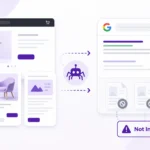

Internal Linking Audit Checklist
1. Check Whether Internal Links Are Crawlable
Start with the technical foundation.
Google generally recommends standard HTML anchor elements containing an href attribute for crawlable links.
Check whether important internal links:
- Use normal
<a href="">links - Point to real URLs
- Can be accessed without requiring a user action
- Are not dependent entirely on unsupported JavaScript behavior
- Are available in the rendered page
- Work on both desktop and mobile versions where relevant
A visually clickable element is not necessarily equivalent to a properly crawlable link.
This is particularly important for JavaScript-heavy websites and custom navigation systems.
2. Find Orphan Pages
An orphan page is a page that has no useful internal links pointing to it from the site’s crawlable content.
These pages may still exist in an XML sitemap or be accessible through direct URLs, but they are disconnected from the site’s normal internal linking structure.
Google recommends ensuring that pages you care about can be reached through links from other findable pages.
During the audit, compare your page inventory against your crawl data and look for URLs with no internal inlinks.
But don’t automatically reconnect every orphan.
First ask:
- Should this page still exist?
- Is the page useful?
- Is it indexable by design?
- Does another page already cover the same intent?
- Would merging it make more sense?
- Which existing page would naturally introduce it?
An orphan page is a signal to investigate, not an automatic instruction to add links.
3. Check for Underlinked Important Pages
Not every page with only a few internal links is problematic.
A better question is:
Does the number and quality of internal links make sense for the page’s importance?
Pay particular attention to:
- Core service pages
- Important category pages
- Key commercial pages
- Cornerstone guides
- High-value informational resources
- Pages you actively want users to discover
A useful article might naturally receive several contextual links, while a low-priority utility page may need very little internal linking.
The audit should therefore consider page purpose, not just raw link counts.
4. Find Broken Internal Links
Broken links create unnecessary dead ends.
Look for internal links returning:
- 404 errors
- 410 responses
- 5xx errors
- Unexpected destinations
- Deleted pages
- Incorrect URLs
Then determine the correct action.
Possible fixes include:
- Replace the link with the correct existing URL.
- Remove the link if the destination is no longer useful.
- Update the destination when a better replacement exists.
- Restore the page if it was removed accidentally.
Don’t replace every broken link with a random page just to eliminate the error.
The replacement should satisfy the same user need.
Also see – WordPress Website Audit Checklist
5. Check Links That Point Through Redirects
An internal link that goes through a redirect can often be updated to point directly to the final destination.
For example:
/old-page/ → 301 → /new-page/
If your content still links to /old-page/, update it to the final relevant URL when appropriate.
This makes the internal path cleaner and avoids unnecessary hops.
The same principle applies after:
- Website migrations
- URL changes
- Slug updates
- Category restructuring
- Site redesigns
- Content consolidation


6. Audit Anchor Text
Anchor text should tell readers what they will find after clicking.
Google recommends anchor text that is descriptive, reasonably concise, and relevant to the destination. It also warns against forcing keywords into anchors.
Weak examples
- Click here
- Read more
- This page
- Learn more
- Website
Better examples
- technical SEO audit checklist
- Shopify internal linking
- WordPress internal linking
- broken links SEO guide
However, don’t turn every anchor into an exact-match keyword.
Natural variation is often more useful.
For example, several links to the same guide could use different but accurate descriptions depending on the sentence:
- internal linking audit
- audit your internal links
- internal link checklist
The anchor should make sense to a reader first.
7. Check Link Relevance and Context
A link can be technically valid but still be editorially weak.
Ask:
Would the reader reasonably expect this link at this point in the article?
For example, while explaining orphan pages, linking to a guide about WordPress internal linking may be useful if the surrounding discussion specifically addresses WordPress implementation.
But inserting unrelated links simply because they contain the word “SEO” creates clutter.
Google’s guidance emphasizes context around internal links and recommends linking to relevant resources that help users understand the topic.
8. Check Click Depth
Click depth describes how many links a user or crawler may need to follow to reach a page from an entry point such as the homepage.
Don’t treat a universal number of clicks as a rule that every website must satisfy.
Instead, investigate pages that are:
- Important
- Frequently updated
- Commercially valuable
- Strategically important
- Difficult to discover
- Buried behind several unnecessary layers
A useful page that is difficult to reach deserves attention.
You can improve its route through:
- Contextual links
- Category pages
- Topic hubs
- Navigation
- Related-content sections
- Relevant high-traffic pages
The objective is a logical architecture, not a race to make every URL exactly three clicks deep.
9. Check Which Pages Receive Internal Links
Look at your internal-link distribution.
Are most links going to:
- The homepage?
- A handful of old articles?
- Category pages?
- Important services?
- Random pages?
This can reveal a mismatch between your intended priorities and your actual site structure.
For example, if a business considers a service page strategically important but almost no relevant content links to it, the internal architecture may not reflect that priority.
This is one reason an internal linking audit should examine where links go, not just whether links exist.
10. Check Canonical Destinations
Review whether internal links point to the preferred version of the page.
Look for situations such as:
- HTTP instead of HTTPS
- Old URL versions
- Trailing-slash inconsistencies
- Redirected URLs
- Duplicate URL parameters
- Non-preferred canonical versions
Where appropriate, link directly to the preferred destination.
This reduces unnecessary routing and makes the site’s preferred URL structure clearer.
11. Review Navigation and Template Links
Not all internal links are inside article copy.
Your audit should also consider:
- Main navigation
- Footer links
- Sidebar links
- Breadcrumbs
- Related-post modules
- Category navigation
- Product/category navigation
- Author pages
- Pagination
- Sitewide widgets
These elements can create large numbers of repeated links.
Ask whether each template element is genuinely useful.
A footer containing dozens of unrelated links may be less helpful than a focused navigation structure that guides users toward important sections.
12. Check for Dead-End Pages
A dead-end page may have useful content but provide no sensible next step.
After reading the page, what should the visitor do next?
For an informational article, the next step might be:
- Read a related guide
- Explore a deeper technical topic
- Review a checklist
- Visit a relevant service page
For example, a page discussing website audit problems could naturally direct a reader toward a website audit checklist when the next logical question is how to perform the review.
The link should support the user’s journey rather than interrupt it.
13. Check Topic Clusters and Hub Pages
Internal links should help demonstrate relationships between related content.
A simple structure might look like:
Pillar topic
→ Supporting guide
→ Supporting guide
→ Supporting guide
→ Commercial/service page
For example, an internal linking cluster could connect:
- Internal linking audit
- Shopify internal linking
- WordPress internal linking
- Broken links
- Technical SEO
The exact structure should reflect the site’s existing content rather than forcing every related page into one artificial cluster.
14. Check Blog-to-Service Connections
Informational content and commercial pages should be connected when there is a genuine user need.
For example, someone reading about an internal linking problem may eventually need help implementing a broader SEO strategy.
A relevant service page can be introduced when the article has already established the problem and the service represents a logical next step.
Don’t insert commercial links into every paragraph.
One well-placed contextual link can be more useful than several repetitive promotional links.
15. Check Mobile Internal Linking
Review internal navigation on mobile as well as desktop.
Check whether important links:
- Remain visible
- Are easy to tap
- Are not hidden inside awkward interactions
- Appear in the mobile navigation where appropriate
- Remain accessible in the mobile version of the page
Google’s documentation specifically recommends making sure important crawlable links are available to Googlebot, including when mobile and desktop experiences differ.
16. Look for Excessive or Repetitive Links
More links do not automatically create a better internal linking system.
Look for:
- Multiple links to the same URL in a short section
- Repeated links in every paragraph
- Large blocks of unrelated links
- Overloaded footers
- Keyword-heavy anchor repetition
- Links added solely to increase internal-link counts
Google explicitly advises against cramming keywords into anchor text and recommends natural linking.
The question should always be:
Does this link help the reader here?
If not, remove it.
How to Perform an Internal Linking Audit
A practical audit can follow this process.
Step 1: Build Your URL Inventory
Collect your important URLs from sources such as:
- Website crawl
- XML sitemap
- CMS
- Google Search Console
- Analytics
- Existing content inventory
Don’t rely on a sitemap alone. Google describes sitemaps as useful discovery aids, but crawlable internal links are still important.
Step 2: Crawl the Website
Export data such as:
- URL
- Status code
- Canonical URL
- Internal inlinks
- Internal outlinks
- Anchor text
- Crawl depth
- Indexability
Step 3: Identify Problems
Create separate groups for:
- Orphan pages
- Underlinked pages
- Broken links
- Redirected links
- Poor anchors
- Deep pages
- Irrelevant links
- Dead ends
- Canonical inconsistencies
Step 4: Map Important Pages
Identify the pages that matter most to the site’s goals.
These might include:
- Core services
- Key products
- Revenue-generating pages
- Cornerstone content
- Important category pages
Then check whether the internal link structure supports them.
Step 5: Review Links Manually
Automated tools can identify technical problems, but context requires human review.
Read the source paragraph.
Ask:
- Does the link belong here?
- Is the anchor clear?
- Does the destination answer the next question?
- Would the reader expect this link?
- Is another destination more appropriate?
Step 6: Make the Fixes
Prioritize meaningful changes rather than trying to edit every link.
Step 7: Crawl Again
After making changes, run another crawl.
Confirm that:
- Broken links were fixed
- Redirected links were updated where appropriate
- Orphans were resolved where necessary
- Important pages have useful internal paths
- Anchor text is natural
- New problems were not introduced
How to Prioritize Internal Linking Fixes
Not every issue deserves the same attention.
A practical priority model is:
| Priority | Issue | Typical action |
|---|---|---|
| High | Important orphan page | Add relevant contextual links |
| High | Broken link to an important resource | Replace or remove |
| High | Important page difficult to discover | Improve internal paths |
| High | Link to obsolete URL | Update to the appropriate destination |
| Medium | Weak or generic anchor | Rewrite where useful |
| Medium | Underlinked strategic page | Add relevant supporting links |
| Medium | Weak topic-cluster connection | Add contextual relationship |
| Low | Minor anchor variation | Review during normal content updates |
| Low | Non-critical deep page | Fix only if depth creates a real usability/discovery issue |
This approach keeps the audit focused on useful improvements instead of turning it into a numbers exercise.
Common Internal Linking Audit Mistakes
Adding links just to increase the link count
There is no universal target such as “add five internal links to every article.”
The correct number depends on the content and user journey.
Using the same exact anchor everywhere
Repeated exact-match anchors can make content feel artificial.
Write anchors naturally.
Linking unrelated pages
A keyword appearing in both pages does not automatically create a useful relationship.
Treating every orphan as a problem
Some pages may intentionally have limited internal visibility.
Investigate the page before deciding what to do.
Ignoring redirects
A technically working link can still point to an outdated URL that redirects elsewhere.
Forgetting templates
Article links are only one part of your site’s internal architecture.
Navigation, footer, breadcrumbs, category pages and related-content components also matter.
Measuring success only by link count
A larger number does not necessarily mean a better architecture.
A useful internal linking system makes important content easier to discover and helps users move naturally between related pages.
Internal Linking Audit Checklist
Use this checklist during your next review:
- Crawlable internal links use standard HTML links
- Important pages can be reached through internal links
- Orphan pages have been identified
- Underlinked important pages have been reviewed
- Broken internal links have been identified
- Redirected internal links have been reviewed
- Internal links point to appropriate final URLs
- Anchor text describes the destination clearly
- Anchor text is natural rather than keyword-stuffed
- Links appear in relevant contextual locations
- Important pages are not unnecessarily buried
- Navigation supports the intended site structure
- Footer and template links have been reviewed
- Dead-end pages have useful next steps
- Topic clusters are connected logically
- Informational pages link to relevant commercial pages where appropriate
- Mobile users can access important internal links
- Excessive or repetitive links have been removed
- The site has been re-crawled after major fixes
FAQs
What is the purpose of an internal linking audit?
The purpose is to evaluate whether your site’s internal links help users and search engines discover important pages, understand relationships between content, and navigate the website effectively.
How often should you perform an internal linking audit?
There is no single schedule that fits every website. Review internal linking after major migrations, URL changes, navigation changes, large content launches, or significant site restructuring. For active content sites, periodic audits can also help catch link rot and newly orphaned pages.
What is an orphan page?
An orphan page is a page with no useful internal links pointing to it from the site’s crawlable content.
Should every page have internal links?
Pages you care about should generally be reachable through internal links. Google specifically recommends ensuring that important pages can be reached through links from other findable pages.
How many internal links should an article have?
There is no universal number. Add links when they provide useful context or help the reader continue their journey.
Should internal links use exact-match keywords?
Not necessarily. Use descriptive, concise, natural anchor text that accurately explains the destination. Google specifically advises against stuffing keywords into anchor text.
Are internal links important for SEO?
Yes. They can help search engines discover pages and understand relationships between them, while also helping users navigate your website.
Final Takeaway
An internal linking audit is not simply a search for broken URLs.
A useful audit asks whether your website has clear, crawlable and relevant paths between the pages that matter.
Check the technical side first: crawlability, broken links, redirects and canonical destinations. Then examine the strategic side: orphan pages, important-page support, anchor text, click depth, topic clusters, navigation and user journeys.
Most importantly, don’t optimize internal linking by chasing a specific number of links.
Build connections because they make the website easier to understand and easier to use.
When each internal link gives the reader a useful next step, the resulting structure is usually much stronger than a site filled with links added only for SEO.