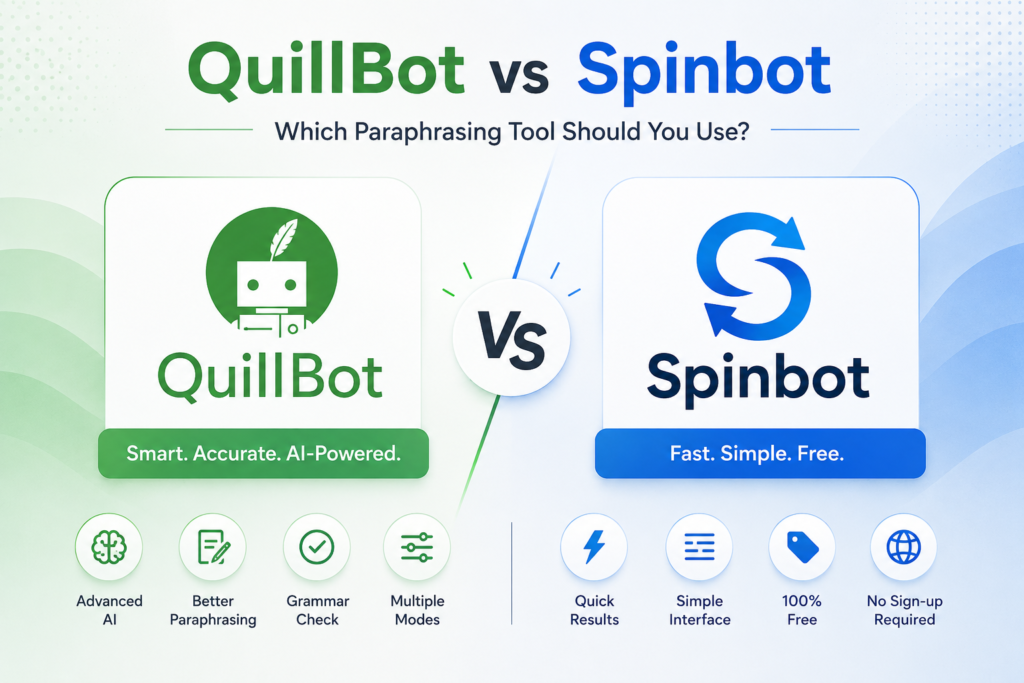
If you have ever typed “QuillBot vs Spinbot” into Google, you are probably tired of rewriting the same content over and over again. Both tools promise to save your time, both claim to make your writing better, and both are popular among students, bloggers, and content creators. But they work very differently. This QuillBot vs Spinbot comparison breaks down exactly what each tool does, where it wins, where it fails, and which one is the right fit for your writing goals.
What Is Spinbot? A Quick Overview
Spinbot is one of the oldest free article spinners on the internet. It gained popularity in the mid-2010s when content marketing was booming and people needed quick text variations.
Its core function is simple: it replaces words with synonyms. You paste your text, click spin, and it gives you a new version almost instantly.
It requires no account creation for basic use. There are no complicated settings. Just paste and spin.
However, that simplicity is both its strength and its biggest weakness.
What Is QuillBot? A Quick Overview
QuillBot was founded in 2017 and quickly grew into one of the most widely used AI paraphrasing tools in the world. It uses natural language processing (NLP) to understand the context of your text before rewriting it.
Unlike Spinbot, QuillBot does not just swap words. It restructures sentences, adjusts tone, and offers multiple writing modes to suit different purposes.
It is used by students, academic writers, SEO professionals, and content creators worldwide.



How Does Each Tool Actually Work?
This is where the real difference between QuillBot and Spinbot becomes clear.
Spinbot uses a synonym-replacement algorithm. It scans your text, identifies individual words, and replaces them with alternatives from a pre-built synonym database. The result can sometimes sound robotic or awkward because the tool does not fully understand the meaning behind your sentence.
QuillBot uses AI-powered natural language processing. It analyses the full context of your paragraph before rewriting it. This means the output tends to read more naturally and retains the original meaning more accurately.
Think of it this way: Spinbot changes the clothes, while QuillBot changes the entire outfit with style.
QuillBot vs Spinbot: Feature-by-Feature Comparison
Paraphrasing Modes
QuillBot offers multiple paraphrasing modes including Standard, Fluency, Formal, Academic, Simple, Creative, Expand, and Shorten. Premium users get access to all 9 modes. Free users are limited to Standard and Fluency only.
Spinbot offers one basic paraphrasing mode. There is no option to switch between styles, tones, or purposes.
If your writing needs context-specific results, QuillBot is the clear winner here.
Output Quality: Does It Actually Sound Human?
This is where the gap between the two tools becomes very obvious.
Spinbot can produce outputs that are technically different from the original but read awkwardly. For example, a sentence like “The quick brown fox jumps over the lazy dog” might come out as “The speedy earthy colored fox bounces over the apathetic canine.” Grammatically possible, sure. But you would never say that out loud.
QuillBot’s output is noticeably cleaner. It attempts to preserve the natural flow of language while still making meaningful changes. That said, even QuillBot’s output should always be reviewed before publishing. No paraphrasing tool is perfect.
Word Limit
The free version of QuillBot allows paraphrasing up to 125 words at a time. That is limiting for long-form content but perfectly fine for short paragraphs and emails.
Spinbot’s free version allows up to 10,000 characters, which is significantly more generous for bulk rewriting tasks.
If you are rewriting large volumes of text for free, Spinbot technically gives you more room.
Language Support
QuillBot supports paraphrasing in more than 25 languages. This makes it a genuinely useful tool for non-English writers and multilingual content teams.
Spinbot primarily focuses on English. Its synonym database is built around English vocabulary, so results in other languages are either unavailable or unreliable.
Is QuillBot Free? What Does the Free Plan Include?
Yes, QuillBot has a free plan that never expires and does not require a credit card.
The free plan includes basic paraphrasing (up to 125 words), a summarizer (up to 1,200 words), a grammar checker, and a basic AI detection tool. You get access to the Standard and Fluency paraphrasing modes.
For casual use and short assignments, the free plan is genuinely useful.



QuillBot Premium vs Free: Is the Upgrade Worth It?
This is one of the most searched questions about QuillBot, and the answer depends entirely on how often you write.
QuillBot Premium removes the 125-word paraphrasing limit entirely. It unlocks all 9 paraphrasing modes, gives you a plagiarism checker (up to 25,000 words per month), faster processing speeds, custom modes, and a paraphrase history feature.
Pricing works out to approximately $8.33 per month on an annual plan, billed as $99.95 per year. The monthly plan costs $19.95.
For students writing long essays, professionals who paraphrase daily, or content creators repurposing articles across platforms, the annual premium plan offers clear value.
For occasional users who work with short texts, the free plan is honestly enough.
What Are the Limitations of Each Tool?
QuillBot Limitations
The 125-word limit on the free plan is genuinely frustrating. It forces you to work in chunks, which breaks your writing flow.
The plagiarism checker has received mixed reviews. Several users and reviewers note that it is not as reliable as tools like Turnitin. Do not use it as your final check before submitting academic work.
The grammar checker is still being developed and may miss complex grammatical issues.
Spinbot Limitations
The synonym-based approach often produces unnatural, even confusing text. The context awareness is very limited.
There is no multilingual support worth mentioning.
There are no integrations with tools like Google Docs or Microsoft Word.
Advanced features like customizable synonym sets, word freezing, and plagiarism checking are either absent or very basic.
Which Tool Is Better for SEO and Content Repurposing?
If you are a blogger, digital marketer, or SEO professional looking to repurpose content, QuillBot wins by a wide margin.
The multiple tone modes, including Formal, Creative, and Fluency, let you adapt one piece of content for different audiences without losing its core message. You can create a blog post, repurpose it as a LinkedIn article, and then simplify it for a social media caption, all using different QuillBot modes.
Spinbot can help you generate quick content variations for bulk tasks, but the output quality usually needs significant manual editing before it is publish-ready.



Which Tool Is Better for Students and Academic Writing?
For academic writing, QuillBot is the stronger choice.
The Academic mode helps rephrase content in a formal, research-appropriate tone. The grammar checker catches common writing errors. The summarizer helps condense lengthy research papers quickly.
However, a word of caution: students should never submit QuillBot-paraphrased content without reviewing it thoroughly. Paraphrased text can still drift in meaning, and institutions typically use tools far more powerful than QuillBot’s built-in plagiarism checker.
Spinbot, with its basic synonym swapping, is not really suitable for academic purposes. The output often lacks the precision and sophistication required for serious academic work.
Does QuillBot Integrate with Other Tools?
Yes, and this is a notable advantage of QuillBot.
QuillBot offers a Chrome browser extension that works directly in Google Docs and other writing environments. It also integrates with Microsoft Word, making it a seamless addition to any professional writing workflow.
Spinbot has no meaningful third-party integrations. You work entirely within its web interface.
QuillBot vs Paraphraser.io and Other Alternatives
If neither QuillBot nor Spinbot feels like the right fit, there are several other free paraphrasing tools worth exploring.
Paraphraser.io offers solid paraphrasing with a simple interface. Wordtune focuses on tone and sentence rewrites with strong suggestions. Grammarly, while primarily a grammar tool, also offers rewrites and clarity suggestions at a different price point.
However, for the combination of output quality, feature depth, and value, QuillBot remains one of the best AI paraphrasing tools available in its price range. Most QuillBot competitors either lack the language support, the paraphrasing modes, or the integrations that QuillBot provides.
QuillBot vs Spinbot: Side-by-Side Summary
| Feature | QuillBot | Spinbot |
|---|---|---|
| Technology | AI / NLP | Synonym Replacement |
| Free Word Limit | 125 words | Up to 10,000 characters |
| Paraphrasing Modes | 9 modes (Premium) | 1 basic mode |
| Language Support | 25+ languages | English only |
| Grammar Checker | Yes | Basic |
| Plagiarism Checker | Premium only | Basic |
| Integrations | Google Docs, MS Word | None |
| Output Quality | High | Moderate to Low |
| Best For | Students, professionals, SEO | Quick bulk rewrites |
So, Which One Should You Choose?
The answer really comes down to what you need.
Choose Spinbot if you need quick, free text variations at high volume, have no specific quality requirement, and plan to manually edit the output heavily anyway.
Choose QuillBot if you care about output quality, need multilingual support, work in academic or professional settings, or want a tool that integrates directly into your writing environment. The free plan covers most casual needs, and the premium plan is one of the more affordable options in the AI writing tools category.
Honestly, if you are serious about writing, QuillBot is not even a close competition. It offers a dramatically better writing experience. Spinbot is useful as a free, fast, no-frills option when you need raw content variation with no expectations attached.
Frequently Asked Questions
Is QuillBot better than Spinbot?
Yes, for most users. QuillBot generally provides more accurate paraphrasing, better readability, grammar correction, and customization options than Spinbot. Spinbot is simpler and faster, but the rewritten text often sounds less natural.
Is QuillBot free or paid?
QuillBot has a free plan with limitations on word count and paraphrasing modes. Its premium version unlocks higher limits, faster processing, and advanced rewriting styles.
Is Spinbot completely free?
Spinbot offers a free version, but users may face limitations such as ads, CAPTCHA checks, and lower-quality rewriting compared to premium AI paraphrasing tools.
Which paraphrasing tool gives more natural results: QuillBot or Spinbot?
QuillBot usually produces more human-like and readable text. Spinbot can rewrite content quickly, but the output may require additional editing for clarity and grammar.
Is QuillBot good for academic writing?
QuillBot is commonly used by students and researchers for improving sentence structure, paraphrasing content, and enhancing clarity. However, users should always review rewritten content for originality and accuracy.
Can QuillBot or Spinbot help avoid plagiarism?
Both tools can rewrite sentences, but paraphrasing alone does not guarantee plagiarism-free content. You should still check citations, originality, and context before publishing.
Does QuillBot detect AI content?
QuillBot offers writing-related tools, but users should verify current AI detection features, as availability and functionality may change over time.
What are the best alternatives to QuillBot and Spinbot?
Popular alternatives include Grammarly, Wordtune, Paraphraser.io, and Jasper AI depending on whether you need paraphrasing, grammar improvement, or AI writing assistance.
Final Verdict: QuillBot vs Spinbot
Spinbot is what you use when you are in a hurry and not too worried about the output reading perfectly. It is free, fast, and simple. But it is also limited, rough around the edges, and not suitable for professional or academic work without heavy editing.
QuillBot is a proper AI paraphrasing tool. It understands context, offers multiple styles, integrates with your workflow, and produces output that actually sounds human. The free plan is generous enough for everyday use, and the premium plan is a fair investment for anyone who writes seriously and frequently.
If you are trying to build content that ranks, connects with readers, or meets academic standards, QuillBot is the tool that belongs in your writing stack.