Creating a great YouTube video takes time. Writing a compelling description afterward? That often feels like homework after the exam.
Many creators spend hours planning, filming, and editing, only to rush through the description box. That’s a missed opportunity because a well-written description helps viewers understand your content and gives YouTube additional context about your video.
The good news is that AI can handle much of the heavy lifting.
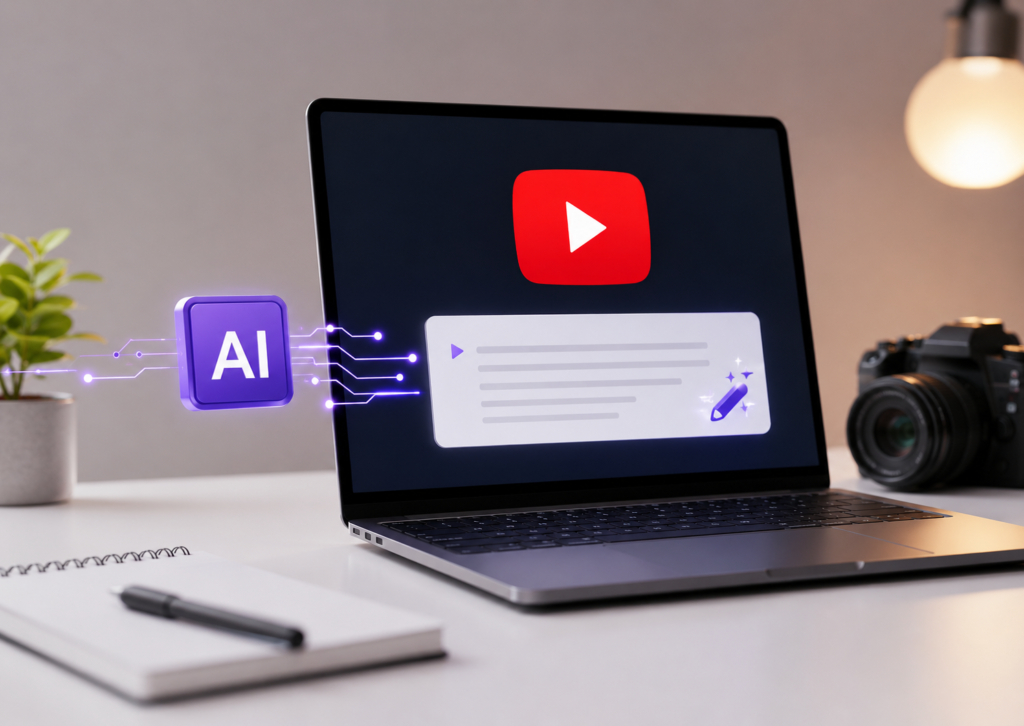
The Best AI for YouTube Descriptions can generate clear, keyword-rich, and engaging descriptions in seconds. Instead of staring at a blinking cursor, you can focus on creating videos while AI helps organize your ideas into SEO-friendly YouTube descriptions.
In this guide, we’ll compare the best AI YouTube description generator tools, explain their strengths, and help you choose the right option based on your workflow. Whether you’re a beginner uploading your first video or an experienced creator managing multiple channels, there’s an AI-powered YouTube description tool that can save time without sacrificing quality.
Note: AI should assist your writing – not replace your judgment. Always review AI-generated descriptions for accuracy, brand voice, and compliance with YouTube’s policies.
Why YouTube Descriptions Matter
A YouTube description does more than summarize a video.
It provides context for viewers, highlights important keywords, includes useful links, and encourages actions like subscribing or visiting your website.
According to YouTube’s Creator Academy, descriptions help viewers understand what your video is about and provide valuable information that supports the overall viewing experience. While descriptions alone won’t guarantee higher rankings, they contribute to video metadata that helps YouTube understand your content.
A strong description can also include:
- Relevant keywords naturally
- Chapters or timestamps
- Helpful resource links
- Social media links
- Affiliate disclosures
- Calls-to-action (CTA)
- Hashtags where appropriate
Think of your description as your video’s introduction. A great thumbnail gets the click, while a helpful description builds trust.
Can AI Write Better YouTube Descriptions?
Yes – but with one important condition.
AI works best when you give it enough context.
Instead of asking,
“Write a YouTube description.”
Try something like:
“Write an SEO-friendly YouTube description for a beginner’s guide to DSLR photography. Include primary keywords, timestamps, three hashtags, and a call-to-action.”
The better your prompt, the better your results.
Modern AI writing tools use natural language processing (NLP) to organize information, improve readability, and create keyword-friendly descriptions. They can also help maintain consistency across multiple videos, making them useful for creators who publish regularly.
However, AI doesn’t know your audience as well as you do. A quick human review keeps descriptions accurate and authentic.



1. ChatGPT
One of the most versatile AI writing tools available today, ChatGPT has become a favorite among YouTube creators.
Unlike template-based generators, ChatGPT lets you create customized descriptions using detailed prompts. You can specify tone, target audience, keywords, timestamps, hashtags, and even ask it to match your brand voice.
That flexibility makes it one of the best AI tools for YouTubers.
Best For
- Content creators
- Educational channels
- Businesses
- YouTube marketers
- Beginners and professionals
Key Features
- Highly customizable prompts
- Supports multiple writing styles
- Creates SEO-friendly YouTube descriptions
- Generates titles, tags, and video summaries
- Helps brainstorm CTAs and hashtags
Pros
- Extremely flexible
- Produces human-like writing
- Great for YouTube SEO planning
- Works for nearly every niche
Cons
- Output depends on prompt quality
- Always review facts before publishing
2. vidIQ AI Description Generator
If your primary goal is YouTube growth, vidIQ deserves serious consideration.
Unlike general AI writing assistants, vidIQ focuses specifically on YouTube SEO. Its AI description generator works alongside keyword research, competitor analysis, and optimization features designed for creators.
Instead of simply generating text, it helps align descriptions with your broader YouTube SEO strategy.
Best For
- Growing YouTube channels
- SEO-focused creators
- Video marketers
Key Features
- AI-generated descriptions
- Keyword suggestions
- SEO score guidance
- Video optimization insights
- Channel growth recommendations
Pros
- Built specifically for YouTube
- Excellent keyword optimization
- Helpful analytics
- Beginner-friendly interface
Cons
- Some advanced features require a paid plan
- Less flexible for non-YouTube writing
3. Jasper AI
Jasper AI has built a strong reputation among marketers, and it performs well for YouTube creators too.
It offers templates, brand voice controls, and AI-powered writing that produces polished marketing copy. For creators managing multiple channels or businesses, Jasper helps maintain a consistent tone across descriptions.
Its collaborative features also make it useful for marketing teams.
Best For
- Agencies
- Businesses
- Marketing teams
- Professional creators
Key Features
- Brand voice support
- AI copywriting templates
- SEO-friendly writing
- Team collaboration
- Content repurposing
Pros
- High-quality writing
- Excellent customization
- Strong workflow tools
- Consistent brand messaging
Cons
- Higher pricing than many competitors
- Better suited to frequent content production


4. Writesonic
Writesonic combines AI writing with SEO assistance, making it a practical choice for YouTube creators who also manage blogs, websites, or social media.
Its YouTube description writing tool can generate descriptions quickly while allowing users to refine tone and structure.
Many creators also use Writesonic for titles, blog posts, landing pages, and ad copy, making it an all-in-one AI content writing tool.
Best For
- Content marketers
- Small businesses
- Multi-platform creators
Key Features
- AI YouTube description generator
- SEO writing assistance
- Multiple content templates
- Brand voice customization
- AI content creation tools
Pros
- Easy to use
- Fast content generation
- Useful across different platforms
- Good balance of features and pricing
Cons
- Premium plans unlock the best features
- Some outputs benefit from light editing
5. Copy.ai
If you regularly create marketing content alongside YouTube videos, Copy.ai is worth considering. Originally built for copywriting, it has expanded into a versatile AI content creation platform that supports blog posts, social media captions, emails, product descriptions, and YouTube descriptions.
The interface is beginner-friendly, and you can generate a first draft in just a few clicks. While it isn’t dedicated solely to YouTube, it works well for creators who want one tool for multiple content formats.
Best For
- Content marketers
- Small businesses
- YouTube creators with multiple marketing channels
Key Features
- AI YouTube description generator
- Content templates for different platforms
- Brand voice customization
- Workflow automation
- AI copy generator for marketing content
Pros
- Simple interface
- Fast content generation
- Supports various content types
- Good collaboration features
Cons
- Limited advanced YouTube SEO features
- May require edits to match your unique voice
6. Rytr
Rytr is a budget-friendly AI writing assistant that helps creators generate short-form content quickly. It supports multiple languages, tones, and writing styles, making it suitable for YouTubers who publish videos for different audiences.
Its YouTube description writing tool produces concise descriptions that can easily be refined before publishing.
Best For
- New YouTubers
- Students
- Freelancers
- Budget-conscious creators
Key Features
- AI description writer
- Multiple writing tones
- Language support
- Short-form content generation
- Built-in plagiarism checker on selected plans
Pros
- Affordable pricing
- Easy to learn
- Fast output
- Suitable for basic YouTube SEO
Cons
- Fewer customization options than premium tools
- Long descriptions sometimes need additional editing



7. Grammarly
Grammarly isn’t an AI YouTube description generator in the traditional sense, but it deserves a place on this list.
After generating a description with another AI tool, Grammarly helps improve grammar, clarity, punctuation, tone, and readability. Its AI writing features can also rewrite sentences and make your content more natural.
Think of it as the final quality check before hitting the Publish button.
Best For
- Every YouTube creator
- Business channels
- Educational content
- Professional brands
Key Features
- Grammar correction
- Tone suggestions
- Clarity improvements
- AI rewriting
- Readability recommendations
Pros
- Improves writing quality
- Easy browser integration
- Saves editing time
- Great for professional content
Cons
- Doesn’t specialize in YouTube SEO
- Works best alongside another AI writing tool
8. Descript
Descript has become a favorite among video creators because it combines video editing with AI writing.
Once your video is edited, Descript can generate transcripts, summaries, and YouTube descriptions using the content you’ve already created. This saves time and improves accuracy because the AI works directly from your video’s transcript.
If your workflow already includes Descript, generating descriptions becomes almost effortless.
Best For
- Video editors
- Podcast creators
- Educational channels
- Interview-based content
Key Features
- Automatic transcription
- AI video description generator
- Video summaries
- Content repurposing
- Screen recording and editing
Pros
- Excellent workflow integration
- Accurate transcript-based descriptions
- Saves editing time
- Ideal for long-form videos
Cons
- Primarily a video editing platform
- Some advanced AI features require paid plans
9. Claude AI
Claude AI is known for producing thoughtful, well-structured content. Many creators use it when they want detailed descriptions that sound natural instead of overly promotional.
It performs especially well when you provide detailed prompts, allowing it to organize complex topics into reader-friendly descriptions.
If your channel focuses on education, technology, finance, or tutorials, Claude AI is a strong option.
Best For
- Educational creators
- Tutorial channels
- Business content
- Long-form YouTube videos
Key Features
- Natural language writing
- Long-context understanding
- Tone customization
- AI writing assistant for YouTube
- Structured content generation
Pros
- Highly readable output
- Strong contextual understanding
- Excellent for detailed explanations
- Produces natural writing
Cons
- Doesn’t include dedicated YouTube SEO tools
- Keyword optimization remains manual
10. Gemini AI
Gemini AI integrates with Google’s ecosystem and helps creators brainstorm ideas, organize content, and draft YouTube descriptions.
It performs well for research-based videos and informational content. Since it connects with other Google services, many creators find it useful for planning their overall content workflow.
Gemini AI is particularly effective when generating multiple variations of descriptions for testing different messaging styles.
Best For
- Google Workspace users
- Business creators
- Educational channels
- Research-focused content
Key Features
- AI-powered writing
- Description generation
- Brainstorming assistance
- Content planning
- Google ecosystem integration
Pros
- Clean interface
- Strong reasoning capabilities
- Helpful for content planning
- Generates multiple description options
Cons
- Limited YouTube-specific optimization features
- Results improve with detailed prompts
Comparison Table: Best AI for YouTube Descriptions
| AI Tool | Best For | Free Plan | YouTube SEO Features | Ease of Use |
|---|---|---|---|---|
| ChatGPT | All creators | Yes | Moderate | ⭐⭐⭐⭐⭐ |
| vidIQ | YouTube SEO | Limited | Excellent | ⭐⭐⭐⭐⭐ |
| Jasper AI | Businesses & teams | Trial | Good | ⭐⭐⭐⭐☆ |
| Writesonic | Multi-platform creators | Limited | Good | ⭐⭐⭐⭐☆ |
| Copy.ai | Marketing content | Limited | Moderate | ⭐⭐⭐⭐☆ |
| Rytr | Budget users | Yes | Basic | ⭐⭐⭐⭐☆ |
| Grammarly | Editing | Yes | Basic | ⭐⭐⭐⭐⭐ |
| Descript | Video creators | Limited | Moderate | ⭐⭐⭐⭐☆ |
| Claude AI | Long-form content | Yes | Moderate | ⭐⭐⭐⭐⭐ |
| Gemini AI | Research & planning | Yes | Moderate | ⭐⭐⭐⭐⭐ |
Which AI Tool Is Right for You?
There’s no single AI tool that fits every creator. Your ideal choice depends on your goals, workflow, and budget.
Choose ChatGPT if you want flexibility and detailed customization. It’s an excellent AI tool for YouTube descriptions, titles, scripts, and content ideas.
If your priority is YouTube SEO, vidIQ stands out thanks to its keyword optimization, analytics, and channel growth features.
Need polished marketing copy? Jasper AI and Copy.ai are excellent for businesses and agencies managing multiple campaigns.
If affordability matters, Rytr delivers solid value for beginners without overwhelming them with advanced features.
Creators who edit videos in Descript can save time by generating descriptions directly from transcripts.
For improving grammar and readability, Grammarly remains one of the best editing companions, even though it isn’t a dedicated AI YouTube description generator.
If you create educational or research-heavy content, Claude AI and Gemini AI generate structured, natural-sounding descriptions that are easy to refine.
A Quick Tip Before You Publish
AI can write a strong first draft, but it shouldn’t be the final step.
Take two or three minutes to review every description before publishing. Add your primary keyword naturally, include helpful links, write a compelling call-to-action, and verify that every fact matches your video.
That small effort can make your content feel more authentic – and your audience will notice the difference.
In the next section, we’ll cover how to generate SEO-friendly YouTube descriptions with AI, common mistakes to avoid, expert tips for improving video visibility, frequently asked questions, and a practical prompt you can reuse for every upload.
How to Write SEO-Friendly YouTube Descriptions with AI
Using the Best AI for YouTube Descriptions isn’t just about clicking a “Generate” button. The quality of your description depends on the information you provide and how you refine the final draft.
Follow these steps to create descriptions that help both viewers and search engines understand your content.
1. Start with a Clear Prompt
AI performs better when your prompt includes specific details.
Include:
- Your video topic
- Target audience
- Primary keyword
- Secondary keywords (only where they fit naturally)
- Desired tone
- Call-to-action (CTA)
- Important links
- Timestamps, if applicable
For example:
“Write an SEO-friendly YouTube description for a beginner’s guide to drone photography. Include the keyword ‘drone photography tips,’ add a short summary, timestamps, three relevant hashtags, and a CTA asking viewers to subscribe.”
The more context you provide, the less editing you’ll need later.
2. Place Keywords Naturally
Keywords help YouTube understand your video’s topic, but stuffing them into every sentence won’t improve performance.
Instead, mention your primary keyword early in the description and use related terms naturally throughout the text.
A well-written description focuses on readers first. Search optimization should support the content – not dominate it.
3. Write for Humans First
Remember, people read your description before algorithms do.
Keep sentences short, avoid jargon, and explain what viewers will learn. If someone opens your description and immediately finds useful information, you’ve done your job.
A conversational tone often performs better than keyword-heavy marketing copy.
4. Add a Strong Call-to-Action
Every description should encourage viewers to take the next step.
Depending on your goal, your CTA might ask viewers to:
- Subscribe to your channel
- Watch another related video
- Visit your website
- Download a free resource
- Join your newsletter
- Leave a comment
A clear CTA helps increase viewer engagement and builds stronger relationships with your audience.
5. Include Helpful Metadata
Descriptions can contain more than a summary.
Consider adding:
- Timestamps for longer videos
- Relevant resource links
- Affiliate disclosures (when applicable)
- Social media profiles
- Product links
- Business contact information
- Video chapters
Organized descriptions improve the viewing experience and make information easier to find.
Common Mistakes to Avoid
AI saves time, but it doesn’t eliminate mistakes. Reviewing your description before publishing is always worthwhile.
Here are some common issues to watch for.
Publishing Without Editing
AI can occasionally misunderstand context or produce repetitive phrases. A quick review helps catch awkward wording and factual errors.
Keyword Stuffing
Repeating the same keyword over and over makes descriptions harder to read.
Use your primary keyword naturally, then support it with related terms where appropriate.
Ignoring Accuracy
If your video discusses statistics, product specifications, pricing, or recent news, verify every factual claim before publishing.
AI should assist your research – not replace it.
Forgetting Links and CTAs
Many creators spend time writing descriptions but forget to include links to their website, newsletter, products, or related videos.
Those missed opportunities can reduce conversions.
Writing Generic Descriptions
A description that could fit any video won’t help viewers – or YouTube – understand your content.
Mention what makes your video unique and explain why someone should watch it.
Does AI Improve YouTube SEO?
AI can improve your workflow, but it doesn’t automatically improve rankings.
According to YouTube Creator Academy, creators should focus on accurate titles, descriptions, thumbnails, and content that satisfies viewer intent. Descriptions provide context, but factors such as watch time, audience retention, viewer satisfaction, and engagement play a much larger role in long-term video performance.
AI helps by:
- Saving writing time
- Improving readability
- Organizing information
- Suggesting relevant keywords
- Maintaining consistency across videos
However, success still depends on creating valuable content that keeps viewers watching.
Think of AI as a helpful assistant – not a shortcut to viral success.
Frequently Asked Questions
Can ChatGPT write YouTube descriptions?
Yes. ChatGPT can generate YouTube descriptions based on your video topic, target audience, keywords, and preferred tone. It can also create hashtags, timestamps, and calls-to-action when prompted.
Which AI tool is best for YouTube SEO?
vidIQ is one of the best AI tools for YouTube SEO because it combines keyword research, AI-generated descriptions, competitor insights, and video optimization features in one platform.
Is there a free AI YouTube description generator?
Yes. ChatGPT, Gemini, Claude AI, Rytr, and several other AI writing tools offer free plans or limited free access for generating YouTube descriptions.
How do I generate YouTube descriptions with AI?
Provide the AI tool with your video topic, target audience, primary keyword, key points, and desired tone. Review the generated description, add links or timestamps if needed, and personalize it before publishing.
How long should a YouTube description be?
YouTube allows descriptions up to 5,000 characters, but most creators should focus on writing clear, informative descriptions that include essential details without unnecessary filler.
Which AI tool is best for YouTube creators?
The best tool depends on your needs. ChatGPT is ideal for flexible writing, vidIQ is excellent for YouTube SEO, Descript fits video editing workflows, and Jasper AI is well suited for businesses and marketing teams.
Can AI write descriptions for YouTube Shorts?
Yes. Many AI tools, including ChatGPT, Gemini, Claude AI, Writesonic, and Copy.ai, can generate concise, engaging descriptions for YouTube Shorts with relevant keywords and hashtags.
Are AI-generated YouTube descriptions allowed?
Yes. YouTube allows AI-generated descriptions as long as they follow the platform’s Community Guidelines, accurately represent the video, and are not misleading or spammy.
What prompt should I use to write a YouTube description with AI?
A strong prompt includes your video topic, target audience, primary keyword, tone, key takeaways, timestamps, hashtags, and a call-to-action. Providing detailed context helps AI generate more accurate and useful descriptions.
Our Final Recommendation
If you’re looking for the Best AI for YouTube Descriptions, your choice should match the way you create content.
- ChatGPT is ideal if you want maximum flexibility and detailed prompts.
- vidIQ is the strongest option for creators focused on YouTube SEO, keyword optimization, and channel growth.
- Jasper AI works well for businesses and marketing teams that need consistent branding.
- Writesonic and Copy.ai are excellent all-rounders for creators publishing across multiple platforms.
- Rytr offers solid value for beginners on a budget.
- Descript fits naturally into video editing workflows.
- Claude AI and Gemini AI are great for long-form, educational, and research-driven content.
- Grammarly remains one of the best tools for polishing AI-generated descriptions before publishing.
No matter which tool you choose, always add your own expertise, review the final draft, and make sure the description accurately reflects your video.
The best-performing YouTube descriptions combine AI efficiency with a human touch.