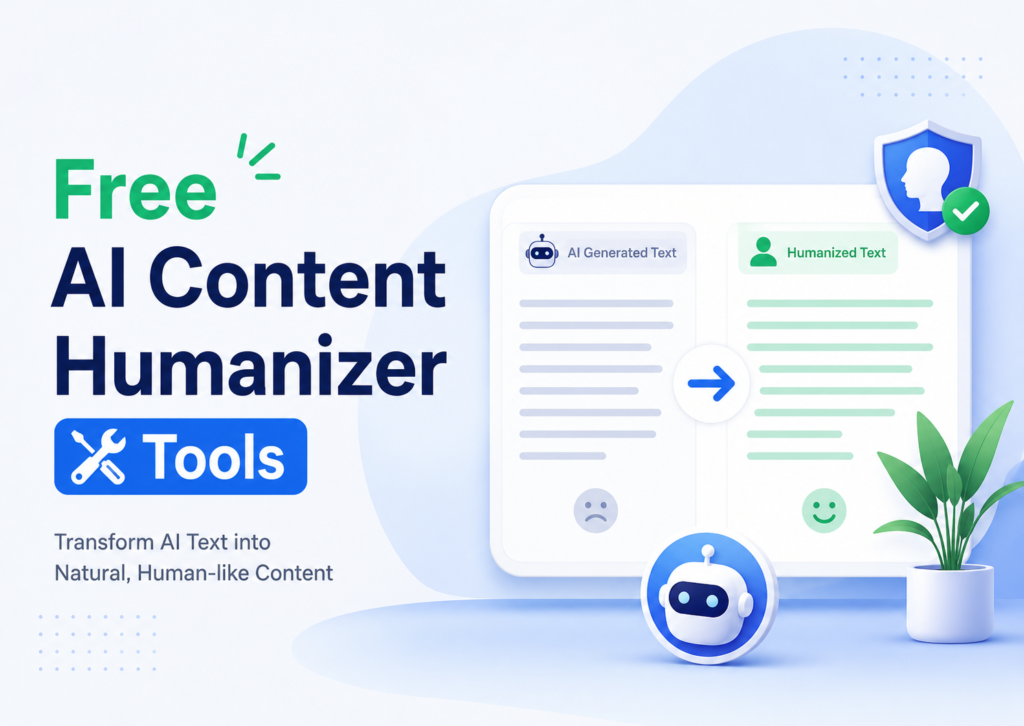
Ever pasted your own writing into an AI detector, just out of curiosity, and watched it come back “78% AI-generated”? I have. It’s an uncomfortable feeling, it’s exactly why so many writers, students, and marketers are now hunting for the best free AI humanizer tools instead of just hoping nobody notices.
Here’s the thing nobody tells you upfront: most “free AI humanizer” tools are really just paraphrasing tools wearing a fancier name tag. They swap a few words, maybe reorder a clause, and call it a day. The text still reads stiff. It still trips detectors on longer pieces. And worse, it often loses whatever meaning you started with.
I spent the last few weeks running the same paragraphs of AI-generated text through ten different free tools to see which ones actually changed the structure and rhythm of the writing – not just the vocabulary. This article breaks down what I found: which tools genuinely humanize AI content, which ones are basically glorified synonym-swappers, and how to use any of them without turning your writing into mush.
Why AI-Generated Text Gets Flagged in the First Place
Before picking a tool, it helps to know what’s actually being detected. AI detectors don’t “read” your content the way a person does. They look at statistical patterns.
The short answer: AI writing tends to have very even sentence lengths and predictable word choices, while human writing is messier and more varied, that variation is what detectors are trained to notice.
A few specific things detectors key in on:
- Sentence rhythm. Humans naturally write a mix of short and long sentences. Most language models default to a narrower range, so everything comes out feeling oddly… smooth.
- Word predictability. If every word in a sentence is the “obvious” next choice, that’s a red flag. Real writing has odd turns of phrase, tangents, and the occasional weird word choice.
- Repeated transition phrases. “Moreover,” “in conclusion,” “it’s worth noting” – AI models lean on these constantly because they’re statistically safe choices.
- Generic structure. Intro, three evenly-sized points, wrap-up. You’ve read a hundred AI articles shaped exactly like that without even noticing.
A genuinely good humanizer attacks all four of these at once. A weak one only touches the second point, that’s why so many “free” tools disappoint people.
1. Clean Rewrite Lab – Best for Restructuring, Not Just Rewording
This was the first tool that actually surprised me. No account, no word cap, and it doesn’t just swap synonyms – it breaks long AI sentences into shorter ones and merges short ones together, which directly fixes the rhythm problem above.
I ran a 600-word AI-generated paragraph through it and the sentence-length pattern genuinely looked different on a second pass – some five-word sentences sitting right next to 20-word ones, the way a real person actually writes.
Good for: Bloggers doing a final pass before hitting publish.
Limitation: On anything past 1,500 words, run it in two or three chunks – quality dips slightly on very long single passes.


2. Plainspoken AI – Best for Controlling Tone
Most free tools give you one output style. This one has a slider that runs from “casual blog post” to “formal report,” and it actually changes word choice to match – not just punctuation.
If you’re writing for a brand voice guide, this is the one tool on this list built for that exact job.
Good for: Newsletters, marketing copy, anything with a defined brand tone.
Limitation: Free tier caps out around 500 words per run, so longer articles need multiple passes.
3. Humanlike Text – Best Truly Unlimited Free Option
No signup. No word limit. That alone puts it ahead of most “free” tools that are really just trial versions in disguise. It’s particularly good at stripping out the cliché AI phrases – the “in today’s digital landscape” type lines that make readers’ eyes glaze over instantly.
Good for: Students and anyone who just wants to paste and go, no account required.
Limitation: On technical or niche subject matter, double-check it hasn’t softened a precise term into something vaguer.
4. Voicecraft Free – Best Built-In Detection Feedback
This one rewrites your text and scores it against a detector in the same window, so you’re not guessing whether it worked. I liked seeing the before-and-after score side by side – it made it obvious which sections still needed manual editing.
Good for: Long-form blog posts and opinion pieces where you want to track progress.
Limitation: Free accounts get a limited number of runs per day.


5. EditFlow – Best for Grammar + Humanizing Together
If your AI draft also has awkward grammar (common when you’re translating or working in a second language), EditFlow handles both jobs in one pass – error highlighting on one side, the humanized rewrite on the other.
Good for: Non-native English speakers polishing AI-assisted drafts.
Limitation: No way to “lock” specific keywords or brand names from being rewritten, which is annoying if you’re protecting an exact-match SEO phrase.
6. NaturalText Free – Best for Academic Tone Control
A readability slider that runs from high-school to doctoral level. Handy if you’re reworking the same core content for an undergrad essay versus a more advanced paper.
Good for: Students adjusting tone across different assignments.
Limitation: Gets a little inconsistent on documents longer than a few thousand words.
7. RewriteBot – Best for Short-Form Content
This one’s built for captions, product blurbs, and email subject lines – short pieces where you need a quick, natural-sounding rewrite in seconds.
Good for: Social media captions, ad copy, quick edits.
Limitation: Caps out around 300-400 words, so it’s not built for full articles.


8. TonePass – Best for Multiple Brand Voices
Lets you pick a target voice – conversational, professional, storytelling – before it rewrites anything. Genuinely useful if you’re managing content for more than one client or brand.
Good for: Agencies and freelancers juggling multiple voices.
Limitation: The conversational preset is noticeably stronger than the more formal ones.
9. WordWeave – Best as a Quick First Pass
This one’s honestly closer to a basic paraphraser than a true humanizer – it shuffles word order and swaps vocabulary but doesn’t touch sentence rhythm much. Still useful as step one before a deeper edit.
Good for: A fast first pass, not a final fix.
Limitation: Won’t reliably beat stricter detectors like Turnitin or Originality.ai on its own.
10. ScriptHuman – Best for Originality Checks Too
Combines humanizing with a plagiarism check, which is handy if you’re publishing content and need to confirm it’s both natural-sounding and not accidentally too close to a source.
Good for: Editorial teams that need an originality check anyway.
Limitation: The free plagiarism check is more limited than the humanizing feature itself.
How to Use These Tools Without Wrecking Your Writing
A few things I learned the hard way during testing:
- Don’t stack tools. Running text through two or three humanizers in a row doesn’t make it “more human” – it just sands off all the specific meaning until you’re left with mush.
- Read it out loud afterward. If a sentence still sounds off to your own ear, fix that one manually. No tool catches everything.
- Protect your keywords. Aggressive rewrites sometimes strip out the exact phrase you needed for SEO. Check your target keywords are still in there before publishing.
- Add something the AI couldn’t know. A real number from your own test, a specific anecdote, an actual opinion – that does more for both readability and trustworthiness than any tool on this list.
- Don’t chase a 0% score. A “fully human” detector score on bland, inaccurate writing helps nobody. Write something genuinely useful first; lower detection scores tend to follow naturally.
Frequently Asked Questions
What is the best free AI humanizer in 2026?
There’s no single universal answer – it depends on your content type. For general blogging with no word limit, tools like Humanlike Text and Voicecraft Free tend to perform best because they fix sentence rhythm, not just vocabulary.
Do free AI humanizers actually bypass AI detectors?
The stronger ones do, fairly reliably, on short to medium content. They work by varying sentence length and word predictability – the same signals detectors are trained on. Weaker, paraphrase-only tools usually don’t hold up against stricter detectors like Turnitin.
Is humanizing AI content bad for SEO?
No – Google ranks pages based on usefulness and quality, not whether an AI detector flags the writing style. If anything, humanized content tends to read better, which helps engagement signals and rankings rather than hurting them.
Is it cheating to use an AI humanizer?
For blogging, marketing, or business writing, it’s no different than using a grammar checker – you’re polishing your own work. The line to be careful about is academic or professional settings where presenting AI-assisted work as fully independent effort would misrepresent your contribution.
Can I trust a 0% AI-detection score completely?
Not entirely. No detector – including the popular ones – is 100% accurate. Treat the score as a useful signal, not a guarantee, and focus more on whether the writing genuinely reads well.
Final Thoughts
None of these tools turn a lazy AI draft into great writing on their own – that part’s still on you. What they do well is fix the structural and rhythmic patterns that make AI text feel instantly recognizable, so your actual ideas and voice get a fair shot at reaching the reader. Try two or three from this list, keep your own editing eye in the loop, and you’ll end up with content that reads like a person wrote it – because, with your input, it basically did.
If you’re publishing regularly, it’s worth bookmarking one fast tool (like Humanlike Text) for daily use and one detection-focused tool (like Voicecraft Free) for anything going out as a major piece of content.