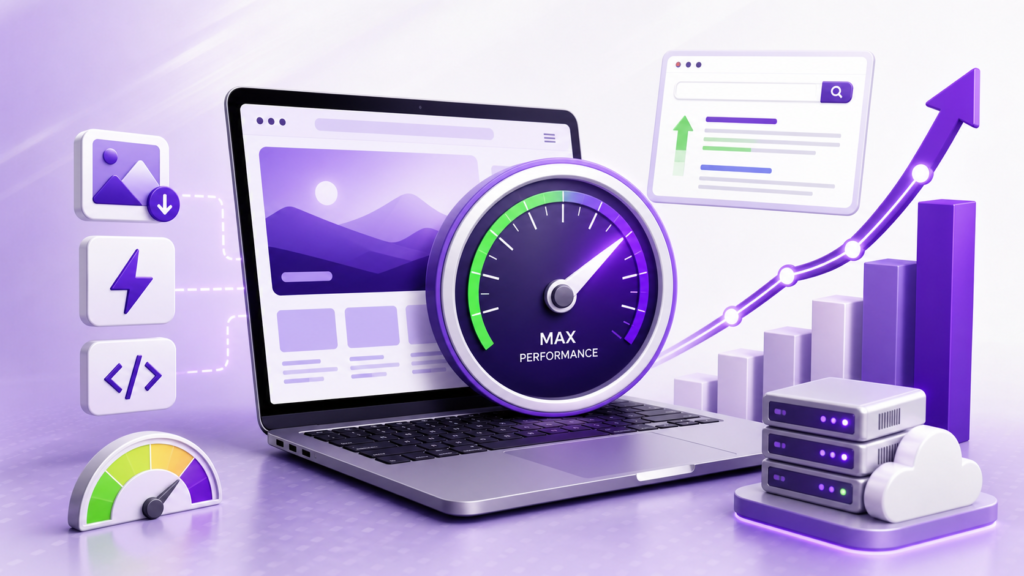
Page speed affects SEO, but not in the simplistic way it is sometimes presented.
A faster website can provide a better user experience and help your pages meet Google’s Core Web Vitals expectations. Core Web Vitals are part of Google’s ranking systems, but speed is only one part of how Google evaluates pages. Strong content, relevance, accessibility, links and many other signals still matter.
So the goal should not be to chase a perfect PageSpeed Insights score.
The better goal is to make important pages load quickly, respond smoothly and remain visually stable for real users.
This guide explains how page speed affects SEO, what Google actually measures, how to diagnose performance problems and which optimizations are usually worth prioritizing.
Does Page Speed Affect SEO?
Yes. Page experience, including Core Web Vitals, is considered by Google’s ranking systems. Google recommends achieving good Core Web Vitals both for Search success and for providing a better experience for visitors.
However, page speed is not a shortcut to higher rankings.
Google specifically notes that its systems can still prioritize highly relevant content even when page experience is not perfect. It also says that good Core Web Vitals scores do not guarantee that a page will rank at the top of Search.
That means speed should be treated as one part of a broader SEO strategy.
For example, imagine two pages that provide similarly useful answers to the same query. If one offers a much smoother experience, improving its loading, responsiveness and stability can strengthen the overall page experience.
But making a weak page load in one second does not automatically make it more relevant or authoritative than a better resource.
How Page Speed and SEO Are Connected
Page speed can influence SEO in several ways.
1. It contributes to page experience
Google’s page experience guidance includes Core Web Vitals alongside other considerations such as secure delivery, mobile presentation and avoiding intrusive experiences. There is not one single “page experience score” that determines rankings.
2. It affects how users experience your content
A visitor cannot read your excellent article if the main content takes too long to appear.
Slow loading can delay the moment when users can see the information they came to find. Poor responsiveness can make buttons, menus and forms feel broken. Layout shifts can cause users to click the wrong element.
These are usability problems first, but they are also why performance matters as part of a broader SEO and website-quality strategy.
3. It matters particularly when competing pages are otherwise similar
Google says that its systems seek to show the most relevant content even when page experience is subpar. At the same time, good page experience can contribute to Search success when there is plenty of helpful content available.
That is a better way to think about performance than treating speed as an independent ranking shortcut.
4. It can affect conversions
SEO does not end when someone clicks your result.
If a visitor reaches a product page, service page or lead-generation form and the page is slow to respond, the performance problem can continue to affect the business after the organic click.
For that reason, performance optimization should consider both search visibility and the experience after the click.



What Are Core Web Vitals?
Core Web Vitals are Google’s user-focused metrics for measuring three important aspects of page experience:
| Metric | What it measures | Good target |
|---|---|---|
| LCP | Loading performance | ≤ 2.5 seconds |
| INP | Responsiveness to interactions | ≤ 200 ms |
| CLS | Visual stability | ≤ 0.1 |
Google recommends evaluating these metrics at the 75th percentile so that performance represents the experience of most users rather than just the fastest visitors.
For a more audience-specific explanation, see this guide to Core Web Vitals for small businesses.
LCP: Largest Contentful Paint
LCP measures how quickly the largest visible content element becomes available.
On a typical page, this could be:
- A large hero image
- A prominent heading
- A featured image
- A major block of text
If your main content takes several seconds to appear, the page can feel slow even if other elements load quickly.
Common LCP problems include:
- Large unoptimized images
- Slow server response
- Render-blocking resources
- Poor resource prioritization
- Heavy CSS
- Slow hosting
- Inefficient caching
INP: Interaction to Next Paint
INP measures how responsive a page is when users interact with it.
For example:
- Clicking a menu
- Opening a dropdown
- Submitting a form
- Selecting an option
- Interacting with an ecommerce interface
A page can appear visually loaded while still feeling sluggish because JavaScript keeps the browser busy.
Google’s recommended good threshold for INP is 200 milliseconds or less.
CLS: Cumulative Layout Shift
CLS measures unexpected movement of content while a page loads.
For example, a user may try to click a button, but an image or advertisement loads above it and pushes the button somewhere else.
Common causes include:
- Images without reserved dimensions
- Dynamically inserted content
- Web fonts changing layout
- Ads or embeds without reserved space
- Elements injected above existing content
A stable page should avoid unexpected movement, with Google recommending a CLS of 0.1 or less.
PageSpeed Insights Score vs Core Web Vitals
One of the most common SEO mistakes is treating a PageSpeed Insights score as the same thing as Google’s ranking evaluation.
They are not identical.
PageSpeed Insights combines lab testing with real-world field data. Its lab testing uses Lighthouse in a controlled environment, while its field data comes from the Chrome User Experience Report.
This creates an important distinction:
Lab data helps you diagnose problems.
Field data helps you understand real-user performance.
A page might score very well in a Lighthouse test but have weaker real-user Core Web Vitals because visitors use different devices, browsers, networks and locations.
That is why you should not optimize solely to turn a PageSpeed score from 92 into 100.
Fix the underlying performance problem instead.
How to Check Your Website’s Page Speed
Start with Google’s own tools.
1. PageSpeed Insights
PageSpeed Insights lets you test individual URLs and provides both field data, where available, and Lighthouse-based diagnostics.
Use it to identify:
- LCP problems
- INP-related issues
- CLS problems
- Large resources
- Render-blocking resources
- JavaScript issues
- Image opportunities
- Other performance diagnostics
2. Google Search Console
Search Console’s Core Web Vitals report can help you understand how groups of URLs perform based on real-user data.
This is especially useful when a problem affects a template rather than one individual page.
For example, if dozens of product pages have similar performance problems, fixing the underlying template may be more valuable than optimizing each URL separately.
3. Chrome DevTools
For developers, Chrome DevTools can help investigate the actual cause of performance problems.
Use it when PageSpeed Insights tells you that something is slow but you need to determine exactly which resource, script or rendering task is responsible.

How to Optimize Page Speed for SEO
Don’t make random performance changes.
Measure first, identify the bottleneck and then work on the highest-impact problem.
1. Optimize Images
Images are often among the largest resources on a page.
Start by:
- Compressing oversized images
- Serving appropriately sized images
- Using modern formats where supported
- Avoiding unnecessarily high-resolution uploads
- Lazy-loading images that are below the initial viewport
- Prioritizing important above-the-fold images
Be careful with lazy loading.
Your main LCP image should not be unnecessarily delayed simply because it is an image.
For WordPress sites, follow this WordPress image optimization guide for a more detailed process.
2. Reduce Unnecessary JavaScript
JavaScript can make pages interactive, but excessive JavaScript can also create performance problems.
Review:
- Unused scripts
- Third-party scripts
- Plugin-generated JavaScript
- Tracking scripts
- Large libraries
- Scripts loaded on pages where they are not needed
The goal is not to eliminate JavaScript.
The goal is to avoid making the browser process unnecessary work before users can interact with the page.
3. Remove or Delay Non-Critical Resources
Not every resource needs to load immediately.
Where technically appropriate, consider:
- Deferring non-critical JavaScript
- Loading resources only when needed
- Reducing render-blocking CSS
- Removing unused CSS
- Prioritizing important content
- Avoiding unnecessary third-party resources
Performance work should always be tested after implementation because changing loading behavior can also create layout or functionality problems.
4. Improve Server Response Time
A page cannot render quickly if the server takes too long to begin responding.
Server performance can be affected by:
- Hosting resources
- Server configuration
- Database queries
- Plugins
- Application code
- Caching
- Traffic
- Geographic distance between users and infrastructure
If the same page remains slow even after front-end optimization, investigate the server and application layer instead of compressing another image.
5. Use Effective Caching
Caching can reduce the amount of work required to generate and deliver pages repeatedly.
Depending on your platform, this can include:
- Page caching
- Browser caching
- Object caching
- Server-side caching
- CDN caching
Caching should be configured according to the site’s technology and content requirements.
Dynamic pages, ecommerce carts and personalized content may require different caching rules from static blog posts.
6. Use a CDN When Appropriate
A Content Delivery Network can distribute static assets through locations closer to users.
This can be particularly useful when a website serves visitors across different geographic regions.
However, a CDN does not automatically fix every performance problem.
If the page itself contains oversized images, excessive JavaScript or inefficient server-side processing, putting the assets behind a CDN does not remove the underlying bottleneck.
7. Optimize Fonts
Web fonts can contribute to loading delays and layout shifts.
Review:
- Number of font families
- Number of font weights
- Font file sizes
- Font loading behavior
- Whether every font variation is actually needed
If a site uses six font weights but only needs three, removing unnecessary files can reduce the amount of work required during loading.
8. Reserve Space for Images and Embeds
To reduce CLS, browsers need to know how much space certain elements require.
Set dimensions or otherwise reserve appropriate space for:
- Images
- Videos
- Iframes
- Ads
- Embedded content
This helps prevent the layout from jumping when resources finish loading.
9. Audit Third-Party Scripts
Third-party services can add functionality, but every additional script has a performance cost.
Common examples include:
- Analytics
- Chat widgets
- Advertising
- Social media embeds
- Heatmaps
- A/B testing tools
- Marketing automation
Ask whether each script is necessary.
If it is important, determine whether it can load later or only on pages where it is actually required.
10. Keep Your CMS and Plugins Under Control
For CMS-based websites, performance can degrade as functionality accumulates.
Review:
- Unused plugins
- Duplicate functionality
- Heavy page builders
- Outdated components
- Plugin-generated scripts
- Database overhead
- Unnecessary integrations
For WordPress specifically, performance optimization should consider the theme, plugins, hosting, database, images and front-end assets together rather than relying on a single speed plugin.
If you use WordPress, see this guide on how to speed up your WordPress website. If your site is built with Elementor, this Elementor speed optimization guide provides more platform-specific recommendations.
A Practical Page Speed Optimization Priority List
If you have limited development time, don’t try to fix everything simultaneously.
Use this order as a starting point:
| Priority | What to investigate | Why |
|---|---|---|
| 1 | LCP bottleneck | Main content may be appearing too slowly |
| 2 | Large images/resources | Often creates unnecessary transfer and loading work |
| 3 | Server response | Slow backend delivery affects the entire page |
| 4 | Render-blocking CSS/JS | Can delay visible content |
| 5 | Excessive JavaScript | Can hurt responsiveness and INP |
| 6 | Layout shifts | Creates poor visual stability |
| 7 | Third-party scripts | Adds external processing and network requests |
| 8 | Caching/CDN | Can improve repeat delivery and asset distribution |
| 9 | Fonts and smaller assets | Useful once larger bottlenecks are addressed |
The exact priority will vary by website.
The important point is to fix the bottleneck you can actually identify, not blindly apply a checklist.
For a broader technical review, use this technical SEO audit checklist to evaluate performance alongside crawlability, indexing and other technical factors.
Common Page Speed Mistakes That Can Hurt SEO Work
Chasing a 100/100 PageSpeed score
A perfect lab score is not the same as excellent real-user performance.
Google’s documentation explicitly distinguishes lab data from field data, and a good lab score does not necessarily mean that real users have the same experience.
Focusing only on the homepage
SEO traffic often lands directly on:
- Blog posts
- Product pages
- Service pages
- Category pages
- Landing pages
Optimize the templates and URLs that actually matter to users and organic search.
Installing too many optimization plugins
Adding multiple caching, image and optimization plugins can create conflicts and sometimes make troubleshooting harder.
Performance tools should simplify the stack, not create another layer of complexity.
Optimizing without measuring
A change that improves one metric can sometimes create another problem.
Measure before the change, implement the fix, test again and then monitor real-user data.
Treating speed as a replacement for content
Page performance cannot compensate for content that does not satisfy the searcher’s intent.
Google’s guidance makes this distinction clear: page experience matters, but its systems still seek relevant and helpful content.
🌟 Don't Miss These Posts

 Technical SEO vs Content SEO: Key Differences, Benefits & Best Practices">
How Long Does Page Speed Optimization Take to Show Results?
There is no universal timeframe.
A technical change can improve a lab measurement immediately, but real-user metrics depend on actual visitors and the available field-data reporting window.
Google’s PageSpeed Insights field data represents a trailing 28-day period from the Chrome User Experience Report when sufficient data is available.
That means you should distinguish between:
Immediate technical validation:
Did the optimization actually reduce the bottleneck?
Real-user validation:
Are visitors experiencing better performance?
SEO validation:
Did organic search performance change after the technical improvement?
Don’t assume that a higher performance score automatically caused a ranking increase.
Page Speed SEO Checklist
Before publishing or updating an important page, check:
- Test the URL with PageSpeed Insights
- Review Core Web Vitals
- Check LCP
- Check INP
- Check CLS
- Review real-user field data when available
- Optimize oversized images
- Check server response time
- Review render-blocking resources
- Remove unnecessary JavaScript
- Review third-party scripts
- Configure appropriate caching
- Consider CDN delivery where useful
- Reserve space for images and embeds
- Review font loading
- Test mobile performance
- Retest after making changes
- Monitor Search Console after deployment
For a more detailed implementation list, review this website speed SEO checklist.
Final Takeaway
Page speed matters for SEO because it is connected to page experience, Core Web Vitals and the way real users experience your website.
But faster does not automatically mean higher rankings.
The better SEO approach is to build pages that are useful, relevant, technically accessible and pleasant to use, while addressing measurable performance problems that prevent visitors from accessing or interacting with the content efficiently.
Start with real data. Identify the largest bottleneck. Fix it. Test the result. Then move to the next problem.
That approach is much more sustainable than chasing an arbitrary PageSpeed score.
If your website has persistent performance issues, a technical performance audit can help identify whether the bottleneck is coming from hosting, images, JavaScript, CSS, plugins, caching, templates or other parts of the site.