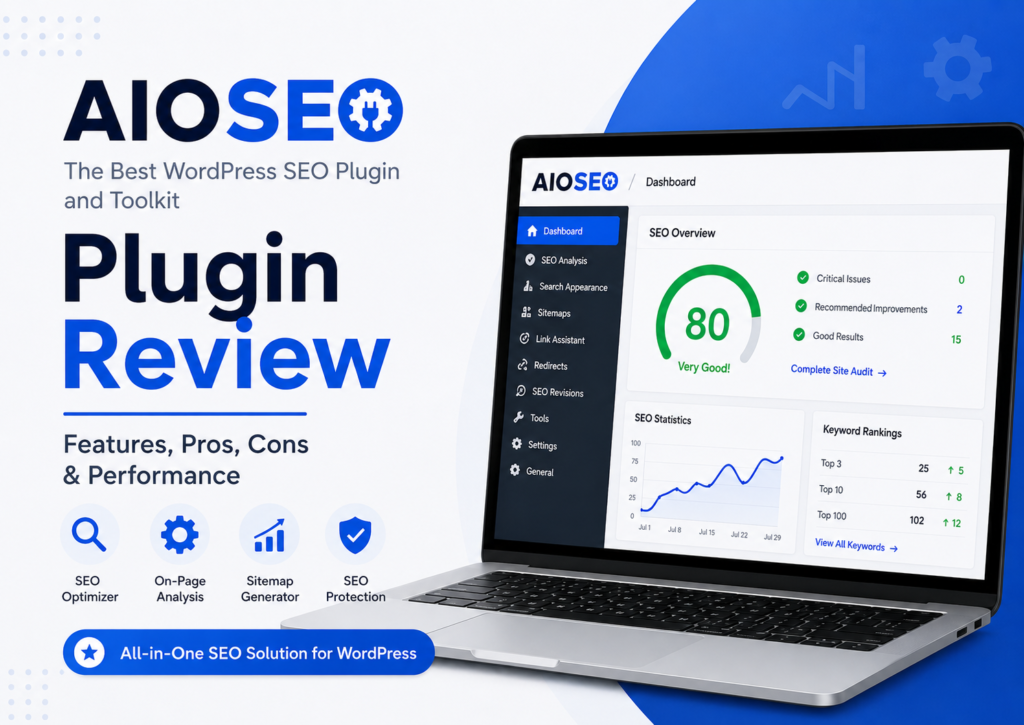
If you’ve searched for a WordPress SEO plugin recently, you’ve probably seen AIOSEO (All in One SEO) appear in almost every recommendation list. That’s not surprising. It has been around for years and continues to evolve with new features, AI-powered tools, and better WordPress integration.
But does that automatically make it the right choice for your website?
In this AIOSEO Plugin Review, we’ll take a practical look at what the plugin offers, how it performs, where it excels, and where it falls short. Instead of repeating marketing claims, we’ll focus on real features, official documentation, and everyday usability so you can decide whether it’s worth using in 2026.
Whether you’re running a personal blog, a WooCommerce store, a local business website, or a growing content site, this review will help you understand if AIOSEO WordPress Plugin is the right fit for your SEO strategy.
AIOSEO
All in One SEO (AIOSEO) is a comprehensive WordPress SEO plugin designed to help website owners optimize their content for search engines without needing advanced technical knowledge.
Originally launched in 2007, the plugin has grown into one of the most popular SEO solutions for WordPress. It supports essential optimization tasks such as:
- On-page SEO
- XML Sitemap generation
- Schema Markup
- Meta Title & Meta Description management
- Local SEO
- WooCommerce SEO
- Redirect Manager
- Robots.txt editing
- Breadcrumbs
- Social media metadata
The plugin works with modern WordPress themes and page builders while following WordPress coding standards.
Its biggest advantage is simple: most SEO settings are available through an intuitive interface instead of requiring manual code edits.
Official Source: AIOSEO Documentation & Feature Guides
AIOSEO Features
One reason many users consider AIOSEO among the best SEO plugins for WordPress is its wide range of built-in tools. Instead of relying on multiple plugins, AIOSEO combines many SEO features into a single dashboard.
Smart On-Page SEO Analysis
The plugin analyzes your content while you write.
It checks important SEO elements such as:
- SEO title
- Meta description
- Heading structure
- Internal linking opportunities
- Image ALT attributes
- Readability improvements
- Focus keyphrase usage
These suggestions act as guidelines rather than guarantees, which is a healthier approach to SEO.
XML Sitemap Generator
Every website needs a well-structured XML sitemap.
AIOSEO automatically creates and updates:
- XML Sitemap
- Video Sitemap
- News Sitemap
- HTML Sitemap
- RSS Sitemap
These help search engines discover new pages more efficiently.
Schema Markup Support
Adding Schema Markup manually can be confusing.
AIOSEO simplifies the process by offering structured data for:
- Articles
- Products
- Recipes
- Courses
- FAQs
- Software
- Organizations
- Local Businesses
- Events
- Reviews
Proper schema improves your chances of earning rich results in Google Search.
Search Statistics
One of the standout premium features is Search Statistics.
Instead of constantly switching between WordPress and Google Search Console, users can view:
- Keyword rankings
- Content performance
- Ranking gains and losses
- Search impressions
- Click trends
The feature integrates with Google Search Console, making performance tracking more convenient.
Redirect Manager
Broken links hurt both user experience and SEO.
AIOSEO includes a Redirect Manager that allows you to create:
- 301 Redirects
- 302 Redirects
- 307 Redirects
- 410 Gone
- 451 Redirects
This feature is especially useful after changing URLs or removing outdated content.
Robots.txt Editor
Instead of editing server files manually, AIOSEO lets users manage robots.txt directly inside WordPress.
This makes it easier to:
- Block unnecessary URLs
- Control crawler access
- Improve crawl efficiency
Always review changes carefully before publishing, as incorrect rules can affect indexing.
Breadcrumb Navigation
Breadcrumbs help both users and search engines understand your site’s structure.
AIOSEO supports breadcrumb implementation through:
- Gutenberg blocks
- Shortcodes
- Widgets
- PHP integration
Google may also display breadcrumb paths in search results when appropriate.
Link Assistant
Internal links remain an important part of SEO.
AIOSEO’s Link Assistant scans your content and suggests relevant internal linking opportunities.
Rather than manually searching for related articles, you receive recommendations directly inside WordPress.
For larger websites, this can save significant time.



AIOSEO Pricing
AIOSEO offers both a free version and several premium plans.
The free plugin covers basic SEO needs, while paid plans unlock advanced tools such as:
- Search Statistics
- Redirect Manager
- Link Assistant
- Local SEO
- WooCommerce SEO
- Advanced Schema
- IndexNow support
- Author SEO
- AI-powered features
Pricing changes occasionally, so it’s best to check the official pricing page before purchasing.
For many small websites, the free version provides enough functionality to get started. Growing businesses often benefit from premium features that reduce manual SEO work.
AIOSEO Free vs Pro
Choosing between the free and premium versions depends on your website’s goals.
| Feature | Free | Pro |
|---|---|---|
| XML Sitemap | ✅ | ✅ |
| Meta Titles & Descriptions | ✅ | ✅ |
| Basic Schema | ✅ | ✅ |
| Social Metadata | ✅ | ✅ |
| SEO Analysis | ✅ | ✅ |
| Redirect Manager | ❌ | ✅ |
| Link Assistant | ❌ | ✅ |
| Search Statistics | ❌ | ✅ |
| Local SEO | ❌ | ✅ |
| WooCommerce SEO | ❌ | ✅ |
| Advanced Schema Types | ❌ | ✅ |
Who should choose the Free version?
The free version works well for:
- Personal blogs
- Hobby websites
- New WordPress users
- Small informational sites
Who should buy Pro?
The Pro version is better suited for:
- Businesses
- Agencies
- WooCommerce stores
- Local companies
- Affiliate marketers
- Publishers managing large websites
If your site generates revenue, the premium tools can save time and simplify SEO management.
Performance & Speed
One concern users often have is whether SEO plugins slow down WordPress.
In our experience and based on AIOSEO’s architecture, the plugin performs well when paired with quality hosting and a properly optimized website.
Like any feature-rich plugin, enabling every available module without using them may add unnecessary overhead.
A practical approach is to activate only the features your website actually needs.
This keeps your dashboard cleaner and helps reduce unnecessary processing.
For most websites, AIOSEO does not become the primary cause of slow loading speeds. Server quality, themes, images, scripts, and caching generally have a much greater impact on performance.



Ease of Use
One of AIOSEO’s biggest strengths is its beginner-friendly interface.
After installation, the setup wizard guides users through:
- Website category
- Homepage SEO
- Search appearance
- XML sitemap configuration
- Social profiles
- Search engine visibility
Most settings use plain language instead of technical jargon.
Even users with little SEO experience can complete the initial setup in just a few minutes.
Advanced users still have access to detailed customization options without overwhelming beginners.
That balance makes AIOSEO appealing to a broad range of WordPress users.
AI Features
AIOSEO has gradually introduced AI-assisted tools to streamline SEO tasks.
Depending on your plan and integrations, these features can help generate or refine:
- SEO titles
- Meta descriptions
- Content optimization suggestions
AI should assist your workflow, not replace your judgment.
Always review AI-generated suggestions to ensure they accurately reflect your content and match your brand’s voice.
Human editing remains essential for creating trustworthy, helpful content.
Schema & Rich Snippets
Structured data has become an important part of modern SEO.
AIOSEO makes schema implementation accessible without requiring custom code.
You can assign schema types to individual posts and pages through an easy-to-use interface.
Supported schema includes:
- Article
- FAQ
- Product
- Software
- Organization
- Person
- Local Business
- Course
- Event
- Recipe
Using the correct schema helps search engines better understand your content and may improve eligibility for rich search results.
Keep in mind that adding schema does not guarantee rich snippets. Search engines decide when and where to display them based on many factors.



WooCommerce SEO
If you run an online store, optimizing product pages is just as important as writing quality blog posts. AIOSEO includes dedicated WooCommerce SEO features that help improve how products appear in search results.
Some of the most useful capabilities include:
- Product schema support
- SEO titles and meta descriptions for products
- Product image SEO
- Breadcrumb customization
- Social media previews
- XML sitemaps for products and categories
These features make it easier for search engines to understand your store while helping potential customers find your products.
While AIOSEO won’t improve rankings on its own, it removes many technical SEO barriers that often affect eCommerce websites.
Local SEO
For businesses targeting customers in a specific city or region, Local SEO can make a significant difference.
AIOSEO’s Local SEO module lets you add structured business information without editing code.
You can configure details such as:
- Business name
- Address
- Phone number
- Opening hours
- Business categories
- Google Maps integration
- Local Business Schema
This information helps search engines understand your business and may improve visibility for location-based searches.
If you own a physical store, agency, clinic, restaurant, or service business, this feature can save time compared to manually implementing Local Business Schema.
AIOSEO vs Rank Math
This comparison appears frequently because both plugins offer a comprehensive SEO toolkit.
| Feature | AIOSEO | Rank Math |
|---|---|---|
| Beginner Friendly | ⭐⭐⭐⭐⭐ | ⭐⭐⭐⭐☆ |
| Setup Wizard | ✅ | ✅ |
| Schema Generator | ✅ | ✅ |
| Redirect Manager | Pro | Free & Pro |
| Internal Link Suggestions | Pro | Pro |
| WooCommerce SEO | Pro | Pro |
| Local SEO | Pro | Pro |
| Google Search Console Integration | ✅ | ✅ |
Choose AIOSEO if you:
- Prefer a clean interface
- Want an easier learning curve
- Need excellent documentation
- Manage business websites
- Want fewer advanced settings on day one
Choose Rank Math if you:
- Like extensive customization
- Want more free advanced features
- Enjoy detailed SEO controls
- Are comfortable exploring technical settings
Neither plugin is objectively “better” for every website. The right choice depends on your workflow and experience level.
AIOSEO vs Yoast SEO
Yoast SEO remains one of the most recognized WordPress SEO plugins, especially among beginners.
Here’s how they compare.
| Feature | AIOSEO | Yoast SEO |
|---|---|---|
| Interface | Modern | Traditional |
| Schema Features | Strong | Strong |
| Redirect Manager | Pro | Premium |
| Local SEO | Pro | Separate Add-on |
| WooCommerce SEO | Pro | Separate Add-on |
| Link Assistant | Pro | Internal Linking Suggestions (Premium) |
| Search Statistics | Yes | No built-in equivalent |
AIOSEO bundles more features into its premium plans, while Yoast often offers advanced functionality through separate extensions.
If you prefer an all-in-one experience, AIOSEO may provide better value.
AIOSEO vs SEOPress
SEOPress has earned a loyal following thanks to its lightweight design and developer-friendly options.
Choose SEOPress if you:
- Want minimal interface clutter
- Prefer white-label features
- Manage multiple client websites
- Like developer-focused customization
Choose AIOSEO if you:
- Want guided SEO recommendations
- Need integrated SEO tools
- Prefer visual configuration
- Value beginner-friendly workflows
Both plugins are capable SEO solutions that follow WordPress best practices.
AIOSEO vs Slim SEO
Slim SEO takes a very different approach.
Instead of offering hundreds of settings, it automates most SEO tasks.
Slim SEO is ideal for:
- Beginners
- Small websites
- Users who prefer “set it and forget it”
AIOSEO is better when you need:
- Redirect management
- Advanced schema
- WooCommerce optimization
- Local SEO
- SEO audits
- Search Statistics
- Link Assistant
If your SEO strategy grows over time, AIOSEO provides more room to scale.
AIOSEO Alternatives
If AIOSEO doesn’t fit your workflow, several excellent alternatives are available.
- Rank Math – Extensive features and generous free version.
- Yoast SEO – One of the longest-standing WordPress SEO plugins.
- SEOPress – Lightweight with strong developer tools.
- Slim SEO – Automation-focused and beginner-friendly.
- The SEO Framework – Lightweight with minimal configuration.
Each plugin has its strengths, so the best choice depends on your website’s needs rather than popularity alone.
AIOSEO Pros and Cons
Every SEO plugin has trade-offs, and AIOSEO is no exception.
Pros
- Easy setup wizard
- Clean, beginner-friendly interface
- Comprehensive SEO toolkit
- Excellent schema support
- Built-in Redirect Manager
- Helpful Link Assistant
- WooCommerce SEO features
- Local SEO support
- Regular feature updates
- Detailed documentation
Cons
- Some advanced features require a Pro license.
- Experienced users may find fewer technical customization options than some competitors.
- Large sites using every module may need to review enabled features to keep the dashboard streamlined.
For most website owners, the advantages outweigh these limitations.
Who Should Use AIOSEO?
AIOSEO is a good fit for a wide range of WordPress users.
It works particularly well for:
- Bloggers
- Small businesses
- Local businesses
- WooCommerce store owners
- Affiliate marketers
- Agencies managing client sites
- Content publishers
- Beginners learning SEO
If you’re looking for a plugin that balances ease of use with advanced functionality, AIOSEO is a strong option.
Is AIOSEO Worth It?
For many users, yes.
The free version covers the essentials, including meta tags, XML sitemaps, and basic schema.
The Pro version becomes more valuable if you need features like:
- Search Statistics
- Redirect Manager
- Link Assistant
- Local SEO
- WooCommerce SEO
- Advanced Schema
- Author SEO
Rather than installing several plugins for different SEO tasks, AIOSEO consolidates many of them into one solution.
That can simplify site management and reduce plugin conflicts.
Final Words
After reviewing its features, usability, and real-world applications, AIOSEO remains one of the best WordPress SEO plugins available in 2026.
It doesn’t promise instant rankings and no reputable SEO tool should. Instead, it helps you implement SEO best practices more efficiently by providing tools for on-page optimization, schema markup, XML sitemaps, internal linking, redirects, and performance tracking.
If you’re new to WordPress SEO, the intuitive setup and clear interface make getting started straightforward. If you manage business websites or WooCommerce stores, the premium features can streamline technical SEO tasks and save time.
For users who prefer deep customization, plugins like Rank Math or SEOPress may offer more granular controls. However, if your priority is an easy-to-manage, well-supported SEO plugin with a broad feature set, AIOSEO is a dependable choice.
Overall Rating: ⭐⭐⭐⭐☆ (4.7/5)
Best for: Beginners, bloggers, business websites, WooCommerce stores, agencies, and content publishers.
Frequently Asked Questions
Is AIOSEO worth it?
Yes. The free version is suitable for basic SEO, while the Pro version adds advanced tools such as Link Assistant, Redirect Manager, Search Statistics, Local SEO, and WooCommerce SEO that can simplify ongoing optimization.
Is AIOSEO better than Rank Math?
Neither plugin is universally better. AIOSEO emphasizes simplicity and ease of use, while Rank Math offers more advanced configuration options, particularly in its free version.
Is AIOSEO better than Yoast SEO?
Both are mature SEO plugins. AIOSEO includes many features within its core premium plans, whereas Yoast provides some advanced functionality through separate premium extensions.
Does AIOSEO slow down WordPress?
When configured appropriately and used with reliable hosting, AIOSEO generally has minimal impact on performance. Overall site speed is usually influenced more by hosting, themes, images, and other plugins.
Is AIOSEO free?
Yes. A free version is available through the WordPress Plugin Directory. Premium plans unlock additional features for users with more advanced SEO requirements.
What is AIOSEO used for?
AIOSEO helps WordPress users optimize their websites by managing SEO titles, meta descriptions, XML sitemaps, schema markup, redirects, internal links, local SEO, WooCommerce SEO, and more.
Which AIOSEO plan should I buy?
If you operate a personal blog or small website, the free version may be sufficient. Businesses, online stores, agencies, and publishers will generally benefit more from the Pro plans.
Is AIOSEO good for beginners?
Yes. Its setup wizard, intuitive interface, and clear documentation make it accessible for users with little or no SEO experience.
Can AIOSEO improve rankings?
AIOSEO cannot directly improve rankings. It provides tools to implement SEO best practices, which can contribute to better visibility when combined with high-quality content, technical optimization, and a sound SEO strategy.