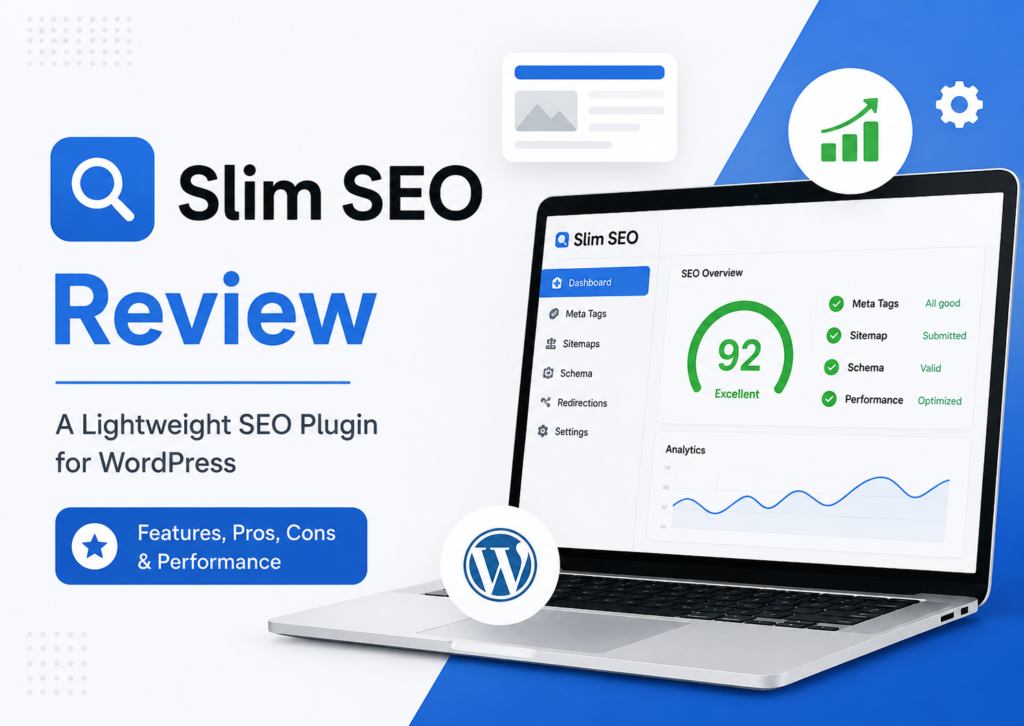
Search engine optimization has become more competitive than ever. While powerful SEO plugins offer dozens of settings, many WordPress users simply want a plugin that works without spending hours configuring every option.
That’s where Slim SEO stands out.
Instead of overwhelming users with hundreds of settings, Slim SEO focuses on SEO automation. It automatically generates meta tags, creates XML sitemaps, adds structured data, and handles many technical SEO tasks behind the scenes.
But does its simplicity come at the cost of important features?
In this Slim SEO Plugin Review, we’ll examine its features, setup process, pricing, performance, and real-world usability. We’ll also see who should use Slim SEO and whether upgrading to Slim SEO Pro makes sense in 2026.
Slim SEO is an excellent choice for beginners and website owners who prefer automation over manual SEO configuration. Advanced users, however, may find its customization options limited compared to larger SEO plugins.
What is Slim SEO?
Slim SEO is a lightweight WordPress SEO plugin developed by the team behind Meta Box. The plugin aims to simplify Search Engine Optimization by automatically handling essential SEO tasks without requiring extensive configuration.
Unlike many traditional SEO plugins, Slim SEO follows an “install and forget” philosophy. After activation, it immediately starts optimizing your website using SEO best practices.
The plugin includes several core SEO features such as:
- Automatic Meta Tags
- XML Sitemap generation
- Schema Markup
- Open Graph metadata
- Robots Meta handling
- Breadcrumb support
- Image SEO enhancements
- Redirect Manager (Pro)
- Link Manager (Pro)
Instead of filling every screen with settings, Slim SEO keeps the interface clean and beginner-friendly.
Who Should Use Slim SEO?
Slim SEO isn’t designed for every website owner.
It works best for users who want reliable SEO automation without constantly tweaking settings.
Slim SEO is a good choice for:
- Beginners starting their first WordPress website
- Bloggers who prefer simplicity
- Small business websites
- Portfolio websites
- Agency websites
- WooCommerce stores needing basic SEO
- Users who prioritize website speed
Power users who enjoy fine-tuning schema, keyword optimization, and advanced SEO analysis may find plugins like Rank Math or SEOPress more suitable.
Slim SEO Features
One reason many users search for a Slim SEO Review is its automatic feature set.
Let’s examine the major features available in the plugin.
1. Automatic Meta Tags
One of Slim SEO’s biggest strengths is automatic meta generation.
After installation, the plugin automatically creates:
- SEO Titles
- Meta Descriptions (when possible)
- Canonical URLs
- Robots Meta
- Social Metadata
This reduces manual work while ensuring pages include essential SEO information.
Unlike traditional plugins, Slim SEO avoids asking users to configure dozens of templates before getting started.
2. XML Sitemap
Every SEO plugin should generate a proper XML sitemap.
Slim SEO automatically creates XML sitemaps that help search engines discover your content faster.
The sitemap updates automatically whenever new content is published.
You can submit the sitemap directly through Google Search Console, making website indexing easier.
Benefits include:
- Faster indexing
- Better crawl efficiency
- Automatic updates
- Search engine compatibility
3. Schema Markup
Structured data helps search engines better understand your website.
Slim SEO automatically generates Schema Markup for common content types, including:
- Articles
- Web Pages
- Organizations
- Breadcrumbs
Schema improves eligibility for rich results when supported by search engines.
Users looking for extensive schema customization may prefer dedicated schema plugins, but Slim SEO covers the basics well.
4. Open Graph & Social Media Metadata
Social sharing matters for both branding and user engagement.
Slim SEO automatically adds Open Graph metadata for platforms such as:
- X (formerly Twitter)
This helps control how your pages appear when shared on social media.
5. Breadcrumb Support
Breadcrumbs improve navigation for both users and search engines.
Slim SEO includes breadcrumb functionality that can help:
- Improve internal navigation
- Enhance user experience
- Support structured data
- Strengthen website hierarchy
Breadcrumbs are especially useful for blogs and WooCommerce stores with multiple categories.
6. SEO Automation
Automation is where Slim SEO truly shines.
Instead of asking users to manually configure every SEO setting, it automatically handles many technical tasks.
Examples include:
- Meta generation
- Canonical URLs
- Image ALT handling (where applicable)
- Robots directives
- Schema output
- XML Sitemap creation
For users who dislike complicated dashboards, this approach saves considerable time.
7. WooCommerce SEO Support
If you run an online store, Slim SEO provides basic WooCommerce SEO improvements.
It helps optimize:
- Product pages
- Product metadata
- Product schema
- Social metadata
- Sitemap inclusion
While it doesn’t offer every advanced eCommerce SEO feature found in larger plugins, it covers the essentials for many stores.
8. Lightweight Performance
Many SEO plugins include dozens of modules that remain active even when unused.
Slim SEO follows a different philosophy.
It focuses on essential SEO functionality while keeping the plugin lightweight.
Fewer settings and background processes generally mean a cleaner experience, though actual performance depends on your theme, hosting, caching, and the rest of your plugin stack.


Slim SEO Pro Features
The free version covers core SEO needs, while Slim SEO Pro adds advanced tools for users who need more control.
Depending on the plan, Pro features include:
- Redirect Manager
- Link Manager
- Internal Link Suggestions
- Orphan Pages detection
- Advanced Schema options
- Custom Code support
- Advanced Meta controls
- Local SEO enhancements
- WooCommerce improvements
These features are especially useful for agencies, publishers, and businesses managing larger websites.
Slim SEO Free vs Pro
Choosing between the free and premium versions depends on your website’s needs.
| Feature | Free | Pro |
|---|---|---|
| Automatic Meta Tags | ✅ | ✅ |
| XML Sitemap | ✅ | ✅ |
| Schema Markup | ✅ | ✅ (More Advanced) |
| Open Graph | ✅ | ✅ |
| Breadcrumbs | ✅ | ✅ |
| Redirect Manager | ❌ | ✅ |
| Link Manager | ❌ | ✅ |
| Internal Link Suggestions | ❌ | ✅ |
| Orphan Pages | ❌ | ✅ |
| Local SEO | Limited | ✅ |
| WooCommerce SEO | Basic | Advanced |
If you run a personal blog, the free version may be enough.
For agencies, growing businesses, or websites with hundreds of pages, the Pro version offers additional management features that can simplify SEO maintenance.
Slim SEO Setup
One of Slim SEO’s biggest advantages is how quickly it can be installed.
Step 1: Install the Plugin
- Open WordPress Dashboard
- Navigate to Plugins → Add New
- Search for Slim SEO
- Click Install
- Activate the plugin
Step 2: Automatic Configuration
Unlike many SEO plugins, Slim SEO requires very little setup.
Once activated, it automatically:
- Generates meta tags
- Creates XML Sitemap
- Adds Schema Markup
- Configures Open Graph
- Sets canonical URLs
For many websites, these defaults are enough to get started.
Step 3: Connect Google Search Console
After activation:
- Verify your website in Google Search Console.
- Submit your XML sitemap.
- Monitor indexing status and crawl reports.
This helps search engines discover new and updated pages more efficiently.



Slim SEO Pricing
Slim SEO offers both a free version and premium plans for users who need advanced functionality.
The free version includes the core automation features that many websites require, making it suitable for blogs, portfolios, and small business sites.
For users who need tools such as a Redirect Manager, Link Manager, advanced schema controls, and additional SEO management features, Slim SEO Pro is available through annual paid licenses.
Because pricing, licensing options, discounts, and promotions can change over time, it’s best to check the official Slim SEO website before making a purchase.
Slim SEO vs Rank Math
This comparison attracts the most search traffic because both plugins appeal to different types of WordPress users.
| Feature | Slim SEO | Rank Math |
|---|---|---|
| Ease of Use | ⭐⭐⭐⭐⭐ | ⭐⭐⭐⭐☆ |
| Beginner Friendly | Excellent | Good |
| Automatic SEO | Excellent | Good |
| Manual Controls | Basic | Extensive |
| Schema Options | Good | Excellent |
| Keyword Optimization | No | Yes |
| Redirect Manager | Pro | Free (Basic) |
| Internal Link Suggestions | Pro | Content AI (Paid) |
| WooCommerce SEO | Good | Excellent |
| Performance | Lightweight | Feature-rich |
Which One Should You Choose?
Choose Slim SEO if you:
- Want automatic SEO.
- Prefer a clean dashboard.
- Don’t want to configure dozens of settings.
- Value website simplicity.
Choose Rank Math if you:
- Need advanced SEO customization.
- Optimize every page manually.
- Want keyword scoring.
- Need detailed schema options.
- Manage large content websites.
Winner
- Beginners: Slim SEO
- Power Users: Rank Math
Slim SEO vs Yoast SEO
Yoast SEO has been one of the most recognized WordPress SEO plugins for years. Slim SEO takes a very different approach by reducing configuration and automating most SEO tasks.
| Feature | Slim SEO | Yoast SEO |
|---|---|---|
| Setup | Very Easy | Moderate |
| Automation | Excellent | Good |
| Readability Analysis | No | Yes |
| SEO Analysis | No | Yes |
| Schema | Good | Excellent |
| XML Sitemap | Yes | Yes |
| Breadcrumbs | Yes | Yes |
| Interface | Minimal | Feature-rich |
Which Plugin Wins?
If you enjoy content optimization with readability suggestions and SEO scoring, Yoast remains a strong option.
If you simply want your website optimized automatically, Slim SEO is often the easier choice.



Slim SEO vs AIOSEO
All in One SEO (AIOSEO) focuses on businesses, agencies, and WooCommerce websites with many advanced SEO tools.
Compared to Slim SEO, AIOSEO includes:
- SEO Audit tools
- Local SEO modules
- Rich Schema Generator
- Smart XML Sitemaps
- Link Assistant
- Advanced WooCommerce SEO
Slim SEO focuses on simplicity instead of feature quantity.
Slim SEO vs SEOPress
SEOPress has become popular among agencies because it offers extensive SEO settings without excessive bloat.
Comparison highlights:
| Feature | Slim SEO | SEOPress |
|---|---|---|
| Automation | Excellent | Good |
| Custom Schema | Limited | Advanced |
| White Label | No | Yes |
| SEO Audit | No | Yes |
| Redirect Manager | Pro | Yes |
| WooCommerce SEO | Good | Excellent |
If you manage multiple client websites, SEOPress provides more flexibility.
Slim SEO vs The SEO Framework
The SEO Framework shares a similar philosophy with Slim SEO.
Both plugins emphasize:
- Lightweight code
- Good performance
- SEO automation
- Minimal interface
However:
The SEO Framework provides more advanced customization, while Slim SEO keeps the experience even simpler.
Slim SEO Performance
Performance is one of Slim SEO’s biggest selling points.
Because it includes fewer modules and avoids a heavy interface, many users choose it as a best lightweight SEO plugin.
That said, no SEO plugin alone determines your website speed. Overall performance depends on factors such as:
- Hosting quality
- Theme optimization
- Number of active plugins
- Caching configuration
- Image optimization
- Core Web Vitals
Slim SEO’s lightweight design means it adds relatively little overhead compared with feature-heavy SEO plugins, making it a sensible option for users who prioritize simplicity and efficiency.
Slim SEO Pros and Cons
Pros
- Extremely easy to use
- Automatic SEO setup
- Clean interface
- Lightweight plugin
- XML Sitemap included
- Schema support
- Open Graph integration
- WooCommerce support
- Beginner-friendly
- Minimal maintenance
Cons
- Limited SEO customization
- No content analysis
- No readability score
- No keyword optimization
- Advanced tools require Pro
- Fewer built-in marketing features than some competitors
Is Slim SEO Worth It?
For many website owners, the answer is yes.
Slim SEO succeeds because it solves a common problem: many people don’t want to spend hours configuring an SEO plugin.
Instead, they want a plugin that follows SEO best practices and works quietly in the background.
If you’re running:
- A personal blog
- A company website
- A portfolio
- A small WooCommerce store
Slim SEO can handle the essential technical SEO tasks with very little effort.
However, SEO professionals, agencies, and publishers who require detailed content analysis, advanced schema customization, or extensive reporting may benefit more from a feature-rich alternative.
Who Should Use Slim SEO?
Slim SEO is ideal for:
- Beginners
- Bloggers
- Freelancers
- Small businesses
- Portfolio websites
- Startup websites
- Users wanting SEO automation
You may want another plugin if you need:
- Advanced SEO reports
- Keyword optimization scores
- AI-assisted content optimization
- Detailed schema customization
- Enterprise-level SEO workflows
Frequently Asked Questions
Is Slim SEO free?
Yes. Slim SEO offers a free version with core SEO features, including automatic meta tags, XML sitemaps, schema markup, Open Graph metadata, and other essential SEO automation. Premium extensions and Slim SEO Pro add advanced functionality.
Is Slim SEO good for beginners?
Yes. Slim SEO is one of the easiest SEO plugins for WordPress because it works with minimal configuration.
Does Slim SEO support WooCommerce?
Yes. Slim SEO supports WooCommerce and includes SEO improvements for product pages. Advanced WooCommerce features are available through its premium offerings.
Does Slim SEO generate schema?
Yes. Slim SEO automatically adds structured data for supported content types without requiring manual configuration.
Can Slim SEO replace Yoast SEO?
For users who only need core SEO automation, yes. If you rely on Yoast’s readability analysis, SEO scoring, or advanced optimization tools, Slim SEO may not be a complete replacement.
Does Slim SEO support AI?
Slim SEO focuses primarily on SEO automation. While its premium ecosystem includes additional tools and integrations, it is not positioned as a dedicated AI writing assistant in the way some competing SEO plugins are.
Is Slim SEO lightweight?
Yes. A lightweight architecture is one of Slim SEO’s main strengths, making it attractive to users who value simplicity and performance
Is Slim SEO worth buying?
If you need advanced features such as a Redirect Manager, Link Manager, internal linking tools, or enhanced SEO management, Slim SEO Pro can provide good value. For many smaller websites, the free version is sufficient.
Final Words: Honest Slim SEO Review
Slim SEO takes a refreshing approach to WordPress SEO. Instead of overwhelming users with countless settings, it automates the essentials and lets you focus on creating quality content.
Its greatest strengths are ease of use, lightweight performance, and sensible defaults. These qualities make it especially appealing for beginners, bloggers, freelancers, and small businesses that want reliable technical SEO without a steep learning curve.
That simplicity, however, also means fewer advanced controls. Users who need in-depth keyword analysis, detailed SEO reports, extensive schema customization, or advanced content optimization may find more suitable options in plugins like Rank Math, Yoast SEO, AIOSEO, or SEOPress.
Overall Rating
| Category | Rating |
|---|---|
| Ease of Use | ⭐⭐⭐⭐⭐ (5/5) |
| Features | ⭐⭐⭐⭐☆ (4.3/5) |
| Performance | ⭐⭐⭐⭐⭐ (5/5) |
| Beginner Friendly | ⭐⭐⭐⭐⭐ (5/5) |
| Customization | ⭐⭐⭐☆☆ (3.5/5) |
| Value for Money | ⭐⭐⭐⭐☆ (4.5/5) |
| Overall Score | ⭐⭐⭐⭐☆ (4.6/5) |