Choosing the right blogging platform is one of the first and most important decisions you’ll make. It affects your website’s design, SEO, earning potential, and even how much control you have over your content.
If you’ve narrowed your options to WordPress vs Blogger, you’re not alone. These two platforms have helped millions of people create blogs, personal websites, and even full-fledged online businesses.
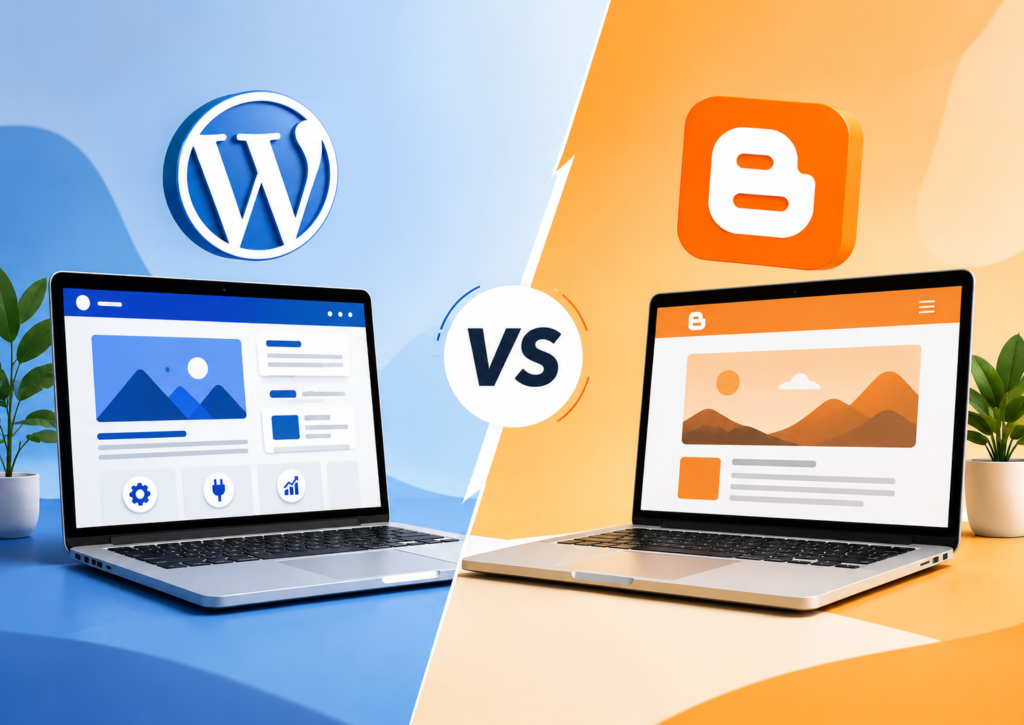
So, which is better: WordPress or Blogger?
The answer depends on your goals. If you want a simple platform to share your thoughts, Blogger may be enough. If you plan to grow your website, improve SEO, and monetize your content, WordPress offers much more flexibility.
This detailed WordPress vs Blogger comparison explains the strengths, limitations, and ideal use cases for each platform so you can make the right choice.
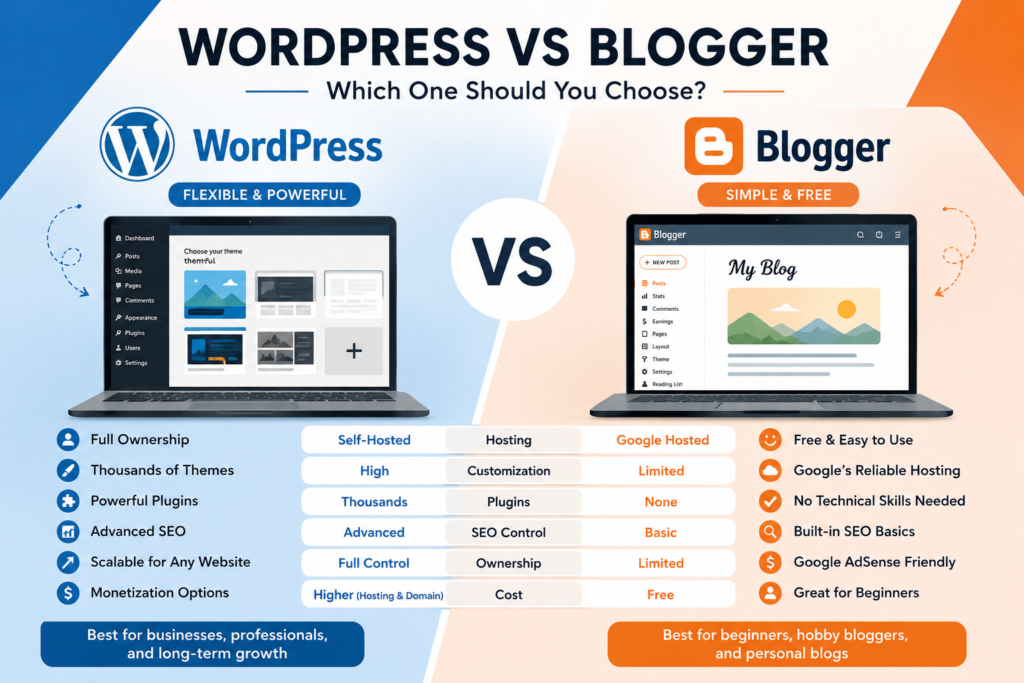
WordPress vs Blogger at a Glance
Before comparing individual features, here’s a quick overview.
| Feature | WordPress.org | Blogger |
|---|---|---|
| Ownership | Full ownership of your website | Hosted by Google |
| Hosting | Requires separate web hosting | Free hosting included |
| Custom Domain | Yes | Yes |
| Themes | Thousands available | Limited selection |
| Plugins | 60,000+ plugins | No plugin ecosystem |
| SEO Features | Advanced and highly customizable | Basic built-in SEO |
| Monetization | Unlimited | Supported, but fewer options |
| Best For | Bloggers, businesses, eCommerce, publishers | Personal blogs and beginners |
WordPress.org is a self-hosted content management system (CMS), while Google Blogger is Google’s free blogging platform.
Although both help you create a blog, they serve different audiences.
What Is WordPress?
WordPress.org is an open-source content management system (CMS) that powers more than 43% of all websites on the internet, according to W3Techs. That makes it the world’s most widely used website platform.
Unlike Blogger, WordPress gives you complete ownership of your website. You choose your hosting provider, install themes and plugins, customize every page, and decide how your website grows.
Because it is open source, developers constantly improve the platform, and thousands of themes and plugins are available to extend its functionality.
Whether you want to build:
- a personal blog
- a company website
- an online store
- a portfolio
- a membership website
WordPress can handle it.
What Is Blogger?
Blogger, often called Google Blogger, is Google’s free blogging service. It launched in 1999 and later became part of Google in 2003.
Unlike self-hosted WordPress, Blogger manages the hosting and technical maintenance for you. You simply create a Google account, choose a template, and start publishing.
That simplicity makes Blogger attractive for beginners.
However, it also means you have fewer customization options and less control over your website compared to WordPress.
If you’re starting a hobby blog or testing an idea, Blogger remains a practical choice.
WordPress vs Blogger Comparison
Let’s compare the two platforms in the areas that matter most.
Ease of Use
One of the biggest questions beginners ask is:
WordPress or Blogger for beginners – which platform is easier?
Blogger
Blogger wins when it comes to simplicity.
Creating a blog takes only a few minutes. Since Google handles hosting, updates, and maintenance, there are very few technical tasks.
You don’t need to install software or configure a server. Everything works from your Google account.
If your goal is simply to publish articles, Blogger keeps the process straightforward.
WordPress
WordPress has a slightly steeper learning curve.
You’ll need to:
- buy web hosting
- register a custom domain
- install WordPress
- choose a theme
- configure basic settings
Fortunately, most hosting providers now offer one-click WordPress installation, making setup much easier than it was a few years ago.
After installation, the dashboard remains beginner-friendly while giving you access to advanced features as your website grows.
Verdict
If simplicity is your top priority, Blogger is easier to start.
If you want room to grow without changing platforms later, WordPress is the better long-term investment.
Website Ownership and Control
This is one of the biggest differences in the Blogger vs WordPress comparison.
WordPress
With self-hosted WordPress, you own your website.
You decide:
- where it’s hosted
- which plugins to install
- which themes to use
- how to monetize it
- how your data is backed up
You can even move your website to another hosting provider whenever you want.
That level of freedom matters if you’re building a blogging business or an online brand.
Blogger
Blogger is a hosted service.
While your content belongs to you, Google controls the platform.
Google’s Blogger Terms of Service explain that the company may suspend or discontinue services, although Blogger has remained available for many years.
Most users never experience problems, but relying on a hosted platform always involves some degree of platform dependence.
Verdict
If website ownership matters to you, WordPress clearly wins.
Pricing
Many beginners compare WordPress vs Blogger pricing before starting a blog.
Is Blogger Free?
Yes.
Blogger includes:
- free hosting
- free SSL certificate
- free Blogger subdomain
- basic blogging tools
You can also connect your own custom domain if you want a more professional website.
Is WordPress Free?
The WordPress software itself is completely free.
However, you’ll usually need to pay for:
- web hosting
- domain registration
- premium themes (optional)
- premium plugins (optional)
The actual cost depends on your hosting provider and the features you choose.
Many beginners start with affordable shared hosting and upgrade later as their website grows.
Verdict
Blogger is the cheapest option because Google provides the hosting.
WordPress costs more, but that investment gives you complete control and far more flexibility.
Design and Customization
A website’s design shapes first impressions.
This is where WordPress vs Blogger customization becomes one of the biggest deciding factors.
Blogger
Blogger includes several built-in themes.
You can customize:
- colors
- fonts
- layouts
- widgets
These options work well for basic blogs, but the overall design flexibility remains limited.
Finding modern templates is also more difficult compared to WordPress.
WordPress
WordPress offers thousands of free and premium themes for nearly every type of website.
Whether you’re creating a travel blog, business site, news portal, or online store, you’ll find professionally designed themes that match your goals.
You can also use page builders and the built-in Site Editor to create custom layouts without writing code.
Need an email signup form? A contact page? Advanced SEO tools? Social sharing buttons? There’s usually a plugin for that.
That flexibility explains why WordPress powers everything from personal blogs to enterprise websites.
Verdict
When it comes to customization, WordPress wins by a wide margin.
It gives you the freedom to build almost any type of website instead of limiting you to a simple blogging platform.
WordPress vs Blogger SEO
Search engine optimization (SEO) is often the deciding factor for bloggers who want consistent organic traffic.
Blogger
Blogger includes essential SEO features out of the box. You can edit page titles, meta descriptions, custom URLs, image alt text, and robots.txt settings. It also integrates easily with Google Search Console and Google Analytics.
For a personal blog or small website, these built-in tools are usually enough.
However, Blogger lacks the advanced SEO capabilities that many growing websites need. There are no SEO plugins, schema customization options are limited, and technical SEO improvements require manual editing.
WordPress
When comparing Blogger vs WordPress for SEO, WordPress stands out because it gives you far more control.
With plugins such as Yoast SEO, Rank Math, or All in One SEO, you can:
- Optimize titles and meta descriptions
- Create XML sitemaps
- Add structured data (Schema)
- Manage redirects
- Improve internal linking
- Control indexing for individual pages
WordPress also supports advanced caching, image optimization, and performance improvements that can contribute to a better user experience – an important factor in Google’s ranking systems.
Verdict: If long-term organic traffic is your goal, WordPress offers the stronger SEO foundation.
WordPress vs Blogger Speed and Performance
Website speed affects user experience and can influence search performance.
Blogger
Since Google hosts Blogger websites, performance is generally reliable. You don’t have to configure servers, caching, or software updates.
The trade-off is limited optimization. You cannot install performance plugins or fine-tune server settings.
WordPress
A WordPress site’s speed depends largely on your hosting provider, theme, plugins, and optimization practices.
With quality hosting, a lightweight theme, image compression, caching, and a CDN, WordPress can achieve excellent performance.
The advantage is flexibility – you decide how your website is optimized.
Verdict: Blogger is fast by default. WordPress can be equally fast or faster when configured properly.
WordPress vs Blogger Security
Security is another important consideration when choosing a blogging platform.
Blogger
Google manages the hosting, server maintenance, software updates, and security infrastructure.
That means you don’t need to worry about updating the platform yourself.
WordPress
WordPress also has a strong security record, but you are responsible for maintaining it.
Good security practices include:
- Keeping WordPress updated
- Updating themes and plugins
- Using strong passwords
- Installing a trusted security plugin
- Choosing a reputable hosting provider
- Enabling SSL certificates and backups
Most successful WordPress websites follow these practices without difficulty.
Verdict: Blogger requires less maintenance, while WordPress offers more control over your website security.
WordPress vs Blogger Monetization
Many people compare WordPress vs Blogger for making money before launching a website.
Blogger
Blogger supports Google AdSense, affiliate marketing, sponsored content, and other common monetization methods.
For hobby blogs, these options are often enough.
However, the platform offers fewer integrations and customization opportunities as your business grows.
WordPress
WordPress provides virtually unlimited monetization options.
You can:
- Display Google AdSense ads
- Join affiliate marketing programs
- Sell digital downloads
- Launch online courses
- Create membership websites
- Build an eCommerce store
- Offer consulting services
- Sell physical products
Since you own the website, you control how you generate revenue.
Verdict: For WordPress vs Blogger for affiliate marketing, online business, or long-term income, WordPress offers significantly more flexibility.
WordPress vs Blogger Pros and Cons
WordPress Pros
- Complete website ownership
- Highly customizable
- Thousands of themes and plugins
- Excellent SEO capabilities
- Scales from small blogs to enterprise websites
- Strong community support
WordPress Cons
- Requires web hosting
- Slight learning curve
- Ongoing maintenance
Blogger Pros
- Completely free to start
- Very easy to use
- Google manages hosting and updates
- Reliable uptime
- Good option for hobby bloggers
Blogger Cons
- Limited customization
- No plugin ecosystem
- Fewer growth opportunities
- Less control over the platform
WordPress vs Blogger Comparison Table
| Feature | WordPress | Blogger |
|---|---|---|
| Ease of Use | ⭐⭐⭐⭐☆ | ⭐⭐⭐⭐⭐ |
| Customization | ⭐⭐⭐⭐⭐ | ⭐⭐☆☆☆ |
| SEO | ⭐⭐⭐⭐⭐ | ⭐⭐⭐☆☆ |
| Security | ⭐⭐⭐⭐☆ | ⭐⭐⭐⭐⭐ |
| Speed | ⭐⭐⭐⭐⭐* | ⭐⭐⭐⭐☆ |
| Monetization | ⭐⭐⭐⭐⭐ | ⭐⭐⭐☆☆ |
| Scalability | ⭐⭐⭐⭐⭐ | ⭐⭐☆☆☆ |
| Website Ownership | ⭐⭐⭐⭐⭐ | ⭐⭐⭐☆☆ |
*Performance depends on your hosting and optimization.
Which Blogging Platform Should You Choose?
If you’re still asking, “Should I use WordPress or Blogger?”, here’s a simple guide.
Choose Blogger if you:
- Want a free blogging platform
- Plan to publish a personal blog
- Prefer a simple setup with minimal maintenance
- Don’t need advanced customization
Choose WordPress if you:
- Want to build a professional website
- Care about long-term SEO growth
- Plan to monetize through affiliate marketing, ads, or products
- Need complete control over your website
- Expect your blog or business to grow
For most users planning a long-term project, WordPress is the better choice because it offers greater flexibility, ownership, and room to scale.
Frequently Asked Questions
Which is better, WordPress or Blogger?
If you want a platform that can grow with your website, WordPress is the stronger option. Blogger works well for simple personal blogs, but WordPress provides better customization, SEO, and monetization opportunities.
Is Blogger free?
Yes. Blogger is free to use and includes hosting, an SSL certificate, and a Blogspot subdomain. You can also connect your own custom domain.
Is WordPress free?
The WordPress software is free. However, you’ll typically pay for web hosting and a domain name to launch a self-hosted website.
Can I migrate from Blogger to WordPress?
Yes. WordPress includes tools that make importing Blogger content straightforward. Many hosting providers also offer migration assistance.
Is Blogger good for SEO?
Yes. Blogger includes the basic SEO features needed for indexing and ranking. However, WordPress gives you greater control over technical SEO and content optimization.
Can I earn money with Blogger?
Yes. Blogger supports Google AdSense, affiliate marketing, and sponsored posts. However, WordPress offers more monetization options as your website grows.
Final Verdict
The WordPress vs Blogger debate comes down to your goals.
If you want to create a personal blog with minimal setup and no hosting costs, Blogger remains a reliable option.
If you’re building a professional website, planning for long-term traffic, or creating an online business, WordPress is the better investment. Its flexibility, ownership, extensive customization, and advanced SEO capabilities make it the preferred choice for serious bloggers and businesses alike.
Instead of focusing only on where your blog starts, think about where you want it to be in two or five years. Choosing the right platform today can save you time, effort, and costly migrations later.
Trusted Sources
- WordPress.org – Official documentation and platform information
- W3Techs – Website usage statistics for WordPress
- Google Blogger Help – Official Blogger documentation
- Google Search Central – SEO best practices and search guidance