If you’re building automated workflows in 2026, you already know how crowded this space has gotten. Everywhere you look, there’s a new tool promising to save you hours of manual work. But two platforms keep showing up in every conversation: Gumloop and n8n.
The Gumloop vs n8n debate is one of the most searched comparisons in the automation world right now – and for good reason. Both tools let you build powerful workflows without drowning in code. But they approach the problem very differently.
Gumloop is built for people who want to move fast. It’s visual, AI-first, and designed for non-technical teams. n8n, on the other hand, is open-source, flexible, and a favorite among developers who want full control over how their automations run.
So which one should you actually use?
That depends on who you are, what you’re building, and how much you’re willing to spend. In this review, we break down both tools side by side – features, pricing, AI capabilities, integrations, and real-world use cases. We’re not going to sugarcoat it either. Both platforms have genuine strengths and real limitations worth knowing before you commit.
Whether you’re a solopreneur trying to automate your content pipeline, a startup scaling your sales process, or a developer tired of duct-taping APIs together – this guide is for you.
Let’s see which platform actually delivers the better automation experience.
Gumloop vs n8n: Quick Verdict
Best overall: n8n – more powerful, more flexible, and better long-term value for teams willing to invest in setup time.
Best for beginners: Gumloop – the cleanest onboarding experience and the fastest path to a working AI workflow.
Best for developers: n8n – custom code support, self-hosting, and a massive integration library make it the clear winner.
Best value for money: n8n – especially on the self-hosted Community Edition, which is completely free.
Gumloop vs n8n: Full Comparison Table
| Feature | Gumloop | n8n |
|---|---|---|
| Ease of Use | Very easy | Moderate learning curve |
| Learning Curve | Low – beginner friendly | Medium – steeper for self-hosting |
| AI Features | Built-in, AI-first design | Strong AI nodes + LLM support |
| Workflow Builder | Visual drag-and-drop | Visual + code editor |
| Integrations | Focused on AI/web scraping | 400+ native integrations |
| Templates | Growing library | Extensive template library |
| Pricing (Paid) | From $37/month | From $20/month (cloud) |
| Free Plan | Yes (limited) | Yes (self-hosted Community Ed.) |
| Scalability | Good for small-mid teams | Excellent for all sizes |
| Self Hosting | No | Yes – full control |
| Custom Code | Limited | Full JavaScript/Python support |
| Community | Growing, smaller | Large, active open-source |
| Enterprise Readiness | Basic enterprise options | Strong enterprise tier |
| Customer Support | Email + chat | Docs + community + paid support |
| Best For | Non-technical teams, AI tasks | Developers, complex workflows |
Overall Winner: n8n – for versatility, pricing, and long-term scalability.
Runner-up: Gumloop – for simplicity, AI-first design, and beginner experience.


What is Gumloop?
Gumloop launched as an AI-first automation platform aimed squarely at people who don’t write code for a living. If you’ve ever tried a tool like Zapier and felt like it was missing something – especially around AI – Gumloop was built with you in mind.
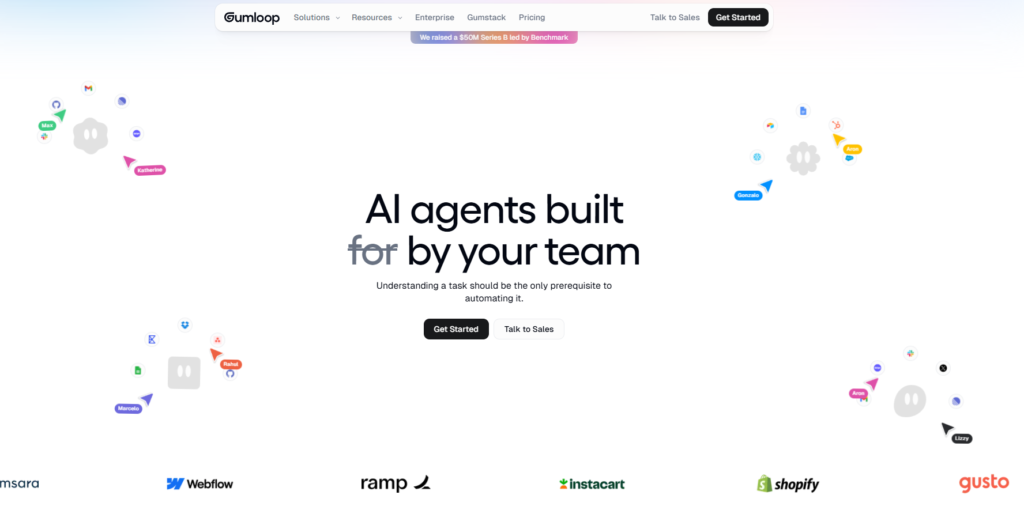
At its core, Gumloop is a visual workflow builder. You drag and drop nodes onto a canvas, connect them together, and watch your automation come to life. The interface is clean, modern, and surprisingly polished for a relatively newer platform.
Core Features
- Drag-and-drop visual builder – no code required to get started
- Gummy Assistant – describe your workflow in plain English and let AI generate the node structure for you
- AI model flexibility – choose between OpenAI, Anthropic Claude, or Google Gemini depending on your needs
- Subflows – build reusable workflow components to save time on repetitive automations
- Built-in web scraping – pull data from websites without needing separate tools
- Validation and guardrails – confidence thresholds and human review options for AI steps
AI-First Approach
This is where Gumloop really stands out. Most automation platforms treat AI as an add-on – one more integration among hundreds. Gumloop treats AI as the foundation. You can generate workflows from a text prompt, embed LLM calls at any step, and switch between AI models in seconds. For someone building content pipelines, lead enrichment flows, or research automations, this matters a lot.
Main Strengths
- Fastest time-to-first-workflow for non-technical users
- Excellent onboarding experience
- AI assistance built into the workflow creation process
- Clean, modern interface that feels good to use
Limitations
- Fewer native integrations compared to n8n or Zapier
- Can get expensive at scale due to token-based pricing for AI steps
- Smaller ecosystem – fewer tutorials, community resources, and templates
- No self-hosting option – you’re locked into their cloud
Ideal Users
Gumloop is a great fit for marketers, content creators, small business owners, and non-technical teams who want to automate AI-heavy tasks without hiring a developer. If your main goal is building smart, AI-powered workflows quickly, Gumloop gets you there faster than almost anything else.
What is n8n?
n8n (pronounced “n-eight-n”) has been around since 2019 and has built a passionate global community around one big idea: workflow automation should be open, flexible, and developer-friendly.
Unlike Gumloop, n8n is open-source. You can download it, run it on your own server, and never pay a cent – as long as you’re comfortable managing infrastructure. For teams that care deeply about data privacy, compliance, or just want to avoid recurring SaaS fees, this is a massive advantage.
Open-Source Foundation
n8n’s Community Edition is completely free. You get access to all core features, 400+ integrations, and the ability to run unlimited workflows. The trade-off is that you manage your own hosting, updates, and infrastructure. For many developers, that’s not a trade-off at all – it’s a feature.
Workflow Automation Capabilities
n8n handles everything from simple two-step automations to complex, multi-branch workflows with conditional logic, loops, error handling, and custom code. It supports both JavaScript and Python, which means developers can drop into code whenever the visual builder doesn’t cover an edge case.
Self-Hosting Advantages
Running n8n on your own infrastructure means your data never leaves your control. For industries like healthcare, finance, or any business dealing with sensitive customer data, this is often non-negotiable. Self-hosting also means no usage caps on workflow executions, no per-seat pricing surprises, and the ability to customize n8n’s source code if needed.
Main Strengths
- Completely free on self-hosted Community Edition
- 400+ native integrations covering virtually every popular app
- Full custom code support (JavaScript and Python)
- Strong community – active forums, templates, and tutorials
- Enterprise-grade features including SSO, audit logs, and role-based access
Limitations
- Steeper learning curve, especially for self-hosting setup
- Interface is less polished than Gumloop – functional rather than beautiful
- Debugging complex workflows can be time-consuming
- Non-technical users may find it overwhelming at first
Ideal Users
n8n is built for developers, technical teams, startups, agencies, and enterprises that need serious automation power. If you want full control, complex logic, custom code, and the ability to run everything on your own infrastructure, n8n is the clear choice.
Gumloop vs n8n – Feature-by-Feature Comparison
Ease of Use
Gumloop was designed from day one to be approachable. The interface is minimal, the onboarding is guided, and the AI assistant (Gummy) can generate your first workflow from a text description. You can go from zero to a working automation in under 10 minutes.
n8n has a functional visual builder, but it’s denser. There are more settings, more options, and more decisions to make. For someone who’s never used an automation tool before, that can feel intimidating. Once you get over the initial hump, n8n becomes very intuitive – but that hump exists.
Winner: Gumloop – easier to get started, especially for non-technical users.
Workflow Builder
Both tools use a node-based visual canvas. You create nodes, connect them, and define the logic that moves data between them.
Gumloop’s canvas feels cleaner and more modern. Nodes are clearly labeled, connections are easy to draw, and the overall layout is uncluttered.
n8n’s canvas gives you more control. You can add conditional branches, loop over data, merge streams, handle errors gracefully, and inject custom code at any point. The visual builder is paired with a code editor, so you’re never stuck when a native node doesn’t do exactly what you need.
Winner: n8n – more powerful and flexible for complex workflows.
AI Capabilities
This is Gumloop’s home turf. AI isn’t bolted on – it’s baked into every layer of the product. You can generate workflows from prompts, run LLM calls with OpenAI, Claude, or Gemini, add validation layers, and set up human review checkpoints. Switching between AI models is a one-click affair.
n8n has caught up significantly here. It supports AI-assisted workflow building (describe your goal, get a node structure), integrates with major LLMs, and handles text generation, summarization, classification, and data transformation. Its AI nodes are powerful and flexible.
The main difference is philosophy. Gumloop puts AI at the center. n8n treats AI as one of many powerful tools in a larger toolkit.
Winner: Gumloop – AI-first design gives it an edge for teams building AI-heavy workflows.
Integrations
This one isn’t close. n8n offers 400+ native integrations covering virtually every popular business app – Slack, Gmail, HubSpot, Salesforce, Notion, Airtable, GitHub, and hundreds more. The community also contributes custom nodes regularly.
Gumloop focuses on a narrower set of integrations, with a strong emphasis on AI models and web scraping tools. If you need to connect many business apps, Gumloop can feel limiting.
Winner: n8n – by a significant margin on native integrations.
Templates
Both platforms offer workflow templates to help you get started faster. n8n’s template library is more extensive – built up over years by the community and the n8n team. You can browse templates by use case, industry, or tool.
Gumloop’s template library is growing quickly and focuses on AI-heavy use cases. It’s smaller but well-curated.
Winner: n8n – larger library with more variety.
Customization
n8n wins this category hands down. You can write JavaScript or Python inside any workflow, create custom nodes, modify the source code, and deploy n8n with your own branding. Gumloop offers much less in the way of customization – what you see is largely what you get.
Winner: n8n – unmatched flexibility for developers.
Scalability
Both tools can scale, but they do so differently. Gumloop scales through their cloud infrastructure – you just upgrade your plan. n8n scales either through their cloud offering or through self-hosted infrastructure that you control.
For very high-volume workflows, self-hosted n8n on capable infrastructure will almost always outperform Gumloop’s cloud tiers in raw throughput and cost efficiency.
Winner: n8n – more scalable options, especially for high-volume enterprise use cases.
Security
n8n wins this category for privacy-sensitive use cases because of self-hosting. Your data stays on your servers. No third party ever touches it. For GDPR-conscious European businesses or US healthcare teams operating under HIPAA constraints, this is often the deciding factor.
Gumloop is cloud-only, which means trusting their infrastructure and data handling policies. They follow standard security practices, but you have less control.
Winner: n8n – self-hosting gives complete control over data security.
Team Collaboration
Both platforms support multi-user environments. Gumloop’s team features are clean and easy to manage – adding collaborators is simple. n8n’s enterprise plans include role-based access control, audit logs, and SSO, which are important for larger organizations.
For small teams, both work fine. For larger orgs, n8n’s enterprise feature set pulls ahead.
Winner: Tie – depends on team size. Gumloop for small teams, n8n for larger ones.
Customer Support
Gumloop offers email and in-app chat support. Response times are generally good, and the team is responsive for a newer product.
n8n’s support structure depends on your plan. The Community Edition relies heavily on the community forum and documentation. Paid cloud and enterprise plans include dedicated support. The community forum is genuinely excellent – active, knowledgeable, and fast.
Winner: Tie – different strengths depending on budget and plan level.
Community & Ecosystem
n8n has a large, active open-source community. There are YouTube tutorials, blog posts, community forums, custom nodes contributed by users, and years of accumulated knowledge to draw from.
Gumloop’s community is smaller but growing. Being a newer and closed-source platform, it hasn’t had the same time to build a grassroots following.
Winner: n8n – significantly larger ecosystem and community resources.
Learning Curve
Gumloop’s learning curve is intentionally flat. The AI assistant handles a lot of the initial setup, and the interface guides you through each step.
n8n has a steeper curve, particularly if you choose self-hosting. Getting it set up, understanding the node structure, and learning error handling takes more time. But once you’re comfortable, you can build almost anything.
Winner: Gumloop – much gentler learning curve for newcomers.
Enterprise Features
n8n’s enterprise plan includes SSO (SAML/OIDC), audit logs, version control, custom variable management, and dedicated customer success support. These are real enterprise requirements, and n8n has invested in meeting them.
Gumloop’s enterprise options exist but are more basic at this stage. The platform is still maturing in this area.
Winner: n8n – stronger enterprise feature set across the board.
Section 4: Pricing Comparison
Free Plans
Gumloop offers a free tier with limited credits and features. It’s enough to experiment with the platform and understand the workflow builder, but you’ll hit walls quickly if you want to run meaningful automations.
n8n offers a genuinely free Community Edition – fully open-source with no usage caps. The catch is that you need to self-host it, which requires a server (even a $5/month VPS works for small projects). For developers comfortable with deployment, this is a tremendous deal.
Winner: n8n – the self-hosted Community Edition is genuinely free with no artificial limits.
Paid Plans
Gumloop pricing (2026):
- Starter: ~$12/month
- Pro (Solo): ~$37/month
- Business (Team): ~$244/month
- Enterprise: Custom pricing
n8n pricing (2026, cloud – billed annually):
- Starter: ~$20/month
- Pro: ~$50/month
- Business: ~$667/month
- Enterprise: Custom pricing
At first glance, Gumloop looks cheaper on the starter end. But pricing gets complicated fast on Gumloop because AI workflow steps consume tokens, and token costs add up when you’re running AI-heavy pipelines at scale.
n8n’s cloud plans scale based on workflow executions and active workflows, not token usage. And again, self-hosted n8n costs you only infrastructure – which can be significantly cheaper than any SaaS plan at higher volumes.
Winner: n8n – better value overall, especially with the self-hosted option.
Team Plans
Gumloop’s Business plan at ~$244/month covers a team and is designed to handle growing workloads. n8n’s Business plan at ~$667/month is steeper, but it comes with more advanced features, dedicated support, and stronger enterprise controls.
For small teams on a budget, Gumloop’s team pricing is more accessible. For larger teams that need the full feature set, n8n’s Business plan delivers more.
Winner: Gumloop – better team pricing at the mid-market level.
Hidden Costs
The biggest hidden cost on Gumloop is AI token consumption. If you’re running workflows that call LLMs frequently, your costs can spike unexpectedly. Build your token usage estimate before committing to a plan.
On n8n’s self-hosted version, the hidden costs are server infrastructure, maintenance time, and the occasional troubleshooting session. Factor in developer time if your team isn’t technically inclined.
Winner: n8n – more predictable costs on self-hosted, though cloud plans have execution limits too.
Real-World Use Cases
Best for Beginners
Gumloop is the clear winner. A marketer who’s never touched an automation tool can build a working AI content pipeline in Gumloop within their first hour. The AI assistant, clean interface, and guided onboarding remove most friction points.
Best for Startups
n8n edges ahead here. Startups often start with a tight budget and a technical co-founder or developer on the team. Self-hosted n8n gives you powerful automation for nearly free, with the flexibility to adapt as your stack evolves.
Best for Agencies
n8n wins for agencies. You’re likely managing multiple client workflows with different tool stacks. n8n’s 400+ integrations, client workspace isolation, and template-sharing capabilities make it more practical at scale. The white-label potential of a self-hosted deployment is also valuable.
Best for Enterprises
n8n is the stronger enterprise choice. SSO, audit logs, role-based access control, and data sovereignty (via self-hosting) are must-haves for large organizations. Gumloop is improving its enterprise offerings, but n8n is more mature in this space.
Best for AI Automation
Gumloop shines here. If your primary goal is building AI-powered workflows – content generation, lead enrichment, research automation, summarization pipelines – Gumloop’s native AI-first design makes it the fastest and most intuitive choice.
Best for Developers
n8n by a wide margin. Custom code support, open-source architecture, community-built nodes, and self-hosting give developers a level of control that Gumloop simply doesn’t match.
Best for Non-Technical Teams
Gumloop is purpose-built for this audience. HR teams, marketing ops, and operations managers who need automation without developer dependency will feel far more at home in Gumloop than in n8n.
Pros and Cons
Gumloop Pros
- Extremely beginner-friendly with minimal setup required
- AI-first design with native LLM integration (OpenAI, Claude, Gemini)
- Gummy Assistant generates workflows from natural language prompts
- Clean, modern interface that’s a joy to use
- Good for rapid prototyping of AI-heavy automations
- Subflows enable reusable workflow components
- Built-in web scraping reduces the need for extra tools
Gumloop Cons
- Limited native integrations compared to competitors
- No self-hosting option – fully cloud-dependent
- AI token consumption can drive up costs unexpectedly
- Smaller community with fewer tutorials and resources
- Less flexible for complex, multi-branch workflow logic
- Relatively newer product – still maturing in enterprise features
- Limited custom code support
n8n Pros
- Free self-hosted Community Edition with no usage caps
- 400+ native integrations covering virtually every major app
- Full JavaScript and Python support for custom logic
- Strong open-source community with years of accumulated resources
- Excellent enterprise features (SSO, audit logs, RBAC)
- Self-hosting provides complete data control and privacy
- Highly scalable – works for individual projects and large enterprises
- AI-assisted workflow builder added to recent versions
n8n Cons
- Steeper learning curve, especially for self-hosting setup
- Interface is functional but less polished than Gumloop
- Self-hosting requires ongoing maintenance and infrastructure management
- Debugging complex workflows takes time
- Can feel overwhelming for non-technical users at first
- Cloud plans are pricier at the Business tier
User Reviews & Community Feedback
Looking at community feedback across Reddit, ProductHunt, and various review platforms, some clear patterns emerge for both tools.
Gumloop – positive sentiment: Users consistently praise how quickly they can build working AI workflows. The onboarding experience gets high marks. People building content automation, lead enrichment, and research pipelines report solid results with minimal setup time. The AI-assisted workflow generation is frequently mentioned as a genuine time-saver.
Gumloop – common complaints: Token costs are the most recurring pain point. Users running high-volume AI workflows report that monthly costs can escalate faster than expected. Others mention feeling limited by the narrower integration library when they need to connect more business tools. The smaller community means that when you hit an edge case, finding help can take longer.
n8n – positive sentiment: The community’s enthusiasm for n8n is palpable. Users love the self-hosting option, the breadth of integrations, and the ability to write custom code. Developers frequently describe n8n as “the automation tool that doesn’t get in the way.” The active community forum is praised as one of the best resources in the automation space.
n8n – common complaints: Non-technical users find the initial setup challenging – particularly self-hosting. Some users report that debugging broken workflows is time-consuming and that the error messages aren’t always intuitive. The interface, while functional, is considered less polished than modern competitors like Gumloop or Make.
Overall, n8n holds a strong market position built on years of community trust. Gumloop is gaining ground quickly, especially among non-technical users who want AI automation without complexity.
When Should You Choose Gumloop?
- You’re a non-technical user who needs to build AI workflows quickly
- Your automation use cases are primarily AI-heavy (content, research, lead enrichment)
- You want the fastest possible path from idea to working automation
- You don’t want to manage servers or infrastructure
- Your team has no developer resources
- You’re building a workflow prototype and want to test ideas fast
- You’re comfortable with a cloud-only product and don’t have strict data sovereignty requirements
- You want a modern, clean interface that your whole team will actually enjoy using
- Your integration needs are focused on AI models and web data – not connecting dozens of business apps
When Should You Choose n8n?
- You’re a developer or have technical resources on your team
- You need full control over your data and can’t use a third-party cloud
- You’re building complex workflows with conditional logic, loops, and error handling
- You need to integrate with many different business apps (CRM, project management, email, etc.)
- Budget is a concern and you want a free self-hosted solution
- You’re building for enterprise and need SSO, audit logs, and RBAC
- You want the flexibility to write custom JavaScript or Python inside your workflows
- You’re an agency managing automations for multiple clients
- You want to build on a platform with a large community and years of resources
- You need to scale to high workflow execution volumes without per-step pricing
Alternatives Worth Considering
Zapier
Best for: Non-technical users who need breadth of integrations above all else. Pricing: Free plan available; paid plans from $19.99/month. Key advantage: The largest integration library in the automation space – 8,000+ apps. If you need to connect nearly anything to anything, Zapier covers it. The trade-off is that it can get expensive and the AI features, while improving, aren’t as central as Gumloop’s.
Make (formerly Integromat)
Best for: Visual thinkers who need more power than Zapier but don’t want to write code. Pricing: Free plan available; paid plans from $9/month. Key advantage: Make’s visual scenario builder is genuinely excellent. It handles more complex data manipulation than Zapier and is priced very competitively. A strong middle ground between Gumloop’s simplicity and n8n’s power.
Activepieces
Best for: Teams looking for a free, open-source Zapier alternative. Pricing: Free self-hosted plan; cloud plans from $0/month. Key advantage: Open-source like n8n but with a simpler interface. Growing integration library and a strong focus on privacy via self-hosting. Worth watching as it matures rapidly.
Pipedream
Best for: Developers who want event-driven, code-first automations. Pricing: Free tier available; paid plans from $19/month. Key advantage: Pipedream is a developer’s automation platform. If you want to trigger workflows from HTTP events, Webhooks, or custom code, and you’re comfortable working in a code editor, Pipedream is extremely powerful and flexible.
Workato
Best for: Large enterprises that need enterprise-grade automation with compliance features. Pricing: Custom enterprise pricing (typically $10,000+/year). Key advantage: Workato is built for the enterprise from the ground up. Deep integration capabilities, strong governance, and professional services support. If you’re a large organization with complex requirements and the budget to match, Workato competes in a different league than Gumloop or n8n.
Frequently Asked Questions (FAQs)
Is Gumloop better than n8n?
It depends on what you need. Gumloop is better for non-technical users who want to build AI workflows quickly without managing infrastructure. n8n is better for developers and technical teams who need full flexibility, custom code support, and the option to self-host. For most teams, n8n offers more long-term value – but Gumloop gets you up and running faster.
Is n8n completely free?
Yes – n8n’s Community Edition is completely free and open-source. You can self-host it on your own server at no cost beyond infrastructure. If you want n8n to manage hosting for you, their cloud plans start at around $20/month. There are no hidden fees on the Community Edition as long as you handle your own infrastructure.
Can beginners use n8n?
Yes, but expect a learning curve. n8n has a visual workflow builder that’s fairly intuitive once you understand the basics. Self-hosting adds extra complexity. Beginners who choose n8n will want to invest time in the documentation and community resources before diving into complex workflows. If you’re a total beginner, Gumloop is a gentler starting point.
Is Gumloop worth the money?
For AI-heavy workflows built by non-technical teams, yes. Gumloop saves significant developer time and gets teams to working automations quickly. The main risk is token cost escalation for high-volume AI workflows. Do the math on expected AI usage before committing to a plan, and make sure the integration set covers your needs.
Which tool is better for AI workflows?
Gumloop is purpose-built for AI workflows and leads here for ease of use. You can choose your LLM, generate workflows from natural language, and add AI steps anywhere in a pipeline. n8n has strong AI capabilities too, but AI is one feature among many rather than the central focus. For primarily AI-driven use cases, Gumloop has the edge.
Is n8n good for businesses?
Absolutely. n8n is used by businesses of all sizes, from solo operators to large enterprises. Its enterprise plan includes SSO, audit logs, and role-based access. Self-hosting makes it attractive for data-sensitive industries. The main investment is in setup time and, for self-hosting, infrastructure management. For businesses with technical resources, n8n is one of the best automation investments available.
Can I self-host Gumloop?
No. Gumloop is a cloud-only product. There is no self-hosting option. If data control and on-premise deployment are requirements, Gumloop is not the right choice. n8n, Activepieces, or Windmill would be better options for teams that need self-hosted automation.
Which platform has more integrations?
n8n, by a significant margin. n8n offers 400+ native integrations covering most major business apps. Gumloop focuses on a smaller set with a strong emphasis on AI models and web scraping. If breadth of app connectivity is your primary concern, n8n (or Zapier at 8,000+ apps) is the clear choice over Gumloop.
What are the best Gumloop alternatives?
The best Gumloop alternatives depend on your needs. For more integrations: n8n or Make. For enterprise scale: Workato. For open-source simplicity: Activepieces. For developer-first automation: Pipedream. For maximum app breadth: Zapier. Each of these covers specific gaps that Gumloop’s limited integration library may leave.
What is the best workflow automation platform in 2026?
There’s no single answer – the best platform depends on your use case. For AI-first, non-technical teams: Gumloop. For developers and technical teams: n8n. For integration breadth: Zapier. For visual power at mid-price: Make. For enterprise-scale automation: Workato. Our top overall pick for teams that can handle a moderate learning curve is n8n – the combination of a free self-hosted tier, extensive integrations, and developer flexibility makes it the most versatile choice in 2026.
Conclusion
After a thorough look at both platforms, here’s the honest summary:
Biggest differences: Gumloop is designed for simplicity and AI-first workflows. n8n is built for flexibility, control, and scale. They’re solving slightly different problems for slightly different audiences.
Best overall choice: n8n. The combination of a free self-hosted tier, 400+ integrations, custom code support, and enterprise-grade features makes it the stronger long-term platform for most teams.
Best beginner choice: Gumloop. If you’ve never built an automation before, Gumloop’s onboarding is the smoothest in the category. You’ll be running your first AI workflow in minutes, not hours.
Best developer choice: n8n. No contest. Custom code, self-hosting, open-source access, and a massive community make n8n the developer’s preferred automation environment.
Best budget choice: n8n (self-hosted). A free Community Edition with unlimited workflows is hard to beat. Your only cost is infrastructure.
Best enterprise choice: n8n. SSO, audit logs, role-based access, and the option to keep all data on your own servers make n8n the more mature enterprise-ready option.