Managing one domain feels easy. Managing 20, 50, or even 200 domains feels like babysitting caffeinated squirrels. If you handle multiple websites, client projects, expired acquisitions, or domain investments, you already know how messy domain management can become.
That is why many users search for how to transfer bulk domain on GoDaddy without risking downtime, broken websites, or lost email access. A proper bulk domain transfer saves time, improves account management, and reduces renewal headaches.
Here, you will learn the complete GoDaddy bulk domain transfer process, including preparation, costs, transfer timing, common mistakes, and how to transfer multiple domains on GoDaddy safely. This article also covers domain transfer without downtime, bulk transfer .com domains, and smart practices professionals use to avoid failed transfers.
Why Do People Transfer Domains in Bulk?
Most users do not wake up one morning and randomly decide to move 75 domains. There is usually a solid reason behind a bulk domain migration.
Here are the most common ones:
Better Domain Management
Many businesses buy domains from different registrars over time. After a few years, renewals become chaotic. Some domains sit in one account, others in another registrar, and renewal reminders arrive from everywhere.
Bulk transfers help centralize everything under one dashboard.
Lower Renewal Costs
Some registrars offer discounted first year transfers or lower renewal pricing. Many users choose cheap bulk domain transfer options to reduce long term expenses.
Portfolio Consolidation
Domain investors often move domains into one registrar for easier selling, DNS management, and ownership tracking.
Improved Security Features
Modern registrars provide stronger account security, two factor authentication, domain lock protection, and DNS tools.
Easier Client Management
Agencies frequently transfer domains between GoDaddy accounts when clients change ownership or when projects move between teams.
What Happens During a Bulk Domain Transfer?
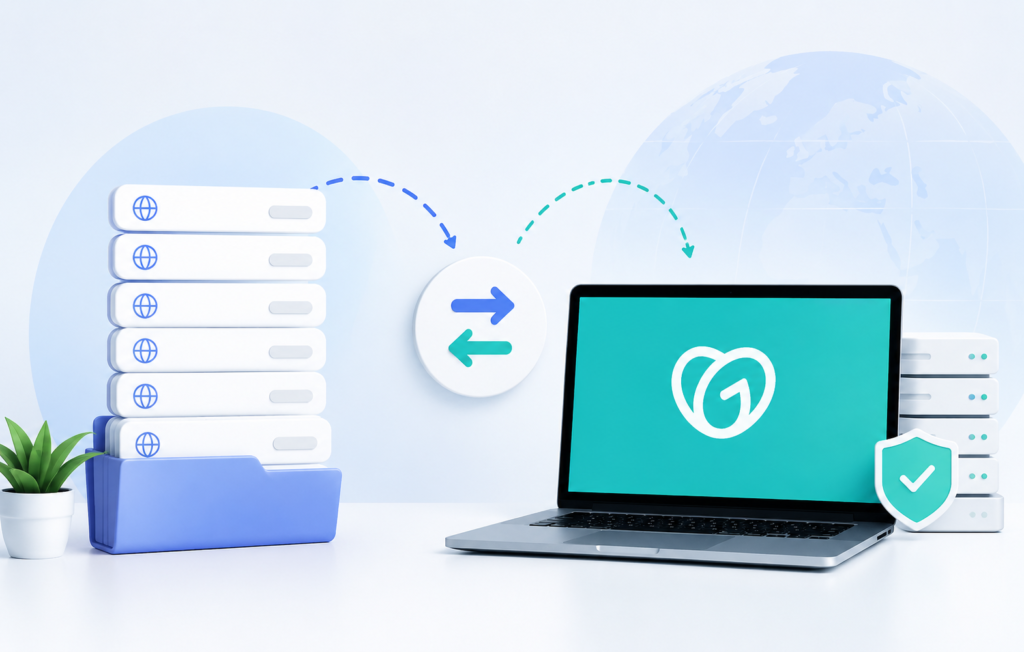
A domain transfer moves your domain registration from one registrar to another. It does not automatically move your website hosting, email hosting, or website files.
That point matters a lot.
Many beginners panic during a transfer because they think their website will disappear into the digital void forever. In reality, the transfer mainly changes the registrar that manages the domain registration.
Your hosting usually stays untouched unless you change nameservers or DNS settings.


Can You Transfer Multiple Domains to GoDaddy at Once?
Yes. GoDaddy allows bulk domain transfers using authorization codes, also called EPP codes or transfer keys.
You can transfer multiple domains to GoDaddy in one process instead of manually handling each domain one by one.
This feature helps users with:
- Business domain portfolios
- Agency client domains
- Expired domain acquisitions
- Brand protection domains
- Country and generic TLD collections
The godaddy bulk domain transfer process becomes much easier when you prepare domains correctly before starting.
What Should You Check Before Starting a Bulk Domain Transfer?
Before you transfer domains, verify a few important things.
Skipping these checks creates most transfer failures.
Is Your Domain Older Than 60 Days?
ICANN rules restrict newly registered or recently transferred domains from moving again for 60 days.
If your domain falls inside this lock period, the transfer cannot proceed.


Is Domain Privacy Enabled?
Some registrars require temporary privacy disabling so transfer approval emails can reach you correctly.
Check your registrar settings before starting.
Is the Domain Locked?
Most domains stay protected with registrar lock enabled.
You must unlock domains before transfer.
Look for settings like:
- Domain Lock
- Transfer Lock
- Registrar Lock
Disable them temporarily.
Do You Have Access to Authorization Codes?
Each domain requires an EPP code or authorization key.
Without it, the transfer cannot happen.
Some registrars email the code instantly. Others hide it deep inside account panels like a treasure hunt designed by pirates.


Is Your Contact Email Active?
Transfer approvals arrive through the administrative contact email.
If that email no longer works, fix it first.
Ignoring this step creates unnecessary delays.
How to Transfer Bulk Domain on GoDaddy Step by Step
Now let us walk through the actual process.
Step 1: Prepare Your Domains
Before opening GoDaddy, prepare all domains:
- Unlock each domain
- Disable transfer protection if needed
- Verify WHOIS email access
- Collect EPP authorization codes
- Check expiration dates
This preparation saves massive time later.
Step 2: Log Into Your GoDaddy Account
Visit GoDaddy and access the domain transfer section.
Choose the option for bulk transfers.
This allows you to add multiple domains together.
Step 3: Enter Your Domain Names
Paste all domains you want to transfer.
You can add domains individually or in bulk format.
GoDaddy checks eligibility automatically.
Step 4: Add Authorization Codes
Each domain needs its corresponding EPP code.
Accuracy matters here.
One incorrect code can pause that specific transfer.
Step 5: Review Pricing
Most domain transfers include one additional year of registration.
This means transferring a domain usually extends its expiration date by one year.
However, some domain extensions follow different rules.
Always verify pricing and extension eligibility.
Step 6: Complete Payment
After payment, GoDaddy submits transfer requests to the current registrar.
Step 7: Approve the Transfer
Most registrars send confirmation emails.
Approve them quickly to speed up processing.
Without approval, transfers may expire automatically.
Step 8: Wait for Completion
Most domain transfers complete within 5 to 7 days.
Some finish faster depending on registrar cooperation.
How Long Does a Bulk Domain Transfer Take?
The average bulk transfer timeline ranges between 5 and 7 days.
Several factors influence speed:
| Factor | Impact |
|---|---|
| Registrar approval speed | Faster approvals reduce waiting |
| Correct EPP codes | Wrong codes delay transfers |
| Domain lock status | Locked domains fail immediately |
| Email verification | Delayed approvals slow progress |
| Registry extension rules | Some TLDs process slower |
Certain domains transfer within hours after approval, while others move slower than a sleepy turtle crossing a highway.
Will Your Website Go Down During Transfer?
Usually, no.
A domain transfer does not automatically affect hosting or DNS settings.
Your website stays online if:
- Nameservers remain unchanged
- DNS records stay intact
- Hosting stays active
This is why professionals focus heavily on domain transfer without downtime planning.
How to Avoid Downtime During Domain Transfer
Downtime usually happens because users accidentally change DNS settings.
Follow these practices carefully.
Keep Existing Nameservers
Do not change nameservers during the transfer unless absolutely necessary.
Leaving nameservers untouched keeps website traffic stable.
Backup DNS Records
Save copies of:
- A records
- MX records
- CNAME records
- TXT records
This protects you if anything changes accidentally.
Avoid Simultaneous Hosting Migration
Do not transfer hosting and domains together unless you understand DNS propagation deeply.
Separate the projects.
Monitor Email Services
Business email often breaks before websites do.
Check MX records carefully after transfer completion.
Why Do Bulk Domain Transfers Fail?
Most failures happen because of preventable mistakes.
Incorrect Authorization Codes
Even one wrong character breaks the transfer request.
Double check every code.
Domain Lock Still Enabled
Many users forget to unlock domains before submitting transfers.
60 Day ICANN Restriction
Domains recently registered or transferred cannot move again immediately.
Invalid Contact Email
Transfer confirmation emails must reach a valid address.
Registry Restrictions
Some country code TLDs have unique rules.
Always verify extension specific requirements.
How to Transfer Domains Between GoDaddy Accounts
Sometimes users do not need a registrar transfer at all.
Instead, they simply want to transfer domains between GoDaddy accounts.
GoDaddy calls this an account change.
This process differs from a registrar transfer because the domain stays inside GoDaddy.
Common Reasons for Account Transfers
- Selling domains
- Client ownership transfer
- Team restructuring
- Agency project handoff
- Business acquisitions
Steps for GoDaddy Account Changes
Access Domain Management
Open your domain settings inside GoDaddy.
Choose Ownership Transfer
Select the account transfer option.
Enter Recipient Information
You typically need:
- Customer number
- Email address linked to the GoDaddy account
Confirm the Transfer
Both parties may receive confirmation emails.
Accept Ownership
The receiving user accepts the domain inside their account.
This process often finishes much faster than registrar transfers.
What Is the Cost of Bulk Domain Transfer?
Pricing depends on:
- Domain extension
- Registrar promotions
- Number of domains
- Renewal period
Many users search for cheap bulk domain transfer deals because large portfolios become expensive quickly.
However, do not choose registrars based only on the lowest price.
A registrar with poor support can turn domain management into a weekly headache festival.
What Domain Extensions Can You Bulk Transfer?
Most common extensions support bulk transfers, including:
- .com
- .net
- .org
- .co
- .io
- .biz
Bulk transfer .com domains remains the most common use case because .com dominates global domain registrations.
Some country code domains follow special rules and may require extra verification documents.
Should You Transfer Expiring Domains?
Yes, but timing matters.
Avoid transferring domains during the final expiration stage.
Ideally:
- Start transfers at least 2 weeks before expiration
- Renew critical domains first if necessary
- Verify registrar policies carefully
Waiting until the final day creates unnecessary risk.
What Happens to DNS During Transfer?
In most cases, DNS settings remain active if nameservers stay unchanged.
However, if the previous registrar controls DNS hosting directly, review settings carefully.
Some users accidentally lose DNS configurations because they never exported records beforehand.
A small backup saves huge stress later.
What Makes a Good Bulk Domain Migration Strategy?
A proper bulk domain migration guide always focuses on organization first.
Professionals rarely transfer large domain portfolios randomly.
Create a Spreadsheet
Track:
- Domain names
- Expiration dates
- Authorization codes
- Transfer status
- DNS providers
- Hosting providers
This simple step prevents confusion.
Transfer in Batches
If you manage hundreds of domains, transfer them in smaller groups first.
This helps identify issues early.
Prioritize Critical Domains
Move business critical domains carefully.
Test processes with lower importance domains first.
Audit DNS Before and After
Verify:
- Website loading
- Email delivery
- SSL certificates
- Subdomains
- Redirects
Never assume everything works automatically.
Should You Use GoDaddy for Bulk Domain Transfers?
GoDaddy remains one of the largest domain registrars globally, which makes it a familiar option for many users.
Advantages include:
- Large domain management system
- Bulk tools
- Wide TLD support
- Strong marketplace visibility
- Account management features
However, pricing varies, and some advanced users prefer registrars with more developer focused DNS tools.
The best choice depends on your portfolio size, budget, and workflow preferences.
What Are the Biggest Mistakes During Bulk Transfers?
Many domain transfer disasters come from rushed decisions.
Avoid these common mistakes.
Changing DNS and Registrar Simultaneously
This creates unnecessary troubleshooting complexity.
Ignoring Email Verification
Transfer approvals often expire.
Forgetting DNS Backups
One missing MX record can disrupt business email quickly.
Not Tracking Domains Properly
Large transfers require organization.
Waiting Until Domains Expire
Expired domains increase transfer risks dramatically.
Is Bulk Domain Transfer Worth It?
Absolutely, especially if you manage multiple domains across different registrars.
A clean and organized domain portfolio improves:
- Renewal management
- Security oversight
- DNS consistency
- Team collaboration
- Cost tracking
The process may look technical at first, but once you understand the workflow, bulk domain transfers become manageable.
Think of it like moving houses.
Moving one chair feels easy.
Moving 80 boxes, fragile glassware, three plants, and a confused cat requires planning.
Domains work the same way.
Frequently Asked Questions
How do I transfer multiple domains to GoDaddy at once?
To transfer multiple domains to GoDaddy at once, unlock your domains, collect EPP authorization codes, and use GoDaddy’s bulk domain transfer tool. Enter all domain names together, add the transfer codes, complete payment, and approve the transfer requests through email verification.
How long does a bulk domain transfer take on GoDaddy?
A bulk domain transfer on GoDaddy usually takes 5 to 7 days. Some transfers complete faster if the current registrar approves the request quickly and all authorization codes are correct.
Will my website go down during a domain transfer?
No, your website usually stays online during a domain transfer if you keep the same nameservers and DNS settings. Domain transfers mainly change the registrar, not the hosting provider.
What is an EPP code in domain transfer?
An EPP code, also called an authorization code or transfer key, is a security code required to transfer a domain from one registrar to another. Each domain has a unique code.
Can I transfer expired domains to GoDaddy?
Yes, but it depends on the expiration stage and registrar rules. It is safer to transfer domains before they expire to avoid delays or transfer rejection.
Does GoDaddy charge for bulk domain transfers?
Yes, GoDaddy charges a transfer fee for each domain. Most transfers include a one year domain renewal extension as part of the transfer cost.
Can I transfer domains between GoDaddy accounts?
Yes, GoDaddy allows account changes between users without moving the domain to another registrar. This process is faster than a regular domain transfer and is commonly used for client or ownership transfers.
Why is my GoDaddy domain transfer stuck?
A GoDaddy domain transfer may get stuck because of incorrect EPP codes, domain lock protection, invalid contact email addresses, or ICANN’s 60 day transfer restriction.
Do I need to unlock my domain before transferring?
Yes, you must unlock your domain before starting the transfer process. Locked domains cannot move to another registrar.
What happens to email during a domain transfer?
Email services usually continue working during a domain transfer if DNS and MX records remain unchanged. Problems typically happen only when DNS settings are modified incorrectly.
Can I bulk transfer .com domains to GoDaddy?
Yes, GoDaddy supports bulk transfer .com domains along with many other popular domain extensions such as .net, .org, and .co.
Is bulk domain transfer safe?
Yes, bulk domain transfer is safe when you use correct authorization codes, maintain DNS settings properly, and approve transfer requests through verified email accounts.
Final Thoughts
Learning how to transfer bulk domain on GoDaddy helps businesses, agencies, and domain investors simplify domain management while reducing long term operational stress.
The key to a successful godaddy bulk domain transfer process is preparation. Unlock domains, verify contact emails, collect authorization codes, and keep DNS settings stable throughout the migration.
Whether you want to transfer multiple domains GoDaddy users manage daily, move client portfolios, or organize bulk transfer .com domains efficiently, careful planning prevents downtime and failed requests.
Most importantly, avoid rushing.
A structured bulk domain migration guide always beats panic clicking random settings at midnight while wondering why your email suddenly stopped working.