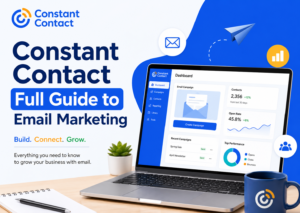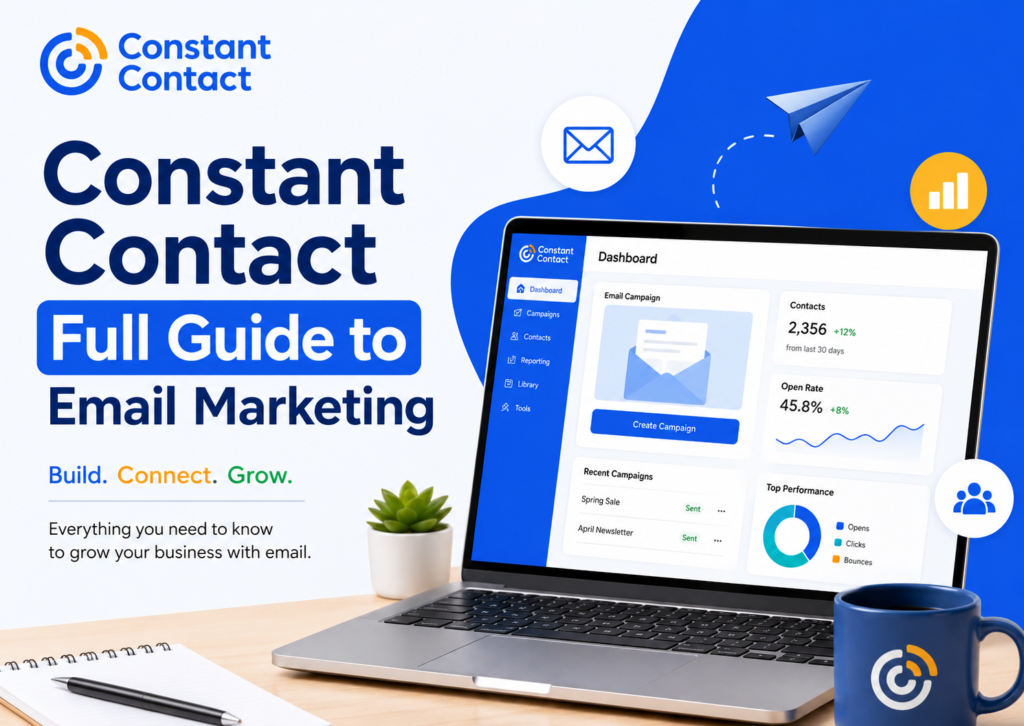
Constant Contact remains one of the most recognized email marketing platforms for businesses, creators, nonprofits, and marketers. If you’re searching for a reliable solution to build email campaigns, grow subscriber lists, and maintain customer relationships, Constant Contact often appears near the top of the list.
- What Is Constant Contact?
- How Does Constant Contact Work?
- Step 1: Build Your Contact List
- Step 2: Create an Email Campaign
- Step 3: Choose Your Audience
- Step 4: Schedule or Send
- Step 5: Analyze Performance
- Why Do Small Businesses Choose Constant Contact?
- Easy Setup
- Professional Templates
- Customer Relationship Building
- Scalability
- What Features Make Constant Contact Stand Out?
- Constant Contact Email Templates
- Constant Contact Contact Management
- Signup Forms and List Growth Tools
- Social Media Integration
- Event Marketing Tools
- How Can Beginners Start Using Constant Contact?
- Create an Account
- Import Contacts
- Choose a Template
- Write Valuable Content
- Test Before Sending
- How Does Constant Contact Email Automation Work?
- Why Is Email Automation Important?
- Common Automation Workflows
- What Makes a Good Automated Email?
- How Can You Set Up a Successful Constant Contact Campaign?
- Start With a Strong Subject Line
- Focus on One Main Message
- Use Clear Calls to Action
- Optimize for Mobile Users
- How Can You Create Effective Email Newsletters?
- What Should a Newsletter Include?
- Keep Content Easy to Scan
- Maintain Consistency
- Why Is Audience Segmentation So Important?
- Common Segmentation Methods
- Example of Smart Segmentation
- Better Relevance Creates Better Results
- How Can Personalization Improve Email Marketing Results?
- Ways to Personalize Emails
- Why Personalization Matters
- Avoid Overdoing It
- What Are the Most Important Email Marketing Best Practices?
- Build Permission Based Lists
- Send Valuable Content
- Maintain a Consistent Schedule
- Keep Your List Clean
- Test and Improve
- How Can You Avoid Common Email Marketing Mistakes?
- Sending Without a Strategy
- Ignoring Mobile Optimization
- Writing Long Blocks of Text
- Focusing Only on Sales
- Neglecting Analytics
- How Can You Measure Email Marketing Success With Constant Contact?
- What Metrics Should You Track?
- Why Do Reporting Analytics Matter?
- How Can You Use Analytics to Improve Campaigns?
- What Are the Biggest Advantages of Constant Contact?
- User Friendly Interface
- Strong Template Library
- Reliable Contact Management
- Helpful Customer Support
- Integrated Marketing Features
- What Are the Limitations of Constant Contact?
- Advanced Automation Is More Limited
- Growing Costs as Lists Expand
- Learning Curve for Advanced Features
- Constant Contact vs Other Email Marketing Platforms
- Constant Contact vs Mailchimp
- Constant Contact vs Brevo
- Constant Contact vs ConvertKit
- Who Should Use Constant Contact?
- Small Businesses
- Local Service Providers
- Nonprofit Organizations
- Beginners Learning Email Marketing
- What Are the Most Important Constant Contact Best Practices?
- Focus on List Quality
- Prioritize Valuable Content
- Segment Your Audience
- Test Campaign Elements
- Monitor Performance Consistently
- Is Constant Contact Worth It?
- Frequently Asked Questions
- Is Constant Contact good for beginners?
- How much does Constant Contact cost?
- Can I automate emails with Constant Contact?
- How do I create an email campaign in Constant Contact?
- Does Constant Contact provide email templates?
- What is the difference between Constant Contact and Mailchimp?
- Can Constant Contact help grow my email list?
- Is Constant Contact worth it for small businesses?
- What are the best practices for using Constant Contact?
- How many contacts can I upload to Constant Contact?
- Final Thoughts
The platform has built its reputation by making email marketing accessible. You do not need advanced technical skills to create professional campaigns. Instead of spending hours figuring out complicated settings, you can focus on writing messages that connect with your audience.
For beginners, this simplicity is one of the biggest advantages. Many email marketing tools offer hundreds of features, but too many options can feel overwhelming. Constant Contact strikes a balance between functionality and usability.
Businesses also appreciate the platform’s ability to handle email newsletters, automated campaigns, contact management, event promotions, and performance tracking from a single dashboard.
Think of it as the digital version of having an organized marketing assistant who never forgets to send an email.
What Is Constant Contact?
Constant Contact is an email marketing and digital marketing platform designed to help businesses communicate with customers through email campaigns and automated messaging.
The platform launched in 1995, making it one of the earliest email marketing providers in the industry. Over the years, it has evolved beyond simple email delivery and now includes features such as:
- Email campaign creation
- Marketing automation
- Contact list management
- Signup forms
- Social media integrations
- Event marketing tools
- Reporting and analytics
The software serves a wide range of users, including:
- Small businesses
- Ecommerce stores
- Nonprofit organizations
- Local service providers
- Bloggers and creators
- Marketing agencies
Its focus remains on helping users create meaningful customer engagement without requiring advanced technical knowledge.
How Does Constant Contact Work?
Understanding how to use Constant Contact becomes much easier when you break the process into simple steps.
The platform follows a straightforward email marketing workflow:
Step 1: Build Your Contact List
Before sending emails, you need subscribers.
You can import contacts from spreadsheets, CRM systems, ecommerce platforms, or signup forms. Constant Contact also provides tools that help collect email addresses directly from your website.
A healthy email list forms the foundation of every successful campaign.
Step 2: Create an Email Campaign
After adding contacts, you can design an email using the platform’s drag and drop editor.
Users can:
- Add images
- Insert buttons
- Create columns
- Customize branding
- Personalize messages
This approach eliminates the need for coding.
Step 3: Choose Your Audience
Instead of sending every email to every subscriber, marketers can segment contacts based on interests, engagement, purchase history, or demographics.
Segmentation improves relevance and often increases engagement rates.
Step 4: Schedule or Send
You can send emails immediately or schedule them for a future date and time.
Scheduling allows marketers to reach audiences when engagement is most likely.
Step 5: Analyze Performance
After sending a campaign, Constant Contact reporting analytics help track:
- Open rates
- Click rates
- Bounce rates
- Unsubscribes
- Engagement trends
These insights help marketers improve future campaigns.
Why Do Small Businesses Choose Constant Contact?
Small businesses often operate with limited time and resources. Hiring a full marketing team is not always realistic.
This is where Constant Contact small business marketing tools become valuable.
The platform simplifies tasks that would otherwise require multiple software solutions.
Easy Setup
Most users can create their first campaign within a short time.
The dashboard remains clean and beginner friendly, reducing the learning curve that many competitors struggle with.
Professional Templates
Not everyone has design experience.
Constant Contact email templates allow businesses to create polished campaigns without hiring a designer.
Templates cover various goals, including:
- Promotions
- Announcements
- Newsletters
- Seasonal campaigns
- Product launches
Customer Relationship Building
Email marketing remains one of the most effective channels for maintaining customer relationships.
Unlike social media, where algorithms control visibility, email provides direct access to subscribers.
That direct connection often leads to stronger customer loyalty.
Scalability
As businesses grow, email marketing needs become more complex.
Constant Contact supports growth through automation, segmentation, and advanced reporting capabilities.
This flexibility allows businesses to start small and expand over time.
What Features Make Constant Contact Stand Out?
The platform offers several tools designed to simplify marketing efforts.
Let’s explore the most important features.
Constant Contact Email Templates
Creating attractive emails from scratch can take significant time.
Templates solve this problem.
Users can select a design and customize elements to match their brand identity.
Benefits include:
- Faster campaign creation
- Professional appearance
- Mobile responsiveness
- Consistent branding
Since many subscribers read emails on mobile devices, responsive templates play a critical role in campaign success.
Constant Contact Contact Management
Managing contacts becomes increasingly challenging as lists grow.
The platform includes contact management features that help organize subscribers efficiently.
Users can:
- Create segments
- Tag contacts
- Remove duplicates
- Track engagement
- Import large lists
Organized contact data leads to more personalized campaigns.
Signup Forms and List Growth Tools
Growing an email list requires effective lead generation.
Constant Contact provides signup forms that businesses can place on websites, landing pages, and social media channels.
These forms help convert visitors into subscribers.
A larger list does not always mean better results.
A relevant and engaged list matters far more.
Social Media Integration
Many businesses combine email and social media marketing.
Constant Contact supports integration with social platforms, making it easier to promote campaigns across multiple channels.
This creates a more consistent marketing strategy.
Event Marketing Tools
Organizations that host events often need registration and communication tools.
Constant Contact includes event-related features that help manage invitations, registrations, and attendee communication.
This functionality can reduce administrative work significantly.
How Can Beginners Start Using Constant Contact?
Many first-time users worry that email marketing will be complicated.
Fortunately, Constant Contact beginner guide resources make onboarding relatively simple.
Create an Account
The first step involves setting up an account and entering business information.
The platform guides users through the process with clear instructions.
Import Contacts
After setup, users can upload existing subscriber lists.
Always ensure contacts have granted permission to receive emails.
Permission-based marketing improves deliverability and trust.
Choose a Template
Next, select one of the available templates.
Focus on readability rather than excessive design elements.
Subscribers care more about valuable content than flashy graphics.
Write Valuable Content
Every email should answer one question:
“Why should the reader care?”
Provide useful information, offers, updates, or solutions.
Strong content consistently outperforms overly promotional messaging.
Test Before Sending
Before launching a campaign, send test emails to yourself.
Check:
- Mobile appearance
- Links
- Images
- Formatting
- Subject lines
A quick test can prevent embarrassing mistakes.
Nobody wants to discover a broken button after sending an email to thousands of subscribers.
How Does Constant Contact Email Automation Work?
Email marketing becomes much more effective when messages reach people at the right time. Constant Contact email automation helps businesses accomplish this without manually sending every email.
Automation allows marketers to create workflows that trigger emails based on subscriber actions.
For example, when someone joins your email list, the platform can automatically send a welcome email. If a customer makes a purchase, a follow up email can arrive later with helpful information or recommendations.
This process saves time while improving customer engagement.
Why Is Email Automation Important?
People expect timely communication.
When a subscriber receives relevant information immediately after taking action, they are more likely to engage with your brand.
Automation also helps businesses maintain consistency. Even during busy periods, emails continue reaching subscribers according to predefined schedules.
Common Automation Workflows
Many businesses use automation for:
- Welcome email series
- Birthday emails
- Anniversary campaigns
- Lead nurturing sequences
- Customer onboarding
- Re engagement campaigns
A welcome sequence is often the best place to start.
When subscribers first join your list, they are usually at their highest level of interest. A well designed welcome series helps build trust and sets expectations for future communication.
What Makes a Good Automated Email?
Automation should feel personal rather than robotic.
Effective automated emails often include:
- Friendly introductions
- Personalized greetings
- Clear calls to action
- Useful information
- Consistent branding
The goal is to create conversations, not just automated messages.
How Can You Set Up a Successful Constant Contact Campaign?
A successful Constant Contact campaign setup involves more than choosing a template and clicking send.
The best campaigns begin with a clear objective.
Before creating an email, ask yourself:
- Do you want more sales?
- Are you promoting an event?
- Are you sharing company news?
- Are you nurturing leads?
Having one primary goal keeps your message focused.
Start With a Strong Subject Line
The subject line determines whether subscribers open your email.
A great email means very little if nobody reads it.
Effective subject lines are:
- Clear
- Relevant
- Specific
- Honest
Avoid misleading clickbait.
Trust takes months to build and seconds to lose.
Focus on One Main Message
Many businesses try to fit too much information into a single email.
This often creates confusion.
Instead, focus on one core message and one primary action.
When readers know exactly what to do next, engagement tends to improve.
Use Clear Calls to Action
Every campaign should guide readers toward a desired action.
Examples include:
- Shop now
- Learn more
- Register today
- Download the guide
- Book a consultation
A strong call to action removes uncertainty and encourages clicks.
Optimize for Mobile Users
Mobile devices account for a significant share of email opens.
Always preview campaigns on smartphones before sending.
Large text blocks can overwhelm mobile readers.
Short paragraphs and clear formatting improve readability.
How Can You Create Effective Email Newsletters?
Constant Contact newsletter creation tools make it easy to produce professional newsletters, but content quality still matters most.
Subscribers join email lists because they expect value.
When every newsletter focuses only on selling, engagement often declines.
What Should a Newsletter Include?
A balanced newsletter may contain:
- Industry updates
- Helpful tips
- Product announcements
- Educational content
- Company news
- Special offers
The best newsletters teach, entertain, or solve problems.
Sales naturally follow when trust develops.
Keep Content Easy to Scan
Most readers skim emails before deciding whether to continue reading.
To improve readability:
- Use headings
- Add bullet points
- Keep paragraphs short
- Include whitespace
- Highlight key information
Think of your newsletter as a conversation, not a textbook.
Maintain Consistency
Consistency helps subscribers recognize your brand.
Choose a regular schedule and stick to it.
Whether you send weekly, biweekly, or monthly emails, predictability builds audience expectations.
Why Is Audience Segmentation So Important?
Not every subscriber has the same interests.
Sending identical emails to everyone often reduces engagement.
Segmentation helps businesses deliver more relevant content.
Instead of one large audience, you create smaller groups based on specific characteristics.
Common Segmentation Methods
Businesses frequently segment subscribers by:
- Purchase history
- Geographic location
- Interests
- Engagement level
- Signup source
- Customer lifecycle stage
This approach improves relevance and often leads to better performance.
Example of Smart Segmentation
Imagine a fitness company selling workout equipment.
A subscriber interested in yoga may not respond to weightlifting promotions.
Likewise, strength training enthusiasts may ignore yoga content.
Segmentation allows each group to receive content that matches their interests.
The result feels more personal and useful.
Better Relevance Creates Better Results
People pay attention when content speaks directly to their needs.
Relevant emails often generate stronger engagement than generic campaigns.
The principle is simple.
The right message to the right person at the right time usually performs better than the same message sent to everyone.
How Can Personalization Improve Email Marketing Results?
Personalization goes beyond inserting a subscriber’s first name into an email.
Modern email marketing focuses on delivering relevant experiences.
Subscribers expect businesses to understand their interests and preferences.
Ways to Personalize Emails
Personalization may include:
- Name based greetings
- Product recommendations
- Location specific offers
- Relevant content suggestions
- Behavior based messaging
These elements create a more tailored experience.
Why Personalization Matters
Consumers receive countless marketing messages every day.
Generic emails often blend into the background.
Personalized communication stands out because it feels more relevant.
Subscribers are more likely to engage when content aligns with their interests.
Avoid Overdoing It
Good personalization feels helpful.
Excessive personalization can feel uncomfortable.
Focus on providing value rather than demonstrating how much data you have collected.
Trust remains more important than sophistication.
What Are the Most Important Email Marketing Best Practices?
Following Constant Contact best practices can improve engagement while protecting sender reputation.
Many successful campaigns rely on simple fundamentals rather than complicated tactics.
Build Permission Based Lists
Never purchase email lists.
Subscribers should willingly join your list.
Permission based marketing helps maintain:
- Better engagement
- Higher deliverability
- Stronger trust
- Lower complaint rates
Quality always beats quantity.
Send Valuable Content
Every email should provide a reason to open future emails.
Ask yourself:
Would I find this useful if I received it?
If the answer is no, reconsider the content.
Maintain a Consistent Schedule
Sending too frequently can overwhelm subscribers.
Sending too rarely can cause them to forget your brand.
Consistency helps maintain engagement.
Keep Your List Clean
Inactive subscribers can negatively impact campaign performance.
Review your contact list regularly.
Remove invalid addresses and consider re engagement campaigns for inactive subscribers.
A smaller engaged list often outperforms a larger inactive one.
Test and Improve
Successful email marketing involves continuous improvement.
Experiment with:
- Subject lines
- Send times
- Call to action buttons
- Email layouts
- Content formats
Small adjustments can lead to meaningful improvements over time.
How Can You Avoid Common Email Marketing Mistakes?
Even experienced marketers make mistakes.
Fortunately, many common problems are easy to prevent.
Sending Without a Strategy
Random campaigns rarely deliver consistent results.
Every email should support a larger marketing objective.
Planning improves performance.
Ignoring Mobile Optimization
A campaign that looks perfect on desktop may perform poorly on mobile devices.
Always test before sending.
Writing Long Blocks of Text
Large paragraphs can discourage readers.
Short sections improve readability and engagement.
Focusing Only on Sales
Subscribers rarely join lists because they want constant advertisements.
Balance promotional content with educational and helpful information.
Neglecting Analytics
Many marketers send campaigns without reviewing performance data.
Analytics reveal what works and what needs improvement.
Ignoring those insights means missing valuable opportunities.
How Can You Measure Email Marketing Success With Constant Contact?
Sending emails is only half the job.
The real value comes from understanding how subscribers interact with your campaigns. Constant Contact reporting analytics provide insights that help businesses make smarter marketing decisions.
Instead of guessing what works, marketers can use data to improve future campaigns.
What Metrics Should You Track?
Several email marketing metrics deserve attention.
Open Rate
Open rate measures how many recipients opened your email.
A strong subject line often improves this metric.
While open rates provide useful insights, they should not be the only performance indicator you monitor.
Click Through Rate
Click through rate shows how many people clicked links inside your email.
This metric often provides a clearer picture of engagement because it reflects actual user action.
Higher click rates usually indicate relevant content and effective calls to action.
Bounce Rate
Bounce rate measures emails that could not reach recipients.
There are two types:
- Hard bounces
- Soft bounces
Regular list maintenance helps reduce bounce rates and improves sender reputation.
Unsubscribe Rate
Some unsubscribes are normal.
However, a sudden increase may indicate problems with content quality, email frequency, or audience targeting.
Pay attention to trends rather than individual campaigns.
Engagement Trends
Looking at long term engagement patterns often reveals more useful insights than focusing on a single campaign.
Successful email marketing relies on continuous improvement rather than one time wins.
Why Do Reporting Analytics Matter?
Data helps remove assumptions.
Many marketers believe they know what subscribers want, but analytics often tell a different story.
For example, a campaign with a simple design may outperform a highly polished email.
Similarly, a short email might generate more clicks than a lengthy message.
Analytics reveal these patterns.
How Can You Use Analytics to Improve Campaigns?
Start by reviewing:
- Top performing subject lines
- Most clicked content
- Audience segments
- Best sending times
- Conversion focused emails
Look for recurring trends.
When something consistently works, replicate it.
When something consistently fails, adjust it.
Email marketing success often comes from small improvements repeated over time.
What Are the Biggest Advantages of Constant Contact?
Every marketing platform has strengths and weaknesses.
Understanding both helps businesses make informed decisions.
User Friendly Interface
One of Constant Contact’s strongest advantages is ease of use.
The platform was designed for business owners, not just marketing experts.
Most users can create campaigns without technical assistance.
Strong Template Library
Constant Contact email templates simplify campaign creation.
Templates save time while maintaining a professional appearance.
Businesses can focus on content rather than design challenges.
Reliable Contact Management
Constant Contact contact management tools help organize subscribers effectively.
Segmentation, tagging, and list organization become easier as audiences grow.
Better organization often leads to more personalized campaigns.
Helpful Customer Support
Many businesses value accessible support.
When technical issues arise, responsive customer service can make a significant difference.
This remains an important factor for smaller organizations that lack dedicated marketing teams.
Integrated Marketing Features
The platform combines multiple marketing functions in one place.
Users can manage:
- Email campaigns
- Automation
- Contacts
- Signup forms
- Event promotions
- Reporting
This reduces the need for multiple software subscriptions.
What Are the Limitations of Constant Contact?
No platform is perfect.
Understanding potential drawbacks helps set realistic expectations.
Advanced Automation Is More Limited
Constant Contact email automation works well for most small businesses.
However, organizations requiring highly advanced automation workflows may find some specialized platforms offer deeper functionality.
Growing Costs as Lists Expand
As subscriber counts increase, pricing naturally rises.
Businesses with very large email lists should evaluate costs carefully and compare available options.
Learning Curve for Advanced Features
Basic functions remain easy to use.
Advanced segmentation, automation, and analytics require additional learning.
Fortunately, most users adapt quickly through regular use.
Constant Contact vs Other Email Marketing Platforms
Many businesses compare Constant Contact with competing solutions before making a decision.
The right choice depends on business goals, technical requirements, and marketing strategy.
Constant Contact vs Mailchimp
Both platforms offer:
- Email marketing
- Templates
- Automation
- Reporting
Constant Contact often appeals to users seeking simplicity and strong customer support.
Mailchimp typically attracts marketers looking for deeper automation capabilities and advanced audience management.
Constant Contact vs Brevo
Brevo focuses heavily on automation and multichannel communication.
Constant Contact emphasizes ease of use and straightforward campaign management.
Small businesses often appreciate Constant Contact’s beginner friendly approach.
Constant Contact vs ConvertKit
ConvertKit primarily targets creators, bloggers, and online entrepreneurs.
Constant Contact serves a broader business audience, including nonprofits and local businesses.
Each platform addresses slightly different needs.
Who Should Use Constant Contact?
Not every business requires the same marketing tools.
Constant Contact works particularly well for specific user groups.
Small Businesses
Constant Contact small business marketing features make it an attractive option for companies with limited resources.
Business owners can launch campaigns without hiring technical specialists.
Local Service Providers
Local businesses often need simple communication tools for promotions, announcements, and customer updates.
The platform handles these tasks effectively.
Nonprofit Organizations
Many nonprofits use email marketing to engage supporters, share updates, and promote fundraising initiatives.
Constant Contact offers features that align well with these objectives.
Beginners Learning Email Marketing
People searching for a Constant Contact beginner guide often choose the platform because of its approachable interface and learning resources.
The software allows users to develop email marketing skills without feeling overwhelmed.
What Are the Most Important Constant Contact Best Practices?
Successful marketers often follow the same core principles.
These Constant Contact best practices can help improve long term results.
Focus on List Quality
An engaged audience matters more than a large audience.
Avoid shortcuts that prioritize subscriber quantity over relevance.
Prioritize Valuable Content
Every email should provide value.
Subscribers stay engaged when emails help solve problems, answer questions, or deliver useful information.
Segment Your Audience
Audience segmentation improves relevance.
Relevant emails usually outperform generic campaigns.
Test Campaign Elements
Experiment with:
- Subject lines
- Content length
- Send times
- Call to action placement
- Email layouts
Testing helps identify what resonates with your audience.
Monitor Performance Consistently
Analytics provide valuable feedback.
Review campaign performance regularly and adjust your strategy based on real results.
Is Constant Contact Worth It?
For many businesses, the answer is yes.
Constant Contact continues to be a trusted email marketing platform because it balances usability, functionality, and reliability.
The platform makes it easier to manage contacts, create professional campaigns, automate communication, and track results without requiring advanced technical skills.
Businesses looking for a straightforward email marketing solution often find it delivers everything needed to launch and manage effective campaigns.
Frequently Asked Questions
Is Constant Contact good for beginners?
Yes, Constant Contact is considered beginner friendly because it offers a simple interface, drag and drop email editing, ready made templates, and guided campaign setup. New users can start creating professional email campaigns without coding skills.
How much does Constant Contact cost?
Constant Contact offers multiple pricing plans based on features and the number of contacts in your email list. Costs may vary over time, so businesses should check the latest pricing before choosing a plan.
Can I automate emails with Constant Contact?
Yes, Constant Contact includes email automation features that allow businesses to send welcome emails, follow up sequences, birthday emails, and other automated campaigns based on subscriber actions.
How do I create an email campaign in Constant Contact?
To create an email campaign, add your contacts, choose an email template, customize the content, select your audience, and either send immediately or schedule the campaign for later delivery.
Does Constant Contact provide email templates?
Yes, Constant Contact offers a large collection of customizable email templates for newsletters, promotions, announcements, events, and business communications.
What is the difference between Constant Contact and Mailchimp?
Both platforms offer email marketing tools, automation, and analytics. Constant Contact is often preferred for its ease of use and customer support, while Mailchimp provides more advanced automation and audience management features.
Can Constant Contact help grow my email list?
Yes, Constant Contact includes signup forms, landing pages, and list building tools that help businesses collect subscriber information and grow their email audience.
Is Constant Contact worth it for small businesses?
Constant Contact can be a good option for small businesses that need an easy to use email marketing platform with templates, automation, contact management, and reporting tools in one place.
What are the best practices for using Constant Contact?
Best practices include building permission based email lists, segmenting subscribers, personalizing content, testing campaigns before sending, maintaining a consistent schedule, and monitoring campaign analytics regularly.
How many contacts can I upload to Constant Contact?
The number of contacts depends on your subscription plan. Businesses can import contacts through spreadsheets, CRM integrations, and signup forms while following email marketing compliance requirements.
Final Thoughts
Email marketing remains one of the most effective digital marketing channels available today.
While trends come and go, direct communication with subscribers continues to deliver value for businesses of all sizes.
Constant Contact helps simplify that process through intuitive tools, professional templates, contact management features, automation capabilities, and performance analytics.
Whether you’re launching your first newsletter, building customer relationships, or expanding an existing marketing strategy, Constant Contact provides a practical foundation for long term email marketing success.
The key is not simply sending more emails.
The real goal is sending better emails.
When businesses combine valuable content, smart segmentation, consistent communication, and data driven improvements, email marketing becomes a powerful tool for growth.