The Magic of AI Animation
Remember when making cartoons was something only big movie studios could do? Well, not anymore! Today, anyone with a computer and some imagination can create amazing animations, all thanks to artificial intelligence (AI).
Imagine this: You think of a dancing dinosaur, you tell a computer about it, and boom – a few minutes later, your dinosaur is wiggling and grooving on your screen! That’s the magic of AI animation tools, and they’re changing everything about how we make moving pictures.
In this guide, we’re going to explore the best AI tools that can help you create animations. Whether you’re a kid who loves cartoons, a teacher making fun videos for class, or someone who just wants to bring their ideas to life, there’s an AI tool perfect for you. Let’s jump in!
What is AI Animation Anyway?
Before we look at the best tools, let’s understand what AI animation really means.
AI animation is when computer programs use artificial intelligence to help create moving pictures. Instead of drawing every single frame by hand (like animators did in the old days), AI can fill in the gaps, add movement, and even create entire animations from just text descriptions.
Think of it like having a super-smart art assistant. You tell it what you want, maybe draw a rough sketch, or just describe your idea in words, and the AI helps turn it into a full animation. Cool, right?


Why Use AI for Animation?
You might wonder, “Why should I use AI instead of traditional animation methods?” Great question! Here are some awesome reasons:
1. Super Fast
Traditional animation can take months or even years. AI can create animations in minutes or hours. It’s like comparing a bicycle to a rocket ship!
2. Easy to Learn
You don’t need to go to animation school for years. Most AI animation tools are designed so beginners can use them. If you can type or click a mouse, you can create animations!
3. Saves Money
Hiring professional animators costs a lot of money. AI tools are much cheaper, and some are even free!
4. Perfect for Experimenting
Want to try different styles? Different colors? Different movements? With AI, you can experiment as much as you want without wasting materials or time.
5. No Artistic Skills Required
Can’t draw a straight line? No problem! Many AI tools don’t need you to draw anything at all. You just describe what you want, and the AI does the drawing and animating for you.
The Best AI Animation Tools You Should Know About
Now, let’s explore the best AI tools for creating animations. Each one is special in its own way!
1. Runway ML: The Creative Powerhouse
What makes it special? Runway ML is like a Swiss Army knife for creators. It can do lots of different things, including making animations.
Best features:
- Turn videos into different art styles
- Create animations from text descriptions
- Remove backgrounds automatically
- Generate motion from still images
Who should use it? Runway is perfect for people who want professional results but don’t want to spend years learning complicated software. Content creators, marketers, and even filmmakers love this tool.
How easy is it? Pretty easy! The interface is clean and simple. You can learn the basics in an afternoon.
Cost: Runway has a free version with limited features, and paid plans start at around $12 per month.
Fun fact: Some Hollywood creators use Runway ML for special effects in their movies!
2. Synthesia: Your AI Video Avatar Creator
What makes it special? Synthesia creates videos with AI avatars that look and act like real people. While it’s mainly for talking videos, it’s amazing for educational animations and presentations.
Best features:
- Over 140 AI avatars to choose from
- Supports more than 120 languages
- Add text, images, and transitions easily
- No camera or microphone needed
Who should use it? Teachers, business trainers, YouTubers who don’t want to be on camera, and anyone making educational content.
How easy is it? Super easy! If you can type in a text box, you can use Synthesia. It’s one of the simplest tools on this list.
Cost: Plans start at around $22 per month. There’s usually a free trial so you can test it out.
Why kids love it: You can make your homework presentations look like professional TV shows!
3. DeepMotion: Bringing Characters to Life
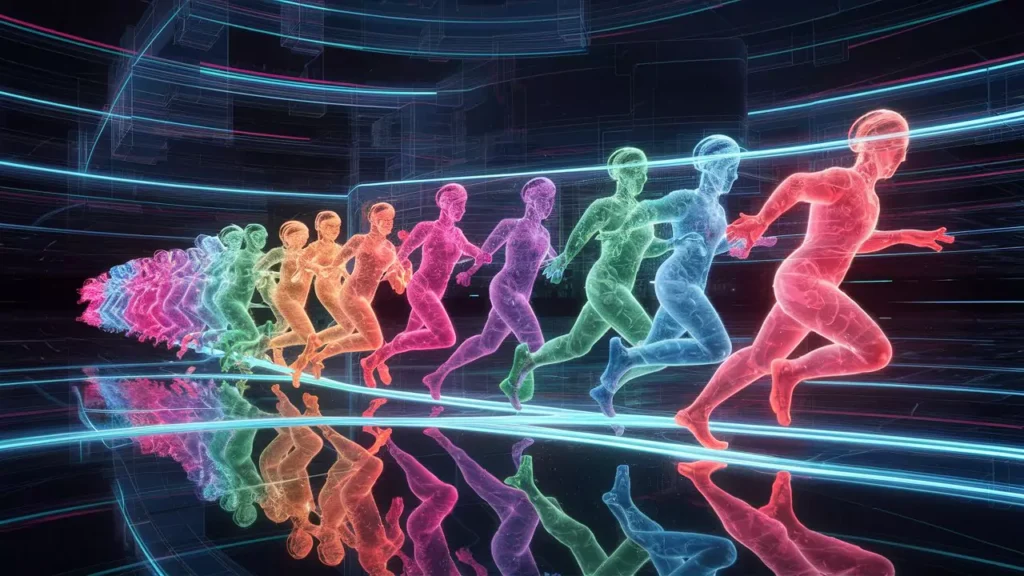
What makes it special? DeepMotion specializes in something called “motion capture.” This means it can watch how real people move and apply those movements to animated characters.
Best features:
- Upload a video of yourself dancing, and your 3D character will dance the same way
- Create realistic body movements without special equipment
- Works with different 3D character models
- Great for game developers and animators
Who should use it? Gamers who want to create their own characters, people making 3D animations, and anyone who needs realistic character movements.
How easy is it? It’s a bit more technical than other tools, but the results are worth it. You might need a few hours to understand all the features.
Cost: DeepMotion offers a free version with basic features, and paid plans provide more advanced options.
Amazing use: Want your video game character to do your actual dance moves? DeepMotion makes it happen!
4. Animaker: The Beginner’s Best Friend
What makes it special? Animaker is specifically designed for people who have never made animations before. It’s friendly, colorful, and super fun to use.
Best features:
- Huge library of pre-made characters and scenes
- Drag-and-drop interface (no complicated tools!)
- Tons of animation styles: 2D, explainer videos, whiteboard animations
- Smart AI that suggests movements and effects
Who should use it? Complete beginners, students, teachers, small business owners, and social media creators.
How easy is it? This is probably the easiest animation tool out there. If you can make a PowerPoint presentation, you can use Animaker.
Cost: There’s a free version with watermarks, and paid plans start at around $10 per month.
Fun project idea: Make an animated birthday card for your best friend!
5. Cascadeur: For the Physics Lovers
What makes it special? Cascadeur uses AI to make character movements look physically realistic. If you want your character to jump, flip, or fight, Cascadeur makes sure it looks believable.
Best features:
- AI-assisted physics for realistic movements
- Perfect for action scenes
- Great tools for correcting and adjusting animations
- Works with other 3D animation software
Who should use it? People making action animations, game developers, and anyone who cares about realistic movement in their animations.
How easy is it? This one’s more advanced. You’ll need some patience and practice, but the tutorials are helpful.
Cost: There’s a free version for individual creators and students!
Cool fact: Professional video game animators use Cascadeur to make fight scenes look awesome.
6. Plotagon: Story Time Made Easy
What makes it special? Plotagon is all about storytelling. You write a script, choose your characters and settings, and Plotagon turns it into an animated movie.
Best features:
- Write dialogue and the characters act it out automatically
- Customize character appearances
- Choose from many different scenes and locations
- Add emotions and expressions to your characters
Who should use it? Writers, students making book reports, anyone who loves storytelling, and teachers creating lesson videos.
How easy is it? Extremely easy! If you can write a story, you can use Plotagon.
Cost: There’s a free version with basic features, and premium plans unlock more characters and scenes.
Classroom use: Perfect for turning your creative writing assignments into animated movies!
7. D-ID: The Photo Animator
What makes it special? D-ID can take any still photo and make it talk and move. It’s like magic – you upload a picture of anyone (with permission!), type what you want them to say, and they come to life!
Best features:
- Animate photos with realistic facial movements
- Multiple language support
- Lip-sync is incredibly accurate
- Fast processing time
Who should use it? Content creators, marketers, educators, and anyone wanting to create unique presentation videos.
How easy is it? Very easy! Upload, type, and generate. Three simple steps.
Cost: Limited free credits, then paid plans start at around $5 per month.
Historical fun: Make historical figures from your textbook “talk” about their achievements!
8. Genmo: AI Video Magic
What makes it special? Genmo uses the latest AI technology to create videos and animations from text descriptions. You literally just describe what you want to see!
Best features:
- Text-to-video generation
- Create short animated clips quickly
- Experimental and creative results
- Great for abstract and artistic animations
Who should use it? Experimental artists, social media creators, and anyone who loves trying new technology.
How easy is it? Easy to use, but getting exactly what you want might take some practice with your descriptions.
Cost: Free tier available with limited generations, paid plans for more credits.
Creative prompt: “A cat riding a skateboard through space with stars exploding” – Genmo will try to make it!
9. Adobe Character Animator: The Professional Choice
What makes it special? Made by Adobe (the company behind Photoshop), Character Animator uses your webcam and microphone to animate characters in real-time. Your facial expressions become the character’s expressions!
Best features:
- Real-time animation using your face and voice
- Integrates with other Adobe tools
- Professional-quality results
- Great for live streaming with animated avatars
Who should use it? Streamers, YouTubers, professional animators, and Adobe Creative Cloud subscribers.
How easy is it? Moderate difficulty. It’s more complex than beginner tools but offers professional features.
Cost: Included with Adobe Creative Cloud subscription (around $20-$50 per month depending on the plan).
Streaming cool factor: Be a cartoon character while gaming or chatting with friends online!
10. Krikey AI: Animation in 3D
What makes it special? Krikey AI helps you create 3D animated avatars and bring them to life with AI-generated movements.
Best features:
- Create custom 3D characters
- AI-powered animation from text prompts
- No animation experience needed
- Export to various formats
Who should use it? Game developers, metaverse creators, content creators, and 3D animation enthusiasts.
How easy is it? User-friendly with a bit of a learning curve for 3D concepts, but excellent tutorials available.
Cost: Free tier available with paid options for advanced features.
Future of gaming: Create your own video game character and animate them with simple commands!
How to Choose the Right AI Animation Tool for You
With so many options, how do you pick the right one? Here’s a simple guide:
Ask Yourself These Questions:
1. What’s my skill level?
- Beginner? → Try Animaker, Synthesia, or Plotagon
- Some experience? → Runway ML or D-ID
- Advanced? → Cascadeur or Adobe Character Animator
2. What kind of animation do I want to make?
- Talking characters/presentations? → Synthesia or D-ID
- Storytelling? → Plotagon or Animaker
- Realistic character movements? → DeepMotion or Cascadeur
- Experimental/creative? → Runway ML or Genmo
- Live streaming? → Adobe Character Animator
3. What’s my budget?
- Free tools: Cascadeur (free version), Animaker (limited), Genmo (limited)
- Budget-friendly: Animaker, Synthesia, D-ID
- Professional investment: Adobe Character Animator, Runway ML Pro
4. How much time do I have?
- Need something quick? → D-ID, Synthesia
- Have time to learn? → Cascadeur, Adobe Character Animator
- Want balance? → Runway ML, Animaker
✨ More Stories for You
 10 Best AI for Creating Mockups: Smart Tools for Designers & Developers">
 7 Best AI for Book Covers: Design Professional Covers Instantly">

Getting Started: Your First AI Animation Project
Ready to make your first animation? Here’s a simple roadmap for beginners:
Step 1: Start Small
Don’t try to make a full movie on your first day! Start with something simple like:
- A 10-second animated greeting card
- A short explanation video
- An animated character saying hello
Step 2: Choose Your Tool
Based on your answers to the questions above, pick one tool to start with. Don’t try to learn all of them at once!
Step 3: Watch Tutorials
Almost every tool has YouTube tutorials or built-in guides. Spend 30 minutes watching before you start creating.
Step 4: Copy First, Create Later
Find example projects you like and try to recreate them. This helps you learn how the tool works without the pressure of being original.
Step 5: Experiment and Have Fun
Once you understand the basics, let your imagination run wild! Try different styles, colors, and movements.
Step 6: Share Your Work
Show your animations to friends and family. Getting feedback helps you improve!
Step 7: Keep Learning
Each project teaches you something new. Keep creating, and you’ll get better and better.
Tips and Tricks for Amazing AI Animations
Want to make your animations stand out? Here are some insider tips:
1. Keep It Simple
The best animations often have simple ideas executed well. Don’t overcomplicate things, especially when you’re starting out.
2. Sound Matters!
Music and sound effects can make a huge difference. Many AI tools let you add audio – use it!
3. Tell a Story
Even simple animations are better when they tell a story. Who is your character? What do they want? What happens?
4. Use Templates
Most tools have templates. They’re not cheating – they’re smart! Start with a template and customize it.
5. Watch Lots of Animations
Study cartoons, animated movies, and other people’s work. Notice what you like and try to figure out why it works.
6. Be Patient
AI is smart, but it’s not perfect. Sometimes you’ll need to try several times to get what you want. That’s normal!
7. Learn Keyboard Shortcuts
For tools you use often, learning shortcuts will make you much faster.
8. Save Your Work Often
Nothing’s worse than losing your project! Save frequently, and keep backup copies.
Common Mistakes to Avoid
Learning from mistakes is smart, but learning from other people’s mistakes is even smarter! Here are common pitfalls:
Mistake 1: Trying Too Many Tools at Once
Stick with one tool until you’re comfortable with it. Jumping between tools just confuses you.
Mistake 2: Ignoring Tutorials
The “figure it out myself” approach sounds cool but wastes time. Watch at least one tutorial before diving in.
Mistake 3: Making It Too Long
Start with short animations (10-30 seconds). Long projects take forever and you might give up.
Mistake 4: Forgetting About Your Audience
Who’s going to watch your animation? Make it for them, not just for yourself.
Mistake 5: Using Too Many Effects
Just because you can add sparkles, explosions, and rainbow transitions doesn’t mean you should. Less is often more!
Mistake 6: Giving Up Too Soon
Your first animations might not be perfect. That’s okay! Everyone starts somewhere. Keep going!



The Future of AI Animation
What’s coming next in the world of AI animation? Here are some exciting trends:
1. Even Easier to Use
Future tools will be so simple that you could create animations just by talking to your computer, like having a conversation with a friend.
2. More Realistic
AI is getting better at making animations look and move like real life. Soon, it might be hard to tell what’s real and what’s animated!
3. Faster Processing
What takes hours now might take seconds in the future.
4. Personalization
Future AI will learn your style and preferences, making tools that feel designed just for you.
5. Virtual Reality Integration
Imagine creating animations in 3D space around you, using VR headsets!
6. Real-Time Collaboration
Work on animations with friends from around the world, all at the same time.
Real-World Uses for AI Animation
Still wondering if learning AI animation is worth it? Check out these real-world applications:
Education
- Teachers creating engaging lesson videos
- Students making animated presentations
- Explaining complex topics in simple, visual ways
Business
- Companies making marketing videos
- Training materials for employees
- Product demonstrations
Entertainment
- YouTubers and content creators
- Social media posts and stories
- Short films and web series
Personal Projects
- Birthday cards and celebrations
- Family memories and photo albums
- Creative hobbies and artistic expression
Gaming
- Indie game developers
- Character animations
- Cut scenes and story elements
Frequently Asked Questions
Q: Do I need a powerful computer for AI animation? A: Most web-based tools work on regular computers. Some advanced tools like Cascadeur or Adobe Character Animator need better computers.
Q: Can I make money with AI animations? A: Absolutely! People create animations for clients, YouTube channels, online courses, and more.
Q: Is it cheating to use AI for animation? A: Not at all! AI is just a tool, like a paintbrush or pencil. Your creativity and ideas are what matter.
Q: How long does it take to learn? A: Basic skills can be learned in a few hours. Mastering advanced techniques might take weeks or months, but you can make fun animations from day one!
Q: Can kids use these tools? A: Many are perfect for kids! Tools like Animaker and Plotagon are especially kid-friendly. Always check age requirements and ask for parent permission.
Q: What if my animation doesn’t look good? A: Keep trying! Every animator started with less-than-perfect work. Practice makes better (nobody’s perfect!).
Q: Can I use AI animations commercially? A: Usually yes, but check each tool’s license agreement. Some free versions might have restrictions.
Q: Do I need to know how to draw? A: Nope! That’s the beauty of AI animation – many tools need zero drawing skills.
Resources for Learning More
Want to dive deeper into AI animation? Check out these resources:
YouTube Channels
- Search for “[Tool Name] tutorial” to find specific guides
- Animation channels often cover AI tools
- Tech review channels compare different options
Online Communities
- Reddit has communities for animation and AI art
- Discord servers where creators share tips
- Facebook groups for specific tools
Free Learning Platforms
- Many tools have their own learning centers
- YouTube has thousands of free tutorials
- Blogs and websites with step-by-step guides
Practice Projects
- Recreate scenes from your favorite cartoons
- Animate lyrics to songs
- Make short stories or jokes
- Create holiday cards
- Animate family photos
Your Creative Journey Starts Now!
We’ve covered a lot in this guide – from the best AI animation tools to tips, tricks, and real-world uses. Here’s the most important thing to remember: The best tool is the one you actually use!
Don’t get paralyzed trying to choose the “perfect” tool. Pick one that sounds fun, watch a quick tutorial, and start creating. You can always try other tools later. The key is to begin!
Animation used to be something only big studios with huge budgets could do. Now, thanks to AI, anyone with ideas and imagination can bring their visions to life. That’s incredible!
Whether you want to make your friends laugh, help people learn, express your creativity, or even start a business, AI animation tools give you the power to do it. You don’t need years of training or expensive equipment. You just need curiosity and the willingness to try.
So what are you waiting for? Pick a tool from this list, fire it up, and create something amazing. Your first animation might be simple, but it’s your creation. And that’s something special.
Remember: Every professional animator was once a beginner who pressed “start” for the first time. Today is your day to press that button. The world is waiting to see what you’ll create!
Final Thoughts
AI animation tools are changing how we create and share stories. They’re making animation accessible to everyone – kids, students, professionals, and hobbyists alike. The technology will only get better, easier, and more powerful.
But here’s a secret: The AI is just the tool. You are the creator. Your ideas, your stories, your unique way of seeing the world – that’s what makes animations special. The AI just helps you share your vision with others.
So go ahead, pick your tool, and start creating. Make that dancing dinosaur. Bring your story to life. Turn your ideas into motion. The power is in your hands now.
Happy animating! 🎨✨
What will you create first? The possibilities are endless, and your animation adventure starts today!