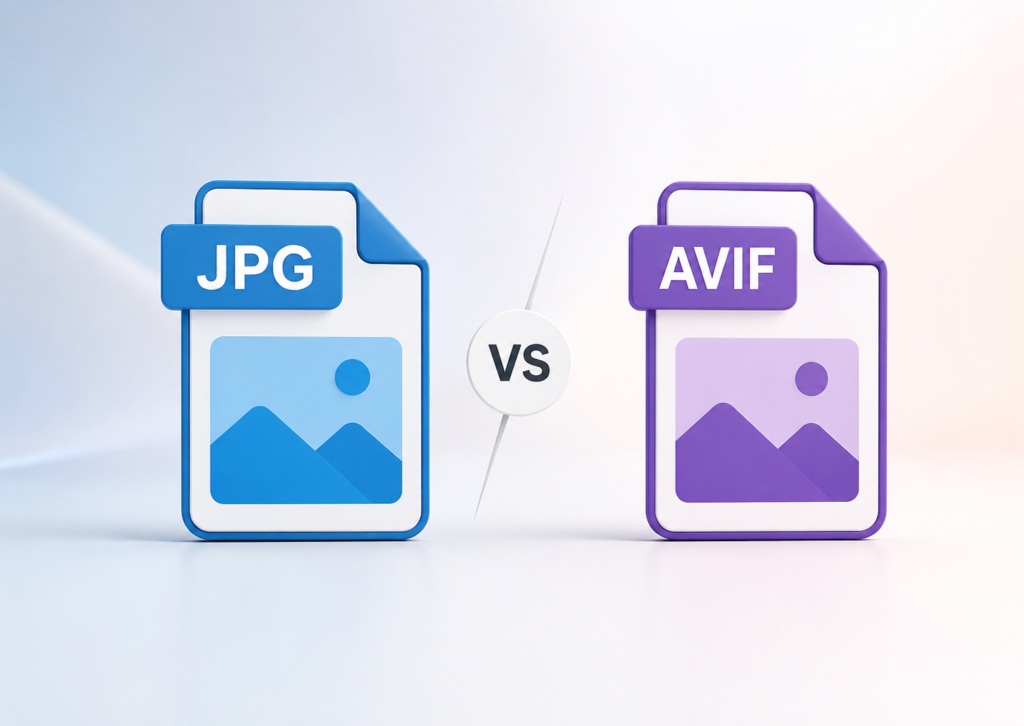
Images can make a website look stunning, but they can also slow it down if you choose the wrong format. That’s why many website owners, developers, photographers, and SEO professionals now compare JPG vs AVIF before uploading images.
For years, the JPG image format has been the standard for photos on the web. It offers good quality, works on almost every device, and keeps file sizes reasonable. However, a newer format called AVIF has gained attention because it delivers smaller file sizes while maintaining impressive image quality.
So, should you use AVIF or JPG? The answer depends on your goals. If you care about website speed, modern image optimization, and Core Web Vitals, AVIF has several advantages. If compatibility and ease of use matter most, JPG still has a strong place.
In this guide, we’ll compare JPG vs AVIF in terms of image quality, file size, compression, browser support, SEO, and real-world use cases. By the end, you’ll know which format fits your website or project best.
What Is JPG?
JPG, also known as JPEG (Joint Photographic Experts Group), is one of the world’s most widely used image file formats. Introduced in the early 1990s, it became the default choice for digital photography and web images because it balances quality with manageable file sizes.
The format uses lossy compression, which removes some image data to reduce file size. While this process slightly lowers image quality, the difference is often difficult to notice at moderate compression levels.
Today, JPG remains popular because nearly every operating system, browser, camera, image editor, and website platform supports it.
Advantages of the JPG Image Format
- Universal browser and device support
- Excellent for photographs
- Small file sizes compared to uncompressed formats
- Easy to edit and share
- Supported by almost every CMS, including WordPress and Shopify
Limitations of JPG
- Quality decreases each time you save the image.
- Compression artifacts become visible at high compression levels.
- No transparency support.
- Less efficient than modern image optimization formats such as AVIF.
Although newer formats exist, JPG continues to be a reliable option when maximum compatibility is more important than the smallest possible file size.
What Is AVIF?
AVIF (AV1 Image File Format) is a modern image format based on the AV1 video codec developed by the Alliance for Open Media. It was designed to deliver better image quality at much smaller file sizes than older formats such as JPG.
Unlike JPG, AVIF supports both lossy compression and lossless compression, giving developers and designers more flexibility.
One of AVIF’s biggest strengths is its ability to preserve fine details while significantly reducing file size. Smaller images often translate into faster page loading, lower bandwidth usage, and improved web performance.
AVIF also supports advanced features, including:
- Transparency (alpha channel)
- HDR (High Dynamic Range)
- Wide color gamut
- Higher bit depth
- Better compression efficiency
Because of these features, AVIF has become one of the leading next-generation image formats for websites and modern applications.
Fun fact: Think of AVIF as the efficient traveler who fits everything into a carry-on, while JPG sometimes arrives with two oversized suitcases. Both reach the destination, but one makes the journey lighter.



JPG vs AVIF: Quick Comparison Table
| Feature | JPG | AVIF |
|---|---|---|
| Compression | Lossy | Lossy & Lossless |
| File Size | Medium | Very Small |
| Image Quality | Good | Excellent |
| Transparency | ❌ No | ✅ Yes |
| HDR Support | ❌ No | ✅ Yes |
| Browser Support | Excellent | Good (modern browsers) |
| SEO Benefits | Good | Excellent for faster pages |
| Editing Compatibility | Excellent | Improving |
| Best For | Photography & compatibility | Websites & performance |
JPG vs AVIF Image Quality Comparison
When comparing AVIF vs JPG image quality, the answer isn’t simply about which image looks sharper. It also depends on how efficiently each format stores image data.
JPG has delivered reliable image quality for decades. It works especially well for photographs, travel images, product photography, and social media content. However, aggressive JPEG compression can introduce visible artifacts, particularly around text, edges, and fine details.
AVIF uses newer compression technology that preserves details more effectively at lower file sizes. Independent testing by organizations such as Netflix and the Alliance for Open Media has shown that AVIF often achieves similar or better visual quality than JPEG while using substantially fewer bytes.
For website owners, this means you can often display high-quality images without increasing page weight.
AVIF vs JPG Image Quality
Choose JPG if you need:
- Maximum compatibility
- Fast editing workflow
- Broad software support
Choose AVIF if you want:
- Better detail retention
- Improved color accuracy
- Smaller files with similar visual quality
- Modern image optimization
The quality difference becomes more noticeable when working with high-resolution photography or large image galleries.
JPG vs AVIF File Size Comparison
One of the biggest reasons developers switch from JPG to AVIF is file size reduction.
Modern compression algorithms allow AVIF to create significantly smaller image files than JPEG while maintaining comparable visual quality. Smaller images help reduce bandwidth usage and improve page speed.
Although the exact savings vary depending on the image, compression settings, and content, reputable testing from Google, Netflix, and other industry organizations consistently shows that AVIF can outperform JPEG in compression efficiency.
Smaller files can improve several aspects of website performance:
- Faster page loading
- Better mobile experience
- Lower hosting bandwidth
- Faster CDN delivery
- Improved Core Web Vitals
For websites with hundreds or thousands of images—such as eCommerce stores, portfolios, or blogs—even modest file-size reductions can add up quickly.
Does Smaller Always Mean Better?
Not always.
AVIF files generally take more processing power to encode than JPG images. While visitors benefit from faster downloads, creating AVIF images can take longer during export. Fortunately, most modern image optimization tools automate this process.
For most websites, the trade-off is worthwhile because visitors experience faster loading pages without sacrificing image quality.
AVIF Compression vs JPEG Compression
Compression is where the biggest difference in the JPG vs AVIF comparison appears.
JPEG relies on a compression method that has served the web well for decades. It reduces file size by removing image data that is less noticeable to the human eye. This works well, but repeated editing and saving can gradually reduce image quality.
AVIF uses the AV1 codec, a much newer compression technology. It can store images more efficiently, which means you often get similar—or even better—visual quality at a smaller file size.
JPEG Compression
Pros
- Fast to encode and decode
- Supported by virtually every image editor
- Reliable for everyday photography
Cons
- Larger files compared to AVIF
- Compression artifacts become more noticeable at lower quality settings
- Limited color depth and no transparency
AVIF Compression
Pros
- Excellent compression efficiency
- Supports both lossy compression and lossless compression
- Better detail preservation at lower file sizes
- Supports HDR, transparency, and wide color gamuts
Cons
- Slower to encode than JPEG
- Older software may not support it without updates
If your goal is image optimization, AVIF has a clear advantage thanks to its modern compression technology.
AVIF Browser Support
A common question is, “Can all browsers open AVIF?”
The short answer is almost—but not all.
Most modern browsers now support AVIF, including:
- Google Chrome
- Microsoft Edge
- Mozilla Firefox
- Opera
- Safari (recent versions)
Older browsers and outdated operating systems may not display AVIF images correctly. That’s why many websites serve AVIF images to supported browsers while automatically falling back to JPG or WebP for others.
This approach gives visitors the best possible experience without sacrificing compatibility.
AVIF vs JPG Compatibility
| Feature | JPG | AVIF |
|---|---|---|
| Chrome | ✅ | ✅ |
| Firefox | ✅ | ✅ |
| Edge | ✅ | ✅ |
| Safari (modern versions) | ✅ | ✅ |
| Older browsers | ✅ | Limited |
Before switching entirely to AVIF, check your audience’s browser usage with analytics. If many visitors use older browsers or legacy devices, keeping JPG as a fallback is a smart choice.
Website Performance & Core Web Vitals
Website speed affects user experience and search visibility. While image format alone won’t guarantee better rankings, choosing efficient images can improve loading performance.
Google’s Core Web Vitals measure how users experience a webpage. Large image files often increase loading times, especially on mobile devices.
Since AVIF images are usually smaller than JPG files at similar quality levels, they can help reduce page weight.
Benefits may include:
- Faster page loading
- Reduced bandwidth usage
- Better mobile performance
- Improved image delivery through CDNs
- Faster Largest Contentful Paint (LCP) when large images are optimized
Keep in mind that image format is only one part of website performance. Proper sizing, responsive images, lazy loading, caching, and CDN delivery also play important roles.
Tips for Better Image Optimization
- Resize images before uploading.
- Use responsive image sizes with the
<picture>element orsrcset. - Enable lazy loading for below-the-fold images.
- Compress images without making them look blurry.
- Deliver images through a CDN when possible.
A fast website isn’t built with one trick. It’s built with many smart optimizations working together.

AVIF SEO: Does Image Format Affect Rankings?
Many people ask, “Is AVIF good for SEO?”
The answer is indirectly, yes.
Google does not rank pages higher simply because they use AVIF instead of JPG. However, Google recommends optimizing images to improve page speed and user experience.
Smaller image files can contribute to:
- Faster loading pages
- Better Core Web Vitals
- Improved mobile experience
- Lower bandwidth consumption
These improvements support technical SEO and create a better experience for visitors.
Does Google Support AVIF Images?
Yes.
Google Search supports AVIF images for indexing, and modern Chromium-based browsers display them natively. Google also recommends using modern image formats when appropriate to improve web performance.
If you use AVIF on your website, remember to:
- Add descriptive alt text.
- Use meaningful file names.
- Include image dimensions.
- Keep image sitemaps updated when needed.
These SEO best practices matter far more than choosing one image format over another.
Editing & Compatibility
One area where JPEG vs AVIF still differs is editing.
JPG has been around for decades, so nearly every image editor, camera, CMS, and design application supports it without additional plugins.
AVIF support has improved rapidly, but some older software still cannot open or export AVIF images.
JPG Works Well With
- Adobe Photoshop
- Lightroom
- Canva
- Microsoft Office
- WordPress
- Shopify
- Most cameras
- Almost every operating system
AVIF Support Is Growing
Today, many popular tools support AVIF, including recent versions of Photoshop, GIMP, ImageMagick, Squoosh, Cloudinary, and several online image optimization platforms.
If your workflow depends on older software, you may need to update your applications before switching completely.
AVIF vs WebP vs JPG
If you’re choosing the best image format for websites, you’ll probably compare three formats instead of two.
| Feature | JPG | WebP | AVIF |
| File Size | Good | Better | Best |
| Image Quality | Good | Very Good | Excellent |
| Transparency | ❌ | ✅ | ✅ |
| HDR Support | ❌ | ❌ | ✅ |
| Browser Support | Excellent | Excellent | Good to Excellent |
| SEO & Performance | Good | Very Good | Excellent |
For most modern websites:
- JPG remains the safest choice for universal compatibility.
- WebP offers an excellent balance between compatibility and performance.
- AVIF delivers the highest compression efficiency and often the smallest files.
AVIF vs PNG
PNG remains useful when you need pixel-perfect graphics, screenshots, logos, or images with transparency.
However, AVIF can also support transparency while producing much smaller files in many cases.
Choose PNG for:
- Interface elements
- Technical diagrams
- Simple graphics with sharp edges
- Workflows that require lossless editing
Choose AVIF for:
- Product photos
- Hero banners
- Lifestyle photography
- Blog images
- eCommerce galleries
- Modern website optimization
If your goal is website speed optimization, AVIF is often the stronger option for photographic content.
Advantages of JPG
Despite the rise of modern image formats, JPG remains one of the most practical choices for many websites and workflows. Its biggest strength is compatibility. Almost every browser, operating system, camera, smartphone, and image editor supports JPG without additional configuration.
Benefits of JPG
- Universal browser and device support
- Fast to create and edit
- Works with virtually every CMS and website builder
- Ideal for sharing images across platforms
- Excellent choice for digital photography
- No compatibility concerns for older devices
If your audience includes users with older browsers or you frequently exchange files with clients, JPG is still a dependable option.
Advantages of AVIF
AVIF was designed for the modern web. It focuses on delivering high image quality while keeping file sizes as small as possible.
Benefits of AVIF
- Superior compression efficiency
- Better image quality at similar file sizes
- Supports both lossy and lossless compression
- Transparency support
- HDR and wide color gamut support
- Lower bandwidth usage
- Faster image delivery on supported browsers
- Excellent choice for modern image optimization
For websites that prioritize speed and performance, AVIF offers clear advantages over traditional formats.
When Should You Use JPG?
JPG is still the better option in several situations.
Choose JPG if you:
- Need maximum compatibility across all devices
- Upload images to platforms that don’t support AVIF
- Edit images frequently
- Share files with clients who use older software
- Work primarily with digital photography
For many businesses, JPG remains the safest format because it works almost everywhere.
When Should You Use AVIF?
If your website focuses on speed and performance, AVIF deserves serious consideration.
Choose AVIF if you:
- Want to improve website performance
- Care about Core Web Vitals
- Optimize large image galleries
- Run an eCommerce store with hundreds of product photos
- Build modern websites using WordPress, Shopify, or custom frameworks
- Want better compression without noticeable quality loss
Many websites now deliver AVIF images to supported browsers while keeping JPG or WebP as a fallback. This approach combines modern performance with broad compatibility.
JPG vs AVIF for WordPress
If you use WordPress, AVIF support has improved significantly. Recent versions of WordPress support uploading AVIF images, provided your hosting environment includes the necessary image processing libraries.
Several image optimization plugins also generate AVIF versions automatically while serving JPG or WebP to browsers that don’t support AVIF.
For WordPress websites focused on SEO and page speed, AVIF can be a valuable addition to your image optimization strategy.
JPG vs AVIF for Shopify
Shopify automatically optimizes many images through its content delivery network (CDN). While merchants often upload JPG files, Shopify’s infrastructure may deliver optimized formats to supported browsers.
If you’re managing custom assets or theme images, using AVIF where supported can help reduce page weight without sacrificing quality.
For eCommerce stores, faster-loading product images can improve the shopping experience, especially on mobile devices.
JPG vs AVIF: Which One Should You Choose?
There isn’t a single winner because each format serves a different purpose.
If compatibility is your top priority, JPG continues to be an excellent choice.
If performance, image optimization, and faster page loading matter most, AVIF is usually the better option.
Here’s a simple comparison:
| Your Goal | Recommended Format |
|---|---|
| Universal compatibility | JPG |
| Smallest file size | AVIF |
| Modern websites | AVIF |
| Older software support | JPG |
| Photography workflow | JPG |
| Website performance | AVIF |
| Core Web Vitals optimization | AVIF |
| Fast editing | JPG |
For many websites, the ideal solution isn’t choosing one format over the other. Instead, use AVIF for supported browsers and provide JPG as a fallback. This approach gives visitors the best possible experience while maintaining compatibility.
Frequently Asked Questions
Should I use AVIF or JPG for my website?
If your audience uses modern browsers and website performance is a priority, AVIF is usually the better option. If compatibility with older devices and software is more important, JPG is the safer choice. Many websites use AVIF with JPG as a fallback.
Is AVIF good for SEO?
Yes. AVIF can improve SEO indirectly by reducing image file sizes, which helps pages load faster. Faster websites often provide a better user experience and support Google’s Core Web Vitals, although Google does not rank pages higher simply because they use AVIF.
Does Google support AVIF images?
Yes. Google Search supports AVIF images, and Google’s image optimization guidance encourages the use of modern image formats that improve website performance. Most Chromium-based browsers also display AVIF images natively.
Can I convert JPG to AVIF?
Yes. You can convert JPG images to AVIF using image editors, online converters, or optimization tools. Many CMS plugins and build tools can also generate AVIF images automatically during upload or deployment.
Is AVIF better than WebP?
AVIF often provides better compression than WebP while maintaining excellent image quality. However, WebP has broader compatibility with image editing tools and slightly faster encoding, making both formats useful depending on your workflow.
Is AVIF supported by all browsers?
No. AVIF is supported by current versions of Chrome, Edge, Firefox, Safari, and Opera, but some older browsers and operating systems do not support it. Using a JPG fallback ensures all visitors can view your images.
Which image format loads faster, AVIF or JPG?
AVIF usually loads faster because its smaller file sizes reduce download time. Actual performance also depends on image dimensions, compression settings, caching, CDN delivery, and the visitor’s internet connection.
When should I use JPG instead of AVIF?
Use JPG when you need maximum compatibility, frequently edit images, or share files with users who rely on older software. JPG remains one of the most universally supported image formats.
Does AVIF reduce image quality?
Not necessarily. AVIF is designed to preserve visual quality while using less storage. At comparable quality settings, it often retains more detail than JPG, especially at lower file sizes.
What is the best image format for websites?
There is no single best format for every situation. AVIF is an excellent choice for modern websites focused on speed and performance, while JPG remains ideal for broad compatibility. Many websites serve AVIF to supported browsers and JPG as a fallback.
Conclusion
The JPG vs AVIF debate isn’t about replacing one format entirely. It’s about choosing the right tool for the job.
JPG has earned its place as one of the most reliable image formats on the web. It offers excellent compatibility, simple workflows, and dependable performance across virtually every device.
AVIF, on the other hand, represents the future of modern image formats. It delivers impressive image compression, smaller file sizes, and high image quality, making it a strong option for website speed optimization, Core Web Vitals, and image optimization SEO.
If you’re building a modern website, consider using AVIF wherever possible while keeping JPG as a fallback for older browsers. This balanced approach combines performance with compatibility and helps create a faster, smoother experience for every visitor.